HTTP Security Headers: Guide to CSP, HSTS and Bypass

Learn how to test and configure HTTP security headers: CSP, HSTS, X-Frame-Options, Referrer-Policy and bypass techniques in web pentests.
- Posted on 2026-08-08
- Reading time: 16 min
HTTP Security Headers: How to Test CSP, HSTS, and Bypassable Configurations #
HTTP security headers are instructions the server sends to the browser to tell it what it can do with the page: which resources to load, which scripts to run, whether the page can end up inside a frame, whether it should only use HTTPS, what to share in the referrer, and which browser features (camera, microphone, geolocation, etc.) it can use.
If these headers are missing or misconfigured, they worsen the impact of vulnerabilities like XSS , clickjacking , MITM , and token theft. But a missing header alone isn't an exploitable vulnerability : you should always check what the page does, what functionality is involved, and what the actual damage would be.
Existing headers should also be checked, not just missing ones. A CSP with an excessively broad allowlist can be bypassed if a gadget script or endpoint that the attacker can control exists on an already authorized domain. And if in script-src there is 'unsafe-inline', protection against inline scripts drops significantly — but other policy directives may still apply.
OWASP includes missing or insecure headers in A02:2025 — Security Misconfiguration.
What Are HTTP Security Headers? #
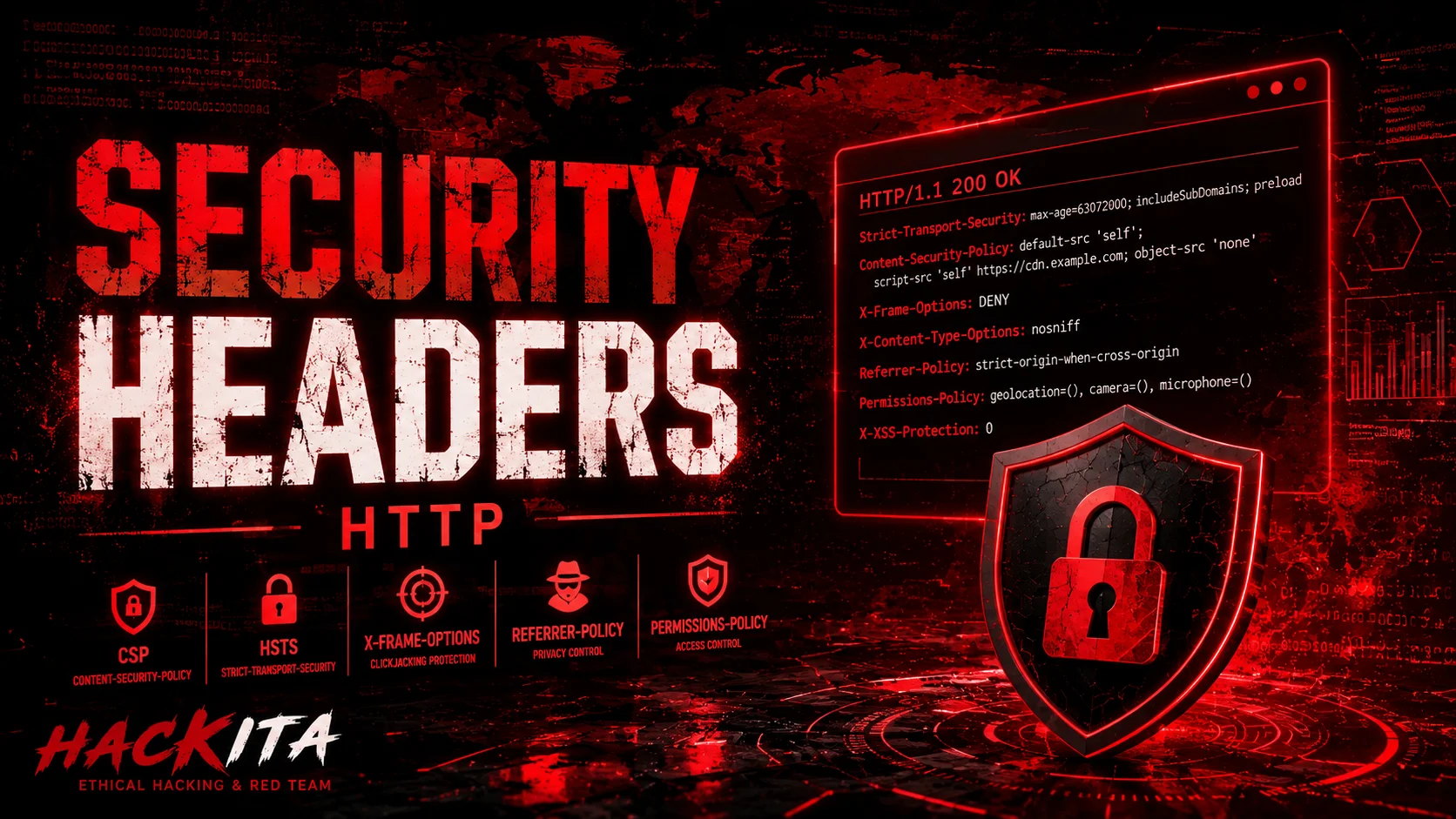
These are the HTTP directives a server uses to tell the browser how to handle content, scripts, iframes, HTTPS connections, cross-origin resources, and sensitive functionality. The main ones are CSP, HSTS, X-Frame-Options, X-Content-Type-Options, Referrer-Policy, and Permissions-Policy.
Methodology: The tests in this guide combine HTTP header analysis, manual browser verification, and CSP policy analysis to confirm that the issue is indeed exploitable. Automatic scanners are only useful for a quick initial run.
HTTP Security Headers: Quick Checklist #
| Header | What is | What to test | Possible impact |
|---|---|---|---|
| CSP | Mitigates XSS/content injection | nonce, hash, allowlist, unsafe-inline, unsafe-eval | XSS |
| HSTS | Force HTTPS | max-age, includeSubDomains, preload | MITM, SSL stripping |
X-Frame-Options / frame-ancestors | Prevents framing | DENY, SAMEORIGIN, authorized origins | Clickjacking |
| X-Content-Type-Options | Block MIME sniffing | nosniff | MIME confusion |
| Referrer-Policy | Limit the information in the referrer | explicit policy, token leak in URL | Information disclosure |
| Permissions-Policy | Restrict browser APIs | camera, microphone, geolocation | Attack surface |
| COOP / COEP / CORP | Cross-origin isolation | configuration, if required by the architecture | Cross-origin leak |
| X-XSS-Protection | Deprecated header | absent or 0 | Nobody |
| Cache-control | Check caching | no-store on sensitive responses | Data exposure |
Each row, however, requires the context described below: the table is a starting point, not a verdict.
How to Check HTTP Security Headers with curl (in 30 Seconds) #
# Segui i redirect e mostra gli header della risposta finale
curl -skIL "https://target.com/" | grep -iE \
  "strict-transport-security|content-security-policy|x-frame-options|x-content-type-options|referrer-policy|permissions-policy|cross-origin|x-xss-protection|cache-control"

# Controlla separatamente la risposta HTTP iniziale
curl -sI "http://target.com/"

# Tool utili
# securityheaders.com              → controllo generale e grade indicativo
# csp-evaluator.withgoogle.com     → analisi statica della CSP
# Burp Suite                       → verifica header su ogni endpoint e risposta
If a header is missing, first ask yourself:
1. La risposta contiene HTML interattivo o dati sensibili?
2. La pagina può essere caricata in un iframe?
3. Esistono script, stili o risorse controllabili dall'utente?
4. Il sito accetta ancora traffico HTTP?
5. Nell'URL compaiono token o parametri riservati?
6. La configurazione mancante abilita un attacco riproducibile?
One JSON API, one response 204, a redirect or a static resource do not need the same headers as an authenticated page where the user performs sensitive actions.
Content-Security-Policy (CSP) #
The Content Security Policy tells the browser from which origins it can load scripts, styles, images, fonts, frames, and connections. It's a defense-in-depth measure against XSS and content injection: it helps, but it's no substitute for output encoding, sanitization, secure templates, and input validation.
How to Read a CSP #
Content-Security-Policy: default-src 'self'; script-src 'self' https://cdn.example.com; object-src 'none'; frame-ancestors 'none'; base-uri 'none'default-src 'self' → fallback per le direttive non dichiarate
script-src 'self' ... → origini autorizzate a fornire JavaScript
style-src → origini autorizzate per CSS
img-src → origini autorizzate per immagini
connect-src → destinazioni di fetch, XHR, WebSocket e beacon
frame-src → origini caricabili dentro iframe
frame-ancestors → origini autorizzate a incorporare la pagina
form-action → destinazioni consentite per i form
object-src 'none' → blocca object/embed e plugin legacy
base-uri 'none' → impedisce la modifica della base URL tramite <base>Weakness 1 — 'unsafe-inline'
#
With this policy the browser executes inline scripts, event handlers and elements such as javascript::
Content-Security-Policy: script-src 'self' 'unsafe-inline'If there is also an XSS that allows markup injection, an inline payload like this can run without problems:
<script>alert(document.domain)</script>
<img src=x onerror="alert(document.domain)">
Rapid test:
curl -skI "https://target.com/" | grep -i content-security-policyDon't throw away the whole CSP just because there is 'unsafe-inline': directives such as frame-ancestors, object-src, form-action, connect-src e base-uri can continue to protect. Furthermore, with modern policies based on nonces or hashes, how much does it really matter? 'unsafe-inline' It depends on the combination of all the directives and what the browser supports.
Weakness 2 — Allowlisted Origins with JSONP or Inspectable Content #
A CSP based only on a list of trusted hosts is fragile if an authorized origin exposes:
- JSONP endpoint with controllable callback;
- files that you can upload or publish;
- CDN that allows you to choose dangerous libraries or versions;
- endpoints that return controllable JavaScript;
- gadget scripts that can be exploited in the context of the page.
Conceptual example:
Content-Security-Policy: script-src 'self' https://api-allowlisted.example<script src="https://api-allowlisted.example/jsonp?callback=FUNZIONE_CONTROLLATA"></script>The bypass only works if the exact origin written in script-src It actually exposes a usable endpoint, and if what it returns runs JavaScript in the context you're testing, it's fine. Public endpoints and payloads found online change frequently: always verify the response manually; don't trust outdated lists without checking them.
Weakness 3 — Script Gadgets and Legacy Frameworks #
An authorized source can host an older framework or library that transforms user-controllable markup into executed JavaScript. AngularJS 1.x is the historical example of gadget scripts , but whether it actually works depends on:
- actually loadable version;
- syntax and sandbox of that version;
- presence of
unsafe-evalor other directives; - injection point available;
- CSP framework mode;
- transformations applied by the sanitizer.
Content-Security-Policy: script-src 'self' https://cdn-allowlisted.exampleSeeing the CDN domain in the policy isn't enough: during the pentest, you need to demonstrate that a compatible library can be loaded and that the gadget actually runs in the page's DOM.
Weakness 4 — Redirects, Paths, and Authorized Origins #
An open redirect does not automatically validate any final origin : the browser continues to apply the CSP to the entire load chain, not just the first hop.
Redirects become interesting when they lead, within an already authorized origin, to JSONP endpoints, auditable files, normally excluded paths, or other gadget scripts. Therefore, check:
- origine iniziale e origine finale;
- path consentiti dalla source expression;
- numero e tipo di redirect;
- Content-Type della risposta finale;
- comportamento reale del browser, non soltanto quello di curl.
A dedicated in-depth look at the general exploitation of this class of bugs: Open Redirect: Complete Guide.
Weakness 5 — Predictable, Reused, or Copied Nonce on Untrusted Input #
A good nonce is 100% random, changes with every response, and is only applied to scripts you trust.
<!-- Esempio corretto: nonce generato per questa risposta -->
<script nonce="RANDOM_PER_RESPONSE">inizializzaApp()</script>Content-Security-Policy: script-src 'nonce-RANDOM_PER_RESPONSE' 'strict-dynamic'; object-src 'none'; base-uri 'none'What to look for:
- nonce identico tra richieste differenti;
- nonce derivato da timestamp o contatori prevedibili;
- nonce inserito automaticamente su ogni tag <script>, inclusi quelli iniettati;
- nonce esposto in un contesto che l'attaccante può leggere e riutilizzare;
- template che copiano attributi controllati dall'utente.
CSP Recommended #
A strict nonce- or hash-based CSP is almost always stronger than a long list of authorized hosts.
Content-Security-Policy:
  script-src 'nonce-RANDOM_PER_RESPONSE' 'strict-dynamic';
  object-src 'none';
  base-uri 'none';
  frame-ancestors 'none';
  form-action 'self';
  img-src 'self' data: https:;
  style-src 'self';
  connect-src 'self';
The nonce must be generated by the application for each response: it cannot be a fixed value written in the Nginx configuration.
To introduce a policy without breaking the site, start with:
Content-Security-Policy-Report-Only: ...Collect violations, fix legitimate dependencies, and only then move on to the actual policy. Report-Only it doesn't block anything: This is just for observation before rollout.
Strict-Transport-Security (HSTS) #
HSTS tells the browser to only reach that domain via HTTPS. Once the header is received over a valid HTTPS connection, the browser automatically converts future HTTP requests to HTTPS and no longer ignores certificate errors.
Strict-Transport-Security: max-age=31536000; includeSubDomainsmax-age=31536000 → memorizza la policy per un anno
includeSubDomains → estende HSTS ai sottodomini
preload → dichiara l'intenzione di entrare nella preload listHow to Test HSTS #
# La risposta HTTP deve reindirizzare immediatamente a HTTPS
curl -sI "http://target.com/"

# L'header HSTS deve essere presente sulla risposta HTTPS
curl -skI "https://target.com/" | grep -i strict-transport-security
Key points:
- I browser ignorano Strict-Transport-Security ricevuto tramite HTTP.
- HSTS non protegge la primissima visita HTTP, salvo preload o policy già memorizzata.
- includeSubDomains va usato solo quando tutti i sottodomini supportano HTTPS.
- preload richiede requisiti specifici e può avere conseguenze operative durature.
- un max-age breve può essere corretto durante il rollout iniziale, ma non offre protezione persistente.
Nginx and Apache Configuration #
# Attivare includeSubDomains solo dopo aver verificato tutti i sottodomini
add_header Strict-Transport-Security "max-age=31536000; includeSubDomains" always;Header always set Strict-Transport-Security "max-age=31536000; includeSubDomains"Add preload only after checking the preload list requirements and the possibility of maintaining HTTPS on the domain and subdomains in the long term.
X-Frame-Options and CSP frame-ancestors
#
These headers determine whether a page can be embedded within a frame. Their absence isn't clickjacking: the page must be truly embeddable and contain actions or data useful to the attacker.
X-Frame-Options: DENY
X-Frame-Options: SAMEORIGIN
ALLOW-FROM It is obsolete and should not be used. The modern and more flexible directive is:
Content-Security-Policy: frame-ancestors 'none'or:
Content-Security-Policy: frame-ancestors 'self' https://trusted.exampleHow to Check for Clickjacking #
curl -skI "https://target.com/dashboard" | \
grep -iE "x-frame-options|content-security-policy"cat > clickjack_test.html <<'EOF_CLICKJACK'
<!doctype html>
<html lang="it">
<head>
<meta charset="utf-8">
<style>
iframe {
opacity: 0.25;
position: absolute;
inset: 0;
width: 100%;
height: 100%;
z-index: 2;
}
button {
position: absolute;
top: 200px;
left: 400px;
z-index: 1;
}
</style>
</head>
<body>
<button>Azione esca</button>
<iframe src="https://target.com/dashboard"></iframe>
</body>
</html>
EOF_CLICKJACKConfirm the finding only if:
1. la pagina viene renderizzata nel frame;
2. la sessione della vittima resta utilizzabile nel frame;
3. esiste un'azione sensibile o un impatto dimostrabile;
4. eventuali cookie SameSite non bloccano lo scenario.
For a stronger defense send both:
add_header X-Frame-Options "DENY" always;
add_header Content-Security-Policy "frame-ancestors 'none';" always;
Note: Clickjacking often goes hand in hand with an action lacking anti-CSRF protection (missing or poorly checked token) — it's worth looking at that side of things too: CSRF insights.
X-Content-Type-Options #
X-Content-Type-Options: nosniffTells the browser to trust the Content-Type declared, instead of trying to guess an executable type on its own (so-called MIME sniffing).
How to Test X-Content-Type-Options #
curl -skI "https://target.com/" | grep -i x-content-type-optionsThe absence of a header is not automatically XSS. You also need a resource that the user can control, a Content-Type wrong and a context where the browser can read it as a script or style.
The right defense combines both:
- Content-Type accurato per ogni risposta;
- X-Content-Type-Options: nosniff.
add_header X-Content-Type-Options "nosniff" always;Referrer-Policy #
Referrer-Policy decides what information about the current URL ends up in the header Referer when you browse or load a resource.
In modern browsers the default is usually strict-origin-when-cross-origin, but it is still a good idea to declare the policy explicitly, so that the behavior remains predictable even on older clients.
Referrer-Policy: strict-origin-when-cross-originno-referrer → non invia il Referer
same-origin → lo invia solo verso la stessa origine
strict-origin → invia soltanto l'origine, senza downgrade HTTPS→HTTP
strict-origin-when-cross-origin → URL completo same-origin, sola origine cross-origin
unsafe-url → invia anche path e query; da evitare sui siti sensibiliHow to Analyze Referrer Policy (Verifying a Real Leak) #
curl -skI "https://target.com/" | grep -i referrer-policyIn the browser:
1. Apri una pagina contenente un token o identificatore nell'URL.
2. Controlla le richieste verso analytics, CDN, widget e domini esterni.
3. Verifica il valore effettivo del Referer inviato.
4. Determina se il valore esposto è ancora valido e utilizzabile.
Don't include session IDs, passwords, reset tokens, or other secrets in the query string. A strict referrer policy reduces risk, but it won't fix an app that exposes secrets in URLs.
For particularly sensitive pages you can consider:
Referrer-Policy: no-referrerGeneral configuration:
add_header Referrer-Policy "strict-origin-when-cross-origin" always;Permissions-Policy #
Permissions-Policy limits which browser features — camera, microphone, geolocation, payment API — the main page and the frames it embeds can use.
Permissions-Policy: camera=(), microphone=(), geolocation=(), payment=()The absence of the header doesn't automatically grant silent access to the camera or microphone: browser permissions, user consent, secure context, and other policies remain in effect. However, the header serves to limit the potential of a compromised script or embedded content.
How to Check Permissions Policy #
curl -skI "https://target.com/" | grep -i permissions-policySet a policy based on what you really need:
add_header Permissions-Policy "camera=(), microphone=(), geolocation=(), payment=()" always;Don't copy a generic policy without testing your app: legitimate video conferencing, maps, payments, or iframes may require specific permissions.
COOP, COEP and CORP #
Cross-origin isolation headers separate the document from cross-origin contexts and decide which resources can enter its processing:
Cross-Origin-Opener-Policy: same-origin
Cross-Origin-Embedder-Policy: require-corp
Cross-Origin-Resource-Policy: same-siteCOOP → separa il browsing context group da documenti cross-origin
COEP → richiede CORS o CORP per le risorse cross-origin incorporate
CORP → stabilisce quali origini possono includere una risorsaThey are mainly used when the app needs cross-origin isolationuse SharedArrayBuffer or handles scenarios at risk of cross-origin leaks. They're not mandatory everywhere, and they don't make much sense on an API consumed by non-browser clients.
Controlling which origins can use a resource is a similar idea to an application-side CORS misconfiguration (header Access-Control-Allow-Origin too permissive): further information on CORS Misconfiguration
.
curl -skI "https://target.com/" | grep -iE \
  "cross-origin-opener-policy|cross-origin-embedder-policy|cross-origin-resource-policy"
The lack of COOP/COEP isn't a vulnerability. However, enabling them can block third-party resources not configured with CORS or CORP, so they need to be carefully designed and tested.
Security Headers vs. CORS: What's the Difference? #
These are two things that are often confused. The security headers we've seen so far control what the browser does (load resources, embed the page, send the referrer, use permissions); CORS, on the other hand, decides which origins can be accessed. read the response of a cross-origin request, via Access-Control-Allow-Origin and similar headers. In practice, CSP is about client-side loading and execution, CORS is about server-side data access. They're not a substitute for each other—a well-built CSP can't fix a permissive CORS, and vice versa. More information: CORS Misconfiguration
.
X-XSS-Protection: Header Deprecated #
X-XSS-Protection It triggered the old anti-XSS filters in Internet Explorer, Chrome, and Safari. It's now deprecated, doesn't really protect, and in some historical cases, could even cause problems.
OWASP recommends not setting it, or explicitly disabling it:
X-XSS-Protection: 0curl -skI "https://target.com/" | grep -i x-xss-protectionDo not report X-XSS-Protection: 1; mode=block as a serious vulnerability. Treat it as a legacy configuration, and ensure that true protection against XSS comes from contextual encoding, sanitization, Trusted Types where possible, and a robust CSP.
Cache-Control for Sensitive Responses #
Cache-Control It is not just a security header, but becomes essential when a response contains personal data, tokens, documents, or authenticated information.
To prevent it from being saved:
Cache-Control: no-storeno-cache does not prevent caching: the response is still saved, but must be revalidated before using it again. private blocks saving in shared caches, but not in the user's browser cache.
curl -skI "https://target.com/dashboard" \
  -H "Cookie: session=VALID_SESSION" | grep -i cache-control
Currency:
- presenza di no-store sulle risposte realmente sensibili;
- caching da parte di CDN o proxy condivisi;
- direttive Vary e chiavi di cache;
- possibilità di recuperare dati dopo logout o da un altro utente;
- service worker o cache applicative che conservano contenuti riservati.
Indicative configuration:
location /dashboard {
    add_header Cache-Control "no-store" always;
}
Pragma: no-cache It is mostly a remnant of HTTP/1.0 and does not replace Cache-Control.
Related Risks: Cache Poisoning, Request Smuggling, and Session Hijacking #
A misconfigured cache is not just a problem of exposed data: if the server or reverse proxy treats as “not part of the key” headers that the user can control (X-Forwarded-Host, non-canonicalized parameters), a malicious response can end up in cache and be served to all users afterwards. Dedicated analysis: Cache Poisoning: A Complete Guide
.
If the target is behind a reverse proxy/load balancer and the front-end and back-end read differently Content-Length/Transfer-Encoding, the problem can spread to HTTP Request Smuggling — bypassing access controls and "upstream" cache poisoning. Further information: HTTP Request Smuggling: A Complete Guide
.
Finally, if a session endpoint ends up cached without no-store, the real risk is that the token is served to another user: it is the same type of impact as a classic session hijacking
.
Security Headers Scanner: Which Tools to Use #
No scanner replaces manual checking, but it helps to do a quick initial reconnaissance:
- curl — the fastest way to read the raw headers of a single endpoint, without installing anything (see commands above).
- SecurityHeaders.com —an indicative rating and an immediate overview; good for a first look, not as a final report.
- CSP Evaluator (Google) — just look at the Content-Security-Policy: find weak allowlists,
unsafe-inline/unsafe-evaland known bypass problems. - Burp Suite —Check headers on every endpoint and response during pentesting, not just the homepage; essential for comparing authenticated and unauthenticated pages.
- Nuclei — Automatic, large-scale scanning with dedicated header templates; useful for initial triage, not for confirming impact.
For a single target, curl is enough. For an entire application, you need Burp (including authenticated endpoints) and a Nuclei scan as a safety net.
How to Test All Headers in a Pentest #
Manual Script with curl #
#!/usr/bin/env bash
set -euo pipefail

TARGET="${1:-}"
if [[ -z "$TARGET" ]]; then
  echo "Uso: $0 target.com"
  exit 1
fi

HEADERS="$(curl -skIL --max-time 15 "https://$TARGET/")"
LOWER_HEADERS="$(printf '%s' "$HEADERS" | tr '[:upper:]' '[:lower:]')"

echo "=== Security Headers: $TARGET ==="
printf '%s\n' "$HEADERS" | grep -iE \
  "strict-transport-security|content-security-policy|x-frame-options|x-content-type-options|referrer-policy|permissions-policy|cross-origin|x-xss-protection|cache-control" || true

echo
echo "=== Controlli di Presenza ==="
[[ "$LOWER_HEADERS" == *"strict-transport-security:"* ]] || echo "CHECK: HSTS assente sulla risposta HTTPS"
[[ "$LOWER_HEADERS" == *"content-security-policy:"* ]] || echo "CHECK: CSP assente"

if [[ "$LOWER_HEADERS" != *"x-frame-options:"* ]] && \
   [[ "$LOWER_HEADERS" != *"frame-ancestors"* ]]; then
  echo "CHECK: protezione anti-framing non rilevata"
fi

[[ "$LOWER_HEADERS" == *"x-content-type-options: nosniff"* ]] || echo "CHECK: nosniff non rilevato"
[[ "$LOWER_HEADERS" == *"referrer-policy:"* ]] || echo "CHECK: Referrer-Policy non dichiarata esplicitamente"
[[ "$LOWER_HEADERS" == *"permissions-policy:"* ]] || echo "CHECK: Permissions-Policy non dichiarata"

echo
echo "Nota: CHECK significa che serve analisi contestuale, non che esiste automaticamente una vulnerabilità."
How to Check a Site's CSP #
1. Copia il valore completo di Content-Security-Policy.
2. Verifica se è enforced o soltanto Report-Only.
3. Controlla nonce, hash, strict-dynamic, unsafe-inline e unsafe-eval.
4. Mappa tutte le origini autorizzate da script-src e script-src-elem.
5. Cerca contenuti caricabili o controllabili sulle origini autorizzate.
6. Prova il comportamento nel browser e osserva la console CSP.
7. Usa Google CSP Evaluator come supporto, non come prova definitiva.
How to Do a Security Headers Scan with Nuclei #
# Aggiorna prima template e binary
nuclei -update-templates

# I tag e i percorsi dei template possono cambiare tra release
nuclei -u https://target.com -tags headers -severity info,low,medium
Scanners primarily detect missing items and known patterns. They don't replace manual checking for impact, duplicate directives, redirects, and different policies between endpoints.
How to Run a Security Headers Pentest with Burp Suite #
Unlike curl and Nuclei, Burp works endpoint by endpoint as you actually navigate the application:
1. Naviga l'app con il Proxy attivo e lascia popolare la HTTP history.
2. Filtra per Content-Type text/html e confronta gli header di risposta tra pagine pubbliche e autenticate.
3. Usa Repeater per rigiocare una richiesta e osservare come cambiano gli header al variare di Host, Cookie o metodo.
4. Verifica se CSP/Cache-Control differiscono tra ambiente di staging e produzione, o tra endpoint dietro login e senza.
5. Salva le risposte con header mancanti in un progetto/nota per il report finale.
The value of Burp here is not the automatic scan, but the systematic comparison between endpoints — something that would take too long to do manually with curl.
Security Headers Pentesting: Methodology #
A repeatable approach to testing headers during a pentest:
- Enumeration — pulls out all response headers on every important endpoint, not just the homepage.
- Configuration Analysis — compares the values with those expected for that type of response (authenticated page, API, redirect, static resource).
- Identifying misconfigurations — mark what is missing, the weak values (
unsafe-inline,max-agelow, allowlists too wide) and the differences between endpoints. - Manual testing in the browser — see what's actually happening (CSP console, iframe, redirect), don't stop at curl's response.
- Exploitability check — demonstrate whether the problem is actually exploitable in that context (is an injection needed? A sensitive action? An exposed token?).
- PoC —build a reproducible test only after you have demonstrated the impact.
- Impact assessment — assign severity based on what you achieved, not just the absence of the header (see table below).
- Reporting — write endpoint, current header, expected configuration, prerequisites and PoC.
This sequence avoids the most common mistake: flagging every missing header as a critical finding without having proven anything.
HTTP Security Headers: Best Practices #
HTTPS
↓
HSTS
↓
CSP
↓
Anti-clickjacking (X-Frame-Options / frame-ancestors)
↓
X-Content-Type-Options
↓
Referrer-Policy
↓
Permissions-Policy
↓
Cache-Control
↓
COOP/COEP/CORP quando necessari
There is no one-size-fits-all configuration: the policy must be adapted to the site architecture, third-party resources, endpoints, and the application threat model.
Reference Nginx Configuration #
This configuration is a starting point, not a block to be copied without adaptation:
server {
    listen 443 ssl;
    http2 on;
    server_name target.com;

    # Attiva includeSubDomains/preload soltanto dopo una verifica completa
    add_header Strict-Transport-Security "max-age=31536000; includeSubDomains" always;

    # Policy base senza script inline. Per una strict CSP reale,
    # genera nonce per-risposta nell'applicazione o usa hash mantenuti correttamente.
    add_header Content-Security-Policy "default-src 'self'; script-src 'self'; style-src 'self'; img-src 'self' data: https:; connect-src 'self'; font-src 'self'; object-src 'none'; frame-ancestors 'none'; base-uri 'none'; form-action 'self'; upgrade-insecure-requests" always;

    add_header X-Frame-Options "DENY" always;
    add_header X-Content-Type-Options "nosniff" always;
    add_header Referrer-Policy "strict-origin-when-cross-origin" always;
    add_header Permissions-Policy "camera=(), microphone=(), geolocation=(), payment=()" always;
    add_header X-XSS-Protection "0" always;

    # Opzionali: abilitali solo se l'applicazione richiede cross-origin isolation
    # e tutte le dipendenze cross-origin sono configurate correttamente.
    # add_header Cross-Origin-Opener-Policy "same-origin" always;
    # add_header Cross-Origin-Embedder-Policy "require-corp" always;
    # add_header Cross-Origin-Resource-Policy "same-site" always;
}
For a CSP with nonce, the policy must be built into the application:
Content-Security-Policy: script-src 'nonce-VALORE_CASUALE_PER_RISPOSTA' 'strict-dynamic'; object-src 'none'; base-uri 'none'; frame-ancestors 'none'Impact in Pentesting: How to Report It #
The severity depends on what you can prove, not simply on the fact that the header is missing.
| Condition | Impact to be demonstrated | Indicative severity |
|---|---|---|
| CSP absent without XSS | Reduction of defense in depth | Informational / Low |
| Permissive CSP without injection | Weak policy, but no standalone exploits | Informational / Low |
| CSP bypassed along with XSS | JavaScript execution in the victim's context | Severity of the resulting XSS |
| HSTS absent | SSL stripping in the first visit or hostile network scenario | Low / Medium depending on context |
| Anti-framing absent | Embeddable page with sensitive action | Medium; higher only with strong impact |
nosniff absent | MIME confusion on controllable content | Low / Medium if playable |
| Referrer leak | Valid token or secret sent to third party | Medium / High according to the secret |
| Incorrect cache control | Sensitive data recoverable from shared cache or other user | Medium / High |
| Permissions-Policy absent | No standalone impact without feature abuse | Informational / Low |
| COOP/COEP absent | No automatic vulnerabilities | Contestuale |
Always include the following in your report:
- endpoint e risposta interessata;
- header attuale e configurazione attesa;
- prerequisiti dell'attacco;
- PoC riproducibile;
- browser e versione testati;
- impatto reale;
- remediation proporzionata.
Common Mistakes in Testing Security Headers #
- Consider each missing header a vulnerability.
- Test the homepage only.
- To confuse
no-cachewithno-store. - Automatically consider
unsafe-inlinea CSP bypass. - Consider every open redirect a CSP bypass.
- Bypass authenticated endpoints.
- Trust only automatic scanners.
- Don't check the behavior in the browser.
- Don't check redirect and final response.
- Don't demonstrate impact.
Checklist #
RILEVAMENTO
☐ Redirect HTTP → HTTPS verificato
☐ HSTS presente sulla risposta HTTPS
☐ max-age e includeSubDomains valutati in base all'infrastruttura
☐ CSP enforced distinta da CSP Report-Only
☐ script-src/script-src-elem analizzati
☐ unsafe-inline, unsafe-eval, data: e wildcard verificati
☐ nonce o hash verificati per casualità, unicità e applicazione corretta
☐ Origini allowlistate controllate per JSONP, upload, gadget e contenuti utente
☐ frame-ancestors o X-Frame-Options presenti sulle pagine interattive
☐ Clickjacking verificato con sessione e azione sensibile
☐ X-Content-Type-Options: nosniff presente dove rilevante
☐ Content-Type delle risorse controllabili verificato
☐ Referrer-Policy esplicita e leak reali testati nel browser
☐ Permissions-Policy coerente con le feature necessarie
☐ COOP/COEP/CORP valutati solo se richiesti dall'architettura
☐ X-XSS-Protection assente o impostato a 0
☐ Cache-Control: no-store sulle risposte realmente sensibili

CSP
☐ Policy basata preferibilmente su nonce/hash anziché lunghe allowlist
☐ strict-dynamic valutato con attenzione
☐ object-src 'none'
☐ base-uri 'none' o 'self'
☐ frame-ancestors configurato
☐ form-action configurato
☐ Violazioni CSP controllate nella console browser
☐ Differenze tra endpoint, error page e redirect verificate

REPORTING
☐ Assenza dell'header separata dalla vulnerabilità sfruttabile
☐ PoC e impatto documentati
☐ Browser/versione annotati
☐ False positive di scanner esclusi
☐ Severità basata sul risultato dell'attacco
FAQ #
CSP present but with 'unsafe-inline': should it be reported?
It must be looked at carefully. In script-src, 'unsafe-inline' It allows inline scripts and event handlers and significantly lowers XSS protection. However, this doesn't mean all other directives are useless. Flag the policy as weak and raise the severity only if you demonstrate an exploitable injection or a concrete bypass.
HSTS without preload is it a vulnerability?
Not alone. HSTS protects after the browser has already received the HTTPS policy. Preloading eliminates the first-visit issue, but it has strict requirements and isn't suitable for every domain. Evaluate the risk, the subdomains involved, and whether you can maintain HTTPS long-term.
How do I check for a possible JSONP bypass?
Find the exact origin that the CSP authorizes, look for an endpoint that returns JavaScript with controllable callback, check the Content-Type and try loading it in the browser. A public list or an old payload isn't enough: the endpoint must still be active and compliant with the policy you're observing.
Does an open redirect to an allowlisted domain bypass the CSP?
Not alone, but to any domain. It becomes useful in chains that end on another already authorized resource, or when combined with paths and gadgets present on authorized origins. Always check in your browser where the redirect actually ends.
X-XSS-Protection: 1; mode=block is it still useful?
No, not as a modern control. It's deprecated, and old filters could even cause problems. Use X-XSS-Protection: 0 or omit it, and rely on contextual encoding, sanitization, and a solid CSP for real defense.
Should all missing headers become separate findings?
No. Group observations with no real impact under hardening/informational. Create a separate finding only when there's a reproducible attack, such as clickjacking a sensitive action, a valid token leaked to a third party, or authenticated data retrievable from a shared cache.
What are the main HTTP security headers?
The most important ones in a pentest are CSP, HSTS, X-Frame-Options/frame-ancestors, X-Content-Type-Options, Referrer-Policy, Permissions-Policy, and, for cross-origin scenarios, COOP/COEP/CORP. Cache-Control is strictly not a security header, but should always be checked on sensitive responses.
How do I check a site's security headers?
The fastest way is curl -skIL on the target URL with a grep on the relevant headers (see the script at the beginning of the article). For a more complete picture, add SecurityHeaders.com for a first look and Burp Suite to compare authenticated and unauthenticated endpoints.
What is the best security headers scanner?
It depends on what you need: SecurityHeaders.com for a quick and readable check, CSP Evaluator to look only at the CSP, Nuclei for a large-scale scan, Burp Suite when you need to check endpoint headers by endpoint during a real pentest. None of these replaces manual impact checking.
Are CSP and HSTS enough to protect a site?
No. These are "layered" defenses (defense in depth): they don't replace output encoding, input sanitization, and secure session and permission management. A permissive CSP or HSTS without preloading still leaves room for risks that other controls must cover.
Which security headers should you check during a penetration test?
All of the features on the checklist at the beginning of the article apply, but with different priorities depending on the context: on an interactive page with sensitive actions, CSP, anti-framing, and Cache-Control are more important; on a pure API, CORS (if exposed) and Cache-Control are more important.
Related Articles on Hackita #
- XSS
- Clickjacking
- Man-in-the-Middle
- HTTP and HTTPS
- Web Application Attacks
- CORS Misconfiguration
- CSRF
- Open Redirect
- Cache Poisoning
- HTTP Request Smuggling
- Session Hijacking
External Resources #
- OWASP Secure Headers Project
- OWASP HTTP Security Response Headers Cheat Sheet
- OWASP Content Security Policy Cheat Sheet
- OWASP Clickjacking Defense Cheat Sheet
- MDN — Content Security Policy
- Google — Strict CSP
- Google CSP Evaluator
- Security Headers
- ZipFlipBook — How to Integrate a Flipbook into WordPress
A present header isn't necessarily secure. A missing header isn't automatically a vulnerability. What matters is the configuration, context, and demonstrated impact.