Secret Scanning: Gitleaks, TruffleHog and Pipeline CI/CD

Automate secret scanning with Gitleaks pre-commit and TruffleHog in CI/CD: lock API keys and tokens, verify leaks, and remove secrets from Git history.
- Posted on 2026-08-23
- Reading time: 12 min
Secret Scanning Automation: Locking Credentials Before They Leave #
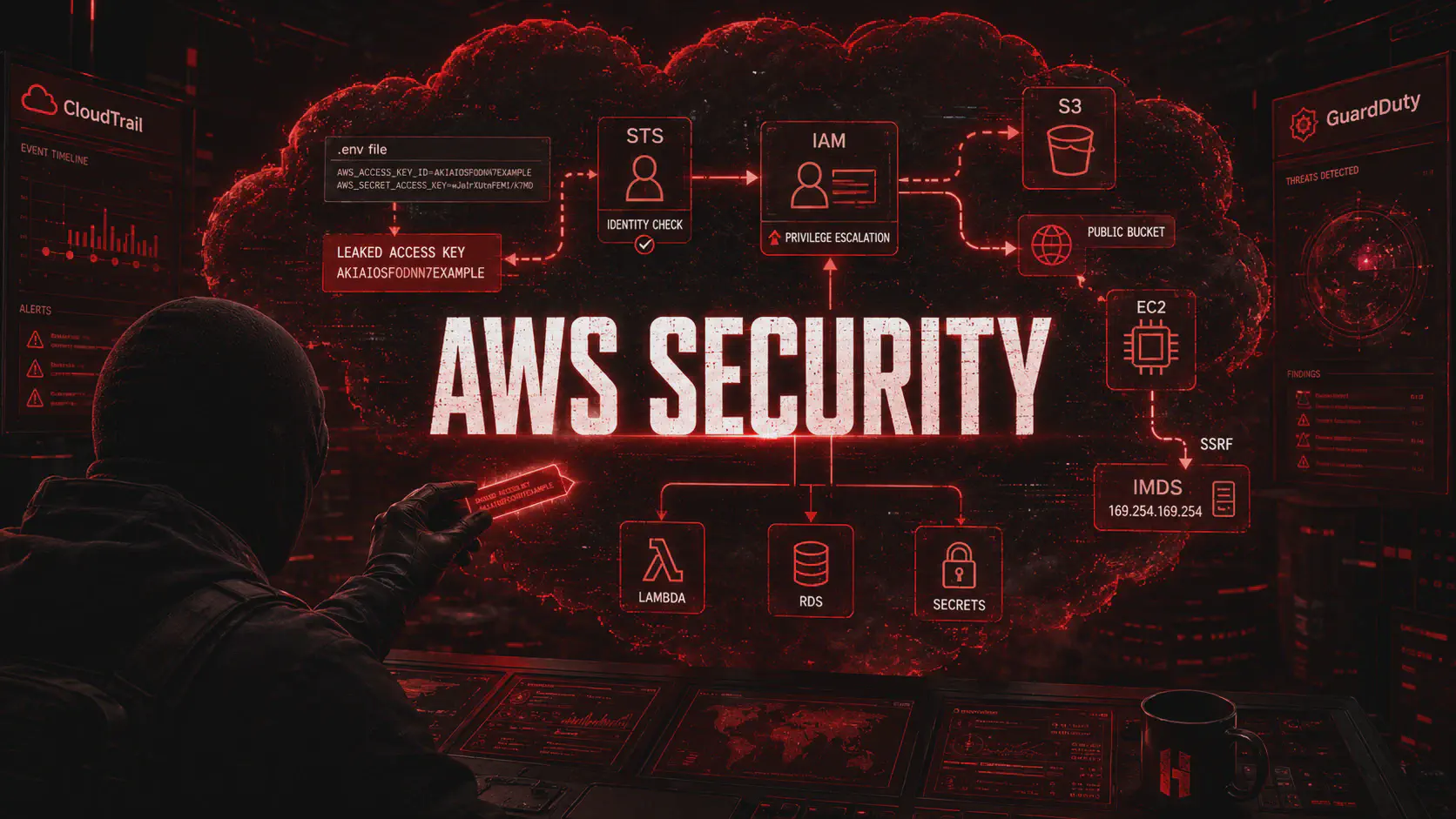
Millions of credentials are still exposed every year in public repositories, according to data periodically published by providers like GitGuardian. An AWS key accidentally committed to a private repository becomes public, a GitHub token in a file .env Forgotten a DB password in a test commit: the pattern is always the same, only who finds it first changes — you, with an automated scan, or an attacker with the exact same tool.
When to use it: Pentests with OSINT phase on the target's public repositories, internal DevSecOps, hardening a CI/CD pipeline. What it covers: Gitleaks (pre-commit, fast, offline), TruffleHog (CI/CD, with verification of whether the secret is still active), offensive search of public repositories. What it doesn't cover: Management of secrets once they've been rotated (for that, you need a vault—HashiCorp Vault, AWS Secrets Manager, already discussed in our AWS pentesting guide).
Gitleaks vs TruffleHog: Fast or Verified Detection #
Before choosing a tool, understand the basic difference:
- Gitleaks —It uses pattern-based detection rules and configuration heuristics, with local scanning and no need to verify each candidate via external APIs. It tells you "this looks like an AWS key" but doesn't know if it's still valid.
- TruffleHog —includes a large collection of detectors for providers and secret types, and for many of these it also performs a real-world check against the service's API (the behavior depends on the secret type and the specific detector). It tells you "this AWS key is live and working now" when verification is available for that secret type.
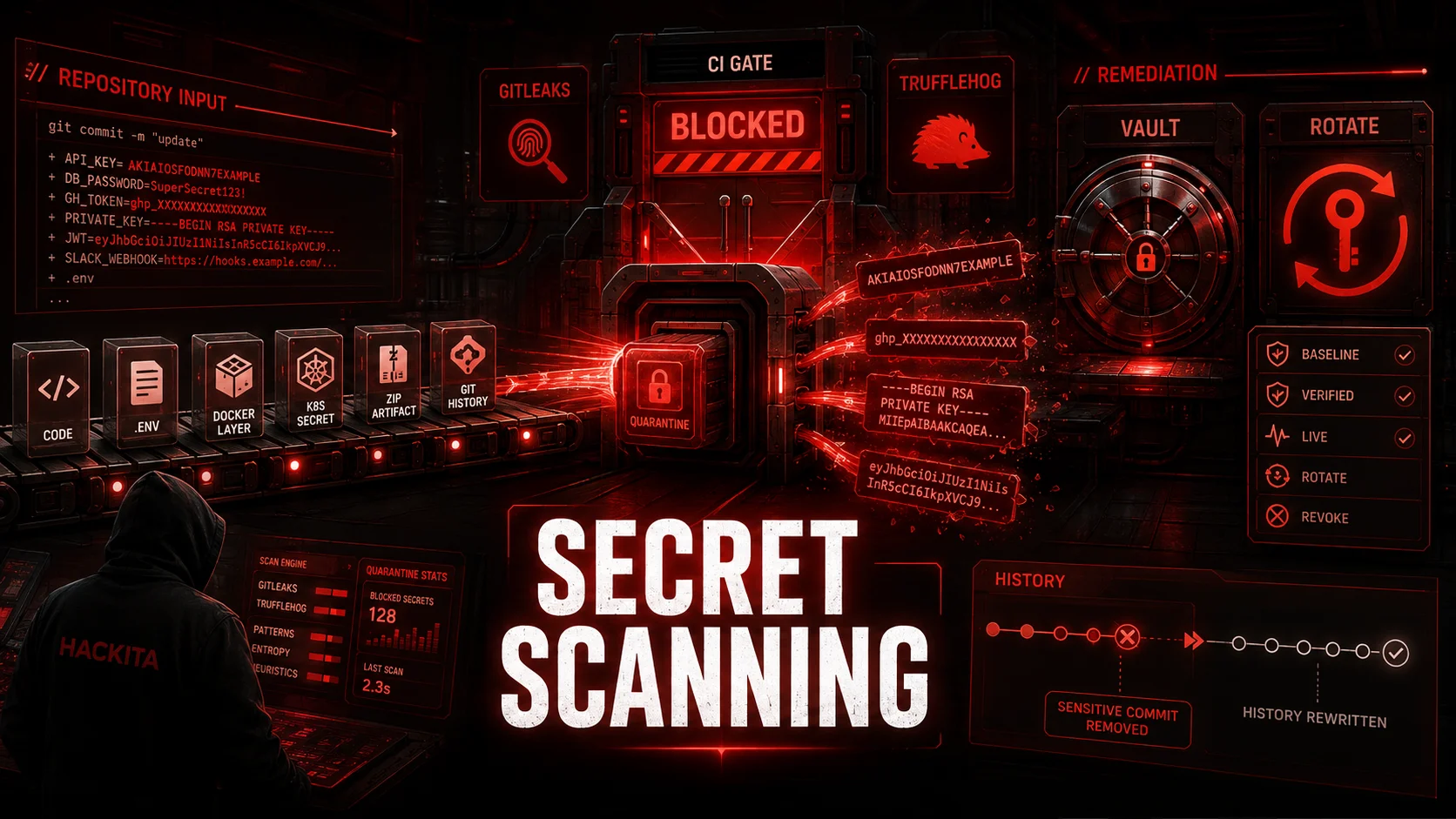
They're not alternatives, they're complementary: Gitleaks blocks quickly locally, TruffleHog confirms deeply in CI/CD. The industry standard is to use both, at different stages of the pipeline.
Gitleaks: Secret Scanning as a Pre-Commit Hook #
# Installazione (Linux/Mac, singolo binario Go)
curl -sSfL https://raw.githubusercontent.com/gitleaks/gitleaks/master/scripts/install.sh | sh
From v8.19.0 onwards,
gitleaks detectegitleaks protectare deprecated (hidden by--help, but still working). The current commands aregitleaks git,gitleaks diregitleaks stdin. If you find older tutorials withdetect/protect, please note that they still work but need to be updated to the following commands.
Full repository scan, including history:
gitleaks git .Scanning a directory that is not a Git repository:
gitleaks dir -s .Scan only the changes in staging (the one about to be committed):
git diff --cached | gitleaks stdinAutomatic hook on every commit #
The script runs automatically before each git commit: if Gitleaks finds something, theexit 1 aborts the commit before it is created.
# .git/hooks/pre-commit
#!/bin/sh
git diff --cached | gitleaks stdin
if [ $? -ne 0 ]; then
  echo "Gitleaks ha trovato un secret nello staged. Commit bloccato."
  exit 1
fi
chmod +x makes the script executable — without this, Git silently ignores the hook:
chmod +x .git/hooks/pre-commitWith the pre-commit framework (multi-hook, more maintainable) #
# .pre-commit-config.yaml
repos:
  - repo: https://github.com/gitleaks/gitleaks
    rev: v8.18.0
    hooks:
- id: gitleakspip install pre-commit --break-system-packages
pre-commit installManaging false positives #
# .gitleaks.toml
[allowlist]
paths = [
  '''test/.*''',
  '''.*\.test\.(js|ts|py)''',
]
regexes = [
  '''example-key-for-documentation''',
]
Allowlist only fixtures and clearly artificial values, checked one by one — not entire generic directories like test/ without checking what they actually contain: real credentials used for manual testing could also end up there by mistake.
TruffleHog: Verifying Secret in CI/CD #
curl -sSfL https://raw.githubusercontent.com/trufflesecurity/trufflehog/main/scripts/install.sh | sh -s -- -b /usr/local/binScan with verification enabled — only secrets that TruffleHog can confirm as live via detectors that support verification:
trufflehog git file://. --results=verified --failGitHub Actions — Blocks PR if it finds a verified secret #
name: Secret Scanning
on: [push, pull_request]
jobs:
  trufflehog:
    runs-on: ubuntu-latest
    steps:
      - uses: actions/checkout@v4
        with:
          fetch-depth: 0
      - name: TruffleHog
        uses: trufflesecurity/trufflehog@main
        with:
          extra_args: --only-verified
--only-verified restricts the result to secrets that TruffleHog can actually verify according to its detectors — useful for reducing noise in an automatic CI/CD gate, but it doesn't mean that every unverified secret is a false positive or harmless: it just means that verification is unavailable or failed for that type of secret.
Scan beyond Git — S3, Docker, filesystems #
trufflehog s3 --bucket=nome-bucket
trufflehog docker --image=nome-immagine:tag
trufflehog filesystem /path/da/scansionare
A secret can also end up in a Docker layer or a backup S3 bucket, not just in a commit — which is why TruffleHog covers more sources than Gitleaks, which remains focused on Git.
GitHub Secret Scanning and Push Protection #
Before adding external tools, learn what GitHub already does automatically on public repositories (and private ones with GitHub Advanced Security). Coverage now goes beyond just the patterns of recognized partners:
- Provider pattern — keys with a known format from recognized partners (AWS, Stripe, Slack, and many others)
- Generic patterns — heuristics for credentials without a recognizable fixed format (generic usernames/passwords)
- Model-assisted detection — on certain levels, GitHub also applies detection techniques beyond simple pattern matching to reduce false negatives on generic patterns
- Custom pattern — rules defined by the organization for its internal secret formats
- Validity check — for some providers, GitHub checks whether the found secret is still active, similar to
--only-verifiedby TruffleHog
Push Protection is a more aggressive level: it blocks the push before the secret enters the history if it matches a high-confidence pattern. A bypass can be requested in legitimate cases (e.g., a confirmed false positive), but a bypass should not be considered the same as remediation: it must always be tracked and reviewed by the repository security manager.
# Abilitare Push Protection via API su un repository
curl -X PATCH -H "Authorization: token <TUO-TOKEN>" \
  https://api.github.com/repos/organizzazione/repo \
  -d '{"security_and_analysis":{"secret_scanning_push_protection":{"status":"enabled"}}}'
Limitation to understand: GitHub Secret Scanning only covers repositories hosted on GitHub. It's not a replacement for Gitleaks/TruffleHog, which remain portable across any Git platform—a solid setup uses both: native as a backstop, and Gitleaks/TruffleHog as a configurable primary check.
Secret Scanning of Public GitHub Repositories (OSINT) #
In a pentest with an OSINT component, searching for secrets in the target's public repositories can become one of the fastest paths to gaining initial access—when an exposed credential is still valid and the scope of the engagement allows it.
# Scan diretto su un repo pubblico GitHub
trufflehog github --repo=https://github.com/organizzazione-target/repo-pubblico --only-verified# Scan su tutta l'organizzazione (richiede un token GitHub con permessi read)
trufflehog github --org=organizzazione-target --token=<github-token> --only-verifiedNative tools before installing external tools #
Before pulling out TruffleHog, a targeted grep on a local clone of the repo already covers the most common patterns, without dependencies:
git clone https://github.com/organizzazione-target/repo-pubblico
cd repo-pubblico
grep -rE "(AKIA[0-9A-Z]{16}|ghp_[a-zA-Z0-9]{36}|-----BEGIN.*PRIVATE KEY-----)" .
Useful for a quick check during recon, before launching a full scan with dedicated tools that also covers the entire commit history (where the secrets removed in the last commit are often still present).
Full story, not just the latest commit #
A common mistake: checking only the current state of the repo. A secret removed with a subsequent commit remains in Git history until that history is rewritten—and even after that, forked copies, local clones, or caches can preserve it:
trufflehog git file://./repo-pubblico --results=verified,unknownThis scans the entire history, not just the HEAD — where most forgotten secrets end up.
Finding Secret in Log, Docker and Artifact #
Many audits stop at the source code and forget that secrets end up elsewhere too:
- Application logs (
application.log,debug.log) — a stacktrace with a complete connection string, printed by mistake in debug mode - Web server logs (
nginx.log,access.log) — a token passed as a query parameter instead of a header ends up logged in clear text - Build artifacts — release ZIP files, CI/CD caches, npm packages accidentally released with a
.npmrcwhich contains a token - Docker Layer - a
COPY .env .in a Dockerfile leaves the file in the intermediate layers of the image, even if a subsequent command deletes it in the final layer
# TruffleHog copre anche filesystem generico, utile per log e cache locali
trufflehog filesystem /var/log/ --results=verified,unknown# Controllo mirato su un artifact ZIP prima di pubblicarlo
unzip -p release.zip | trufflehog stdinKubernetes — same logic, different objects #
If the target uses Kubernetes, secrets also live in the Secret object, ConfigMap, and Helm chart—often in the clear if encryption at rest isn't configured. Export to a controlled file first, then pass it to the detector:
kubectl get secrets --all-namespaces -o json > k8s-secrets-export.json
trufflehog filesystem k8s-secrets-export.json --results=verified,unknown
Always check the exact syntax against the version of TruffleHog you are using — filesystem scanning options may change between releases.
For YAML manifests before deployment, the same shift-left principle seen for Terraform in our cloud security automation guide applies with Checkov here as well.
The most common Docker error: rm after COPY
#
COPY .env .
RUN pip install -r requirements.txt
RUN rm .env
Looks clean: the file is no longer in the final image. In reality, Docker builds a layer, and .env remains in the layer created by COPY — anyone who has access to the image can extract it from the intermediate layers with docker save, even if the last layer doesn't show it anymore:
docker save nome-immagine | tar -x -O -f - <layer-id>/layer.tar | tar -tThe correct solution is a multi-stage build, where the file never makes it into the final image, or pass the secret as a build-time secret (--secret of BuildKit) rather than as a copied file.
Why No Scanner Finds Everything — False Negatives #
Gitleaks and TruffleHog look for recognizable patterns. An obfuscated secret can significantly reduce the probability of detection, especially when it no longer matches the pattern expected by the detector:
# Più difficile da trovare per un regex scanner: la chiave è spezzata
key = "AKIA" + "IOSFODNN7EXAMPLE"

# Più difficile da trovare: codificato in modo non standard per il detector
import base64
secret = base64.b64decode("QUtJQUlPU0ZPRE5ON0VYQU1QTEU=")
Some scanners support decoding of common formats like base64 during scanning, but even minimal obfuscation can still bypass patterns not intended for that specific case. Another reason not to rely solely on the scanner: a human code review of sensitive code (auth, config, credential management) remains invaluable.
Most Common Secret Patterns to Recognize #
| Service | Indicative pattern | Validation |
|---|---|---|
| AWS Access Key | AKIA[0-9A-Z]{16} | Verifiable via AWS API |
| GitHub Token (classic) | ghp_[a-zA-Z0-9]{36} | Verifiable via GitHub API |
| GitHub Fine-grained PAT | github_pat_[a-zA-Z0-9_]{82} — the new GitHub tokens, increasingly popular | Verifiable via GitHub API |
| Slack Token | xox[baprs]-[0-9a-zA-Z-]{10,} | Verifiable via Slack API |
| Stripe Secret Key | sk_live_[0-9a-zA-Z]{24} | Verifiable via Stripe API |
| Google API Key | AIza[0-9A-Za-z\-_]{35} | Verifiable via Google API |
| Azure Storage Key | base64 string of 88 characters in AccountKey= | Verifiable via Azure API |
| JWT | structure header.payload.signature, Base64URL header often recognizable by eyJ | It does not indicate by itself whether the token is still valid |
| SSH/Private Key | block -----BEGIN RSA PRIVATE KEY-----, -----BEGIN OPENSSH PRIVATE KEY----- o -----BEGIN PRIVATE KEY----- (not just RSA) | Not verifiable via API, must be tested directly |
Both Gitleaks and TruffleHog already have these patterns in their default detectors—this table is useful for visually recognizing them during a manual review, when the scanner isn't handy. The "Validation" column distinguishes simple detection (the pattern looks like a secret) from verification (the secret actually works).
Priority of a Secret Found #
Not all secrets found have the same impact — useful for prioritizing in a report:
| Type | Indicative priority |
|---|---|
| Fake/Test Credential | Bassa |
| Secret already revoked | Low/Medium |
| API key with limited permissions | Media |
| Production API key | High |
| Cloud administrative credential | Criticism |
| Private key with access to production | Criticism |
Secret Found ≠ Compromise #
A pattern that looks like a secret isn't yet a complete finding. The correct sequence before writing it in a report:
Pattern trovato
      ↓
È davvero un secret, o un falso positivo?
      ↓
È ancora valido?
      ↓
Quali permessi possiede?
      ↓
Quale asset protegge?
      ↓
Ci sono segnali che sia già stato usato?
      ↓
Impatto reale
This is the difference between a raw scanner output and a real security assessment: the value lies in completing the chain, not just running the tool.
Recon Without Noise #
A scan trufflehog github --org with active verification generates real calls to the APIs of the proprietary services of the found secrets (AWS, Stripe, GitHub) — this immense It's not noise directed at the target, but at the secret provider itself. If the secret is real, that verification call may appear in the compromised service's logs. Not all TruffleHog detectors perform API verification—it depends on the secret type and the specific detector.
Low noise: gitleaks git . — local pattern matching only, no external calls.
Attention: trufflehog --only-verified —For detectors that support it, each check is a real request against the service's API; if you're testing in a context where even that needs to be silent, use an unchecked scan first to detect it, then evaluate on a case-by-case basis which ones to manually check.
Common Mistakes #
| Error | What to check |
|---|---|
| Gitleaks finds nothing in a repo you know contains secrets | are you scanning only the latest commit or only the working tree — use gitleaks git . for the complete history |
| TruffleHog too slow in pre-commit | passes --only-verified or move verification to push/CI instead of on every commit |
| Too many false positives with Gitleaks | set up a .gitleaks.toml with targeted allowlist, not entire generic directories |
git commit --no-verify bypass the local hook | A second level in CI is always needed — the local hook alone is not enough |
| Shallow clone or branch excluded from scan | make sure the CI does a full history checkout (fetch-depth: 0) |
| False positive treated as a real incident | Always check validity and permits before opening an incident |
| Secret revoked but never removed from history | The revocation eliminates the immediate risk, but the history must still be cleaned for general hygiene |
Quick Hardening (Defensive Side) #
- Gitleaks pre-commit + TruffleHog in CI — two levels, one locally bypassable, the other not
--only-verifiedas a block gate where available — less noise, concrete actions on secrets confirmed live- Immediate rotation of any secret found verified — treat it as an incident, not a backlog task
- Dedicated Vault (HashiCorp Vault, AWS Secrets Manager) instead of clear text environment variables in config files
- Short-lived credentials and workload identity, where the provider allows it, instead of long-lived static keys
- Periodic scan of the complete history, not just new commits — old secrets remain in the history until someone rewrites it
Rotation Workflow — What to Do Step by Step When You Find a Secret #
It's not enough to say "rotate it." The correct sequence:
Secret trovato (verificato attivo)
      ↓
Valuta scope e impatto potenziale
      ↓
Revoca/ruota il secret presso il provider (AWS/Stripe/GitHub console)
      ↓
Controlla i log del servizio per uso non autorizzato
      ↓
Genera un nuovo secret e aggiorna CI/CD e vault (mai il file sorgente originale)
      ↓
Rimuovi il secret dalla history Git (git-filter-repo o BFG)
      ↓
Verifica che non resti esposto in fork, clone locali, PR o cache
      ↓
Chiudi l'incidente con nota su causa e remediation
The often-skipped step is checking the logs : revoking the key doesn't tell you if someone has already used it. Check CloudTrail (AWS), audit logs (GitHub), or the service's application logs before considering the incident closed.
The most common mistake: thinking that git rm basti
#
git rm .env
git commit -m "rimosso .env"
This does not delete anything from your history. The file .env with the secret inside it remains perfectly recoverable in a previous commit — anyone who clones the repo can trace it with git log -- .env followed by git show <commit>You need to rewrite the history, not add a commit on top.
Truly remove a secret from history — git-filter-repo #
pip install git-filter-repo --break-system-packagesTo delete a specific file from the entire history:
git filter-repo --path .env --invert-pathsTo replace a specific value (e.g., a found key) wherever it appears, without removing the entire file:
echo "AKIAIOSFODNN7EXAMPLE==>***RIMOSSO***" > replacements.txt
git filter-repo --replace-text replacements.txt
git-filter-repo vs. BFG: git-filter-repo is now Git's own recommended tool for rewriting history, and is faster and more flexible. BFG remains a valid alternative if you prefer a ready-to-use Java jar without installing Python dependencies.
Force-push is not a global wipe. After the rewrite you need a git push --force, but the secret may remain recoverable in forks, already downloaded local clones, open pull requests, or Git provider caches—complete removal often requires additional intervention beyond a rewrite on your repository side. And most importantly: the rotation of the secret remains mandatory in any case — rewriting the history is useless if the key has already been seen by someone before the rewrite.
Baseline vs. New Leaks #
On the first scan of an existing repository, expect hundreds of results—that's your baseline . There's no point in treating them all as active incidents at the same time. detect-secrets (by Yelp) is designed specifically for this: unlike Gitleaks/TruffleHog, its primary purpose isn't to block, but to freeze an initial state and only report differences:
pip install detect-secrets --break-system-packages
detect-secrets scan > .secrets.baseline
Then, at each subsequent scan:
detect-secrets scan --baseline .secrets.baselineReturns only secrets that are new compared to the saved baseline. This is useful for a legacy repository with hundreds of historical secrets that you can't rotate all at once.
Tools Comparison #
| tool | Detection | Verifica | Git history | CI / CD | Ideal use |
|---|---|---|---|---|---|
| Gitleaks | ✅ | ❌ | ✅ | ✅ | pre-commit |
| TruffleHog | ✅ | ✅ (where the detector supports it) | ✅ | ✅ | check |
| detect-secrets | ✅ | ❌ | Baseline only | ✅ | legacy repo |
| GitHub Secret Scanning | ✅ | For some providers | ✅ | GitHub Native | GitHub-only |
| Checkov | ✅ (IaC static rules) | ❌ | ❌ | ✅ | config/IaC |
Quick read: If you need to know if it's still exploitable , TruffleHog (for detectors that verify). If you need offline speed , Gitleaks. If you have a legacy repo full of historical noise, detect-secrets with baseline. No one covers everything.
The Hidden Cost of Live Verification #
Each TruffleHog check against an external API is a real call to the secret's service (AWS, Stripe, GitHub, etc.). On a scan with thousands of candidates, this potentially means thousands of external requests—with the associated risk of rate limiting by the provider itself. For large-scale scans, consider a pass without verification first to reduce the volume, then verify only the most plausible candidates.
Secret Manager Comparison — Where to Store Secrets After Rotating Them #
| Secret Manager | Scope |
|---|---|
| AWS Secrets Manager | AWS |
| HashiCorp Vault | Multi-cloud, self-hosted |
| Azure Key Vault | Azure |
| Google Secret Manager | GCP |
Scanning and rotating without a safe place to put the new secret brings us back to square one—a vault is the final step in the rotation workflow, not an optional extra.
CI/CD Pipeline — Beyond GitHub Actions #
The same principle (blocking scan on pull requests) applies to any platform:
| Platform | How to integrate it |
|---|---|
| GitHubActions | official action trufflesecurity/trufflehog@main (view above) |
| GitLab CI | step in the internship test running TruffleHog/Gitleaks, or GitLab's native Secret Detection |
| Jenkins | dedicated internship in the Jenkinsfile which launches the scan and uses currentBuild.result = 'FAILURE' if the tool exits with a code other than 0 |
| Azure DevOps | task type Bash@3 in the YAML pipeline that runs the scan and uses exit 1 to block the build |
The principle is the same everywhere: run the binary, check the exit code, and block the pipeline if a match is found. Only the orchestration syntax changes.
MITRE ATT & CK #
| Tactics | Technology | Application |
|---|---|---|
| CredentialAccess | T1552.001 — Credentials In Files | Hardcoded secret found in code/config |
| Recognition | T1593.003 — Search Open Websites/Domains: Code Repositories | Search public repositories |
| Initial Access / Persistence | T1078 — Valid Accounts | Using the found valid credential, post-discovery phase |
Complete matrix: MITER ATT&CK Enterprise
Operational Checklist #
[ ] Gitleaks installato come pre-commit hook (comandi git/dir/stdin aggiornati)
[ ] .gitleaks.toml configurato con allowlist mirata, non directory intere
[ ] TruffleHog in pipeline CI/CD con --only-verified
[ ] Scan periodico della history completa, non solo nuovi commit
[ ] Piano di rotazione immediata per ogni secret verificato trovato
[ ] git-filter-repo pronto per riscrivere la history, non solo git rm
[ ] Vault dedicato al posto di secret hardcoded in config
[ ] Verifica fork/clone/PR/cache dopo un rewrite della history
FAQ #
Gitleaks or TruffleHog: which should I choose if I can only use one? Gitleaks if you need speed and simplicity locally. TruffleHog if you need to know if the secret you found is still exploitable. For most teams, the correct answer is both, at different stages.
Is a pre-commit hook enough to stop all leaks?
No. git commit --no-verify It bypasses it. There's always a second check on the CI/CD side that no developer can skip.
Is searching for secrets in a company's public repositories during a pentest legal? Yes, if it falls within the authorized scope of the engagement—it's a standard OSINT technique, just like searching for subdomains or exposed emails.
What should I do when I find an active verified secret? Treat it as an incident: immediately revoke/rotate the credential, then check the service logs to see if it's already been used by anyone else.
git rm on the file with the secret is enough to secure it?
No. The file can still be recovered from a previous commit. You need to rewrite the history with git-filter-repo (or BFG) and rotate the secret anyway—rewriting alone isn't enough if someone has already seen it.
Do automated scanners always find all secrets? No. A secret broken into multiple strings or encoded in a non-standard way can elude a regex scanner. For truly sensitive code, a human review is still necessary.
How do I scan my entire Git history for secrets?
With gitleaks git . (which covers the entire history by default) or trufflehog git file://. --results=verified,unknown, not stopping at just checking the current status.
Can Gitleaks verify whether a key is still valid? No, Gitleaks only does pattern-based detection, not live verification. For that, you'll need TruffleHog (on detectors that support it) or a manual check against the service's API.
What to do if a secret has already been published to GitHub? Treat it as compromised: revoke/rotate it immediately, check the provider's logs for unauthorized use, then consider removing it from the history—knowing that it may have already been cloned or cached before you intervene.
Official documentation: TruffleHog on GitHub , Gitleaks on GitHub . For cloud enumeration after finding a key, see our AWS pentest guide, and LinEnum on HackIta for existing secrets on Linux.