RAT (Remote Access Trojan): What It Does and How to Recognize It

What is a RAT, how does a remote control Trojan work, how to tell if your PC is infected, how to remove it, and the history of Back Orifice and Blackshades.
- Posted on 2026-10-12
- Reading time: 6 min
RAT (Remote Access Trojan): What It Is and How It Works #
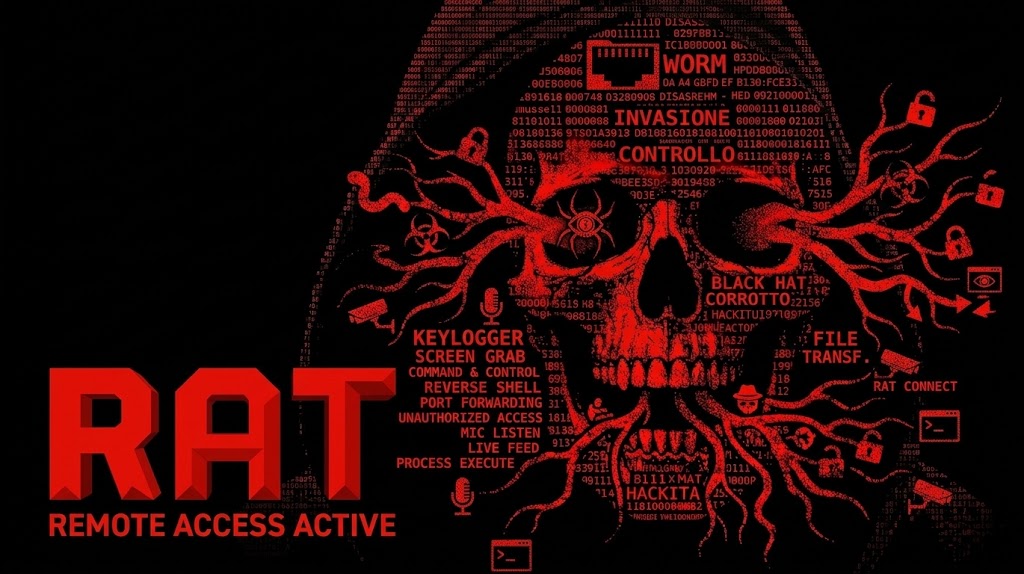
A RAT, or Remote Access Trojan, is a Trojan designed to give a remote operator the ability to execute commands and control certain functions of a compromised device—not just steal data once and disappear, but remain connected and control that device over time. The actual capabilities depend on the specific malware and the privileges gained: they can include file access, command execution, keylogging, screenshots, and, when supported by the device and operating system, activation of the webcam or microphone.
In short: a RAT is a Trojan that provides continuous remote control over an infected device, with capabilities that vary from malware to malware—from simple file access to the webcam, microphone, and keyboard in the most comprehensive cases.
How a RAT Works #
The architecture is always the same regardless of the specific malware: a server component (or “agent”) installed on the victim's device, and a client component (or “controller”) used by the operator to issue commands. After the initial infection, the RAT seeks persistence —surviving a reboot—and opens a connection to a command and control (C2) infrastructure : from there, it receives instructions, executes them on the compromised device, and returns the results or collected data to the operator. Many RATs don't maintain a constant connection but instead use “beaconing”: they reconnect at regular intervals to check for new commands, making them harder to detect than a constantly open connection.
How a RAT gets onto your device is no different than other Trojans: phishing attachments, pirated or cracked software, fake updates, malicious links, or, in a structured attack, as a second stage downloaded by an existing malware — often the RAT is not the first point of entry, but rather the one the attacker installs after gaining initial access.
What a RAT Can Really Do #
| Capacity | What it entails |
|---|---|
| File system check | View, download, edit, or delete any file |
| Keylogging | Log everything you type, including passwords |
| Webcam/microphone access | Remote activation, when supported by hardware, drivers, and granted privileges |
| Screen capture | Screenshot or continuous screen recording |
| Executing commands | Launch programs, open a shell, install other malware |
| Use as a node botnet | The compromised device is added to a larger network, for DDoS attacks or as a proxy |
Back Orifice: A Precursor to Modern RATs #
One of the first publicly known examples of software with features later associated with RATs was Back Orifice , released in 1998 by the hacker collective Cult of the Dead Cow, which presented it as a remote administration and monitoring tool for Windows—an intentional ambiguity, given the debate at the time about exactly where security research ended and the distribution of an offensive tool began. The name was a play on the Microsoft remote management software “BackOffice,” and its unveiling at DEF CON sparked enormous controversy. The concept has evolved since then, but the basic structure—a server component hidden on the victim's device and a client component used by the attacker to control it—remains the same as any modern RAT.
The Blackshades Case: A RAT Sold as a Software Product #
Blackshades is the case that best illustrates how a RAT became, over time, a fully-fledged criminal commercial product. Sold starting in 2010 for a mere $40, it included keylogging, webcam and microphone access, credential theft, and even a module to use infected devices in DDoS attacks—all with a simple-to-use interface, requiring no technical expertise from the buyer. Its creator, Alex Yucel, ran the operation like a full-fledged company, with a dedicated marketing and customer support team.
In May 2014, the FBI , in coordination with law enforcement agencies from 18 other countries, conducted one of the largest international operations ever against a single malware: over 90 arrests, more than 300 searches worldwide, and the seizure of nearly 1.900 domains used to control victims' computers. The investigation revealed that approximately 6.000 customer profiles had been sold in over 100 countries—an indication of the widespread use of this type of tool, even among those with no hacking skills.
RAT vs Backdoor vs Spyware #
The terms often overlap in practice, but they refer to different concepts. Backdoor broadly describes any mechanism that allows unauthorized access or control through a hidden path—it is not synonymous with RAT: a RAT can implement a backdoor as one of its access mechanisms, but "backdoor" alone does not imply the interactive capabilities typical of a RAT (keylogging, webcam, real-time control). Spyware is defined by its purpose (information gathering), while a RAT is defined by its capability (active remote control)—a RAT is almost always also spyware, but not all spyware allows real-time interactive control like a RAT.
How to Recognize a RAT #
The most concrete signs concern the capabilities a RAT actively exploits: a webcam light that turns on for a moment when no legitimate app is in use, a mouse or cursor that moves on its own, files that appear or disappear without user intervention, and abnormal bandwidth usage even when the computer is idle—a sign that someone on the other end might be transferring data or watching the screen in real time. None of these signs alone is conclusive: a webcam light might activate due to a bug in a legitimate app, a cursor might move due to a driver issue. It's the combination of multiple signs, not one isolated one, that warrants a more thorough inspection. A well-written RAT, like any Trojan, tries to remain as silent as possible, but interactive monitoring leaves more behavioral traces than purely automated malware.
A first practical check, on Windows, is done with netstat -ano From the command prompt: lists active network connections along with the PID of the process that opened them, so you can trace a suspicious connection back to the program that created it via Task Manager. Be careful, though: an “ESTABLISHED” connection to a PID you don't immediately recognize isn't in itself evidence of a RAT—it could be your browser, a Windows update, a cloud client, or any other legitimate software. netstat serves to correlate a connection to a process, not to Diagnostic an infection alone; the next step is to determine what that process actually is before drawing any conclusions.
How to Protect Yourself #
The defenses are largely the same as those against any Trojan—don't install software from unofficial sources, be wary of unexpected attachments, and keep your system and antivirus software up to date. One additional precaution specific to RATs: physically covering the webcam when not in use reduces the risk associated with that single function, but it should be understood for what it is—a limited physical measure, not a complete neutralization of the RAT. It doesn't protect against file theft, keylogging, screenshots, or shell access, which are still possible even with the webcam covered.
Do you think someone is monitoring your computer right now? Here's how to check. #
- Check it out
netstat -anoFrom the command prompt: look for connections with the “ESTABLISHED” status to addresses you don’t recognize, note the PID in the last column, and look for it in Task Manager to find the program — remember that an unknown connection is a starting point for investigation, not a diagnosis. - On Windows, check recent access to your webcam and microphoneSettings → Privacy & Security → Camera (and Microphone) shows which apps have used them recently — if an app appears that you never knowingly allowed, that's a real red flag.
- Open Task Manager, Performance tab → Network, and observe if there is constant traffic while you are not doing anything that justifies it: an active RAT generates traffic even when the computer is “idle” in your opinion.
- If you find concrete confirmation, isolate the device from the network before doing anything else, then proceed with a full scan and changing all sensitive credentials from a different device.
FAQ #
What is a RAT? It's a Trojan that gives a remote operator the ability to execute commands and control certain functions of a compromised device over time—not just perform isolated data theft. The exact capabilities depend on the specific malware.
What's the difference between a RAT and a generic Trojan? Every RAT is a Trojan, but not every Trojan is a RAT: a RAT is distinguished by its specific ability to provide interactive remote control, while other Trojans can have different purposes (steal credentials once, download other malware, and so on).
How do I know if I have a RAT on my device? The most obvious signs are a webcam light that lights up unexpectedly, abnormal bandwidth usage even when idle, and files that change without intervention—none of these alone is definitive, but together they deserve a check with an updated antimalware program.
Can a RAT be used legally? Legitimate remote administration tools (used, for example, by IT support) share similar technical principles, but the difference always lies in consent: installed without the victim's knowledge, a RAT is malware, regardless of its commercial name.
Does covering your webcam really do any good? It reduces the risk associated with video capture alone, but it doesn't remove or neutralize the RAT: file theft, keylogging, screenshots, and shell access are still possible even with the webcam covered.