Kali Linux: What It Is, What It's Used For, Tools, and Installation

Kali Linux: what it is, what it's for, how to install it, how to learn, and the main tools for penetration testing, cybersecurity, forensics, and red teams.
- Posted on 2026-10-11
- Reading time: 5 min
Kali Linux: What It Is, How It Works, and How to Get Started #
Kali Linux is a Debian-based Linux distribution developed by Offensive Security , designed for penetration testing, digital forensics, and security research. It comes pre-installed with hundreds of tools for reconnaissance, vulnerability scanning, exploitation, wireless security, and reverse engineering: there's no need to install them individually; they're already pre-installed and organized by category.
It is one of the best-known and most used distributions for penetration testing and security auditing, and is the reference of the Offensive Security ecosystem, but it is not a system for browsing, playing or studying "from scratch" : it is a professional tool, and should be treated as such.
What is Kali Linux: The fundamental distinction #
Kali is a set of tools , not a "shortcut to becoming a hacker." The system itself doesn't do anything special: what matters is understanding how the techniques and protocols behind each tool work. Installing Kali without learning about networks, Linux, and security is like buying a toolbox without knowing what a screwdriver is.
Kali Linux is developed and maintained by Offensive Security , the same organization behind certifications like OSCP, OSEP, and OSWE, and is the successor to BackTrack Linux , the previous distribution from which Kali was born in 2013.
What is Kali Linux used for? #
The main uses are:
- penetration test: verify the security of networks, web applications and systems, with authorization;
- vulnerability assessment: find and classify the weaknesses of an environment;
- digital forensics: analyze forensic disks and images without altering their contents;
- reverse engineering: study binaries and malware;
- red teaming: simulate a realistic attack against an organization;
- wireless security: Wi-Fi network audit;
- CTF and study: train on platforms like HackTheBox or TryHackMe.
Kali is optimized for security work, not as a general-purpose desktop: many tools and configurations are designed for assessment purposes and require more system knowledge than a traditional desktop distribution.
Kali Linux: Most Important Tools and Equipment #
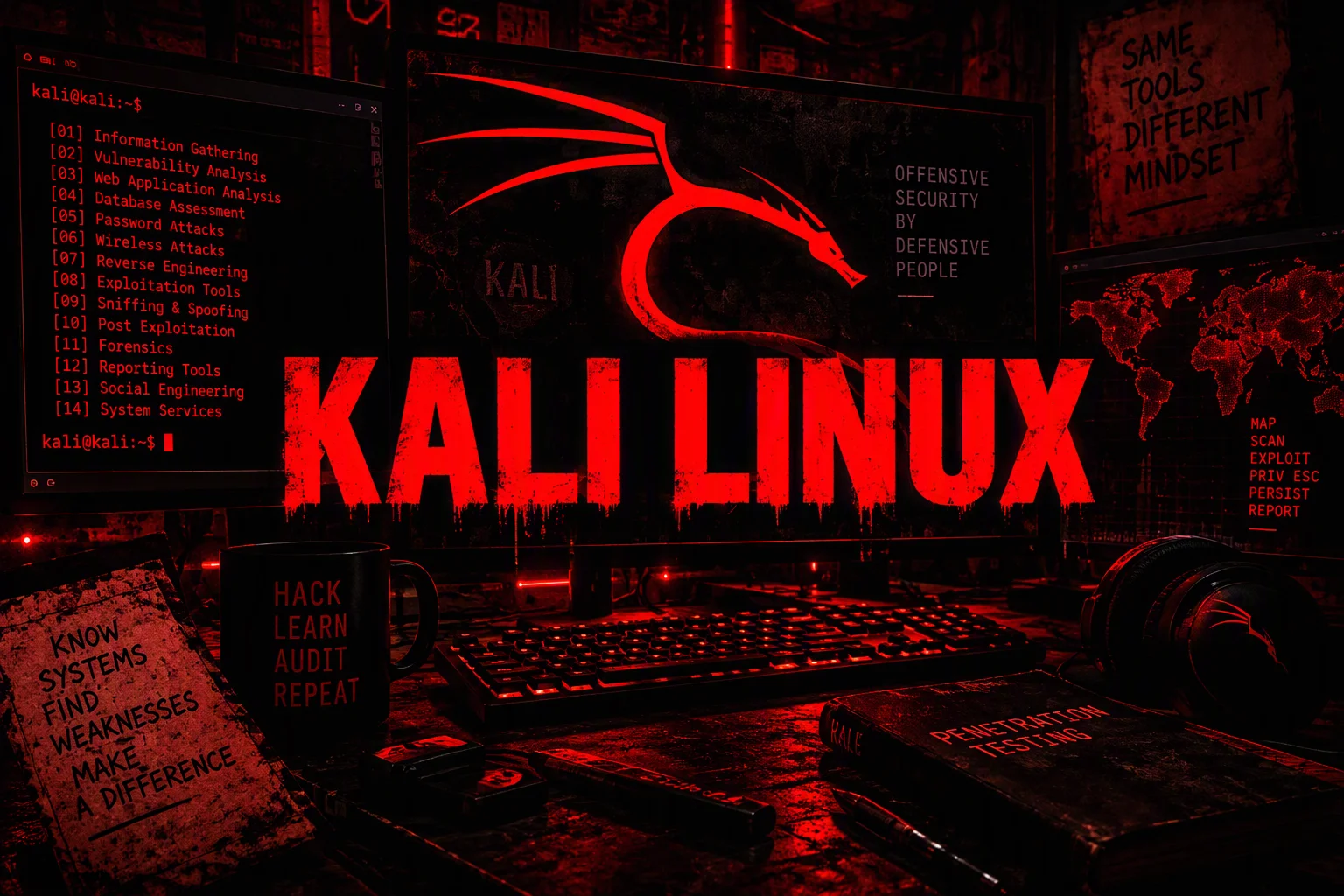
Kali groups tools according to the phase of the work, more or less following the phases of a penetration test and the Cyber Kill Chain :
| Categories | What is needed to do? | Known tools |
|---|---|---|
| Information Gathering | Gather information on a target | Nmap , Shodan |
| Vulnerability Analysis | Find known vulnerabilities | Nessus, OpenVAS |
| WebApplication Analysis | Testing web applications | Burp Suite , SQLmap |
| Password Attacks | Attack credentials | Hashcat , John the Ripper, Hydra |
| Wireless Attacks | Wi-Fi Network Audit | Aircrack-ng |
| Exploitation Tools | Exploiting vulnerabilities | Metasploit |
| Sniffing & Spoofing | Analyze and manipulate traffic | wireshark, Reply |
| Post Operation | Operating after initial login | Packet , CrackMapExec |
| Forensics | Forensic analysis | Autopsy, Volatility |
| Reverse Engineering | Track analysis | Ghidra, GDB |
You don't need all of them at once: in a real pentest you use a fraction of them, depending on the context.
Installation: the available options #
| modality | When to use it |
|---|---|
| Virtual machine (VMware, VirtualBox) | The most popular choice for beginners: isolated, with snapshots, easy to restore |
| bare metal (direct installation) | When you need all the hardware power, for example for GPU password cracking |
| WSL (Windows Subsystem for Linux) | Convenient for command line tools on Windows, but with limitations on wireless and some drivers |
| Dual boot | Having Kali and another system on the same disk |
| Kali NetHunter | Version for Android devices, for mobile penetration testing |
| Docker Containers | Rapid, disposable environments for single instruments |
Download Kali only from the official website kali.org and verify the image's SHA256 hash before using it to ensure you're not making a tampered copy.
To start, a virtual machine is almost always the right choice: you can take a snapshot before each experiment and roll back without any damage.
First commands after installation #
Updating the system is the first step, because Kali is a rolling release : there are no “major” versions to install from scratch, the system is continuously updated.
sudo apt update && sudo apt full-upgrade -yCheck the installed version:
cat /etc/os-releaseCreate a non-privileged user for daily work, instead of always operating as root:
sudo adduser nomeutente
sudo usermod -aG sudo nomeutente
Since version 2020.1, Kali no longer uses root as the default user: you work with a normal user and elevate with sudo only when needed, just like on any other Linux distribution.
Kali Linux: The Latest Version and Recent News #
Kali follows a quarterly release cycle. The latest version, Kali 2026.2 , was released on June 29, 2026, with:
- kernel updated to Linux 6.19 (Kernel 7.0 is available as a preview in the repository
kali-experimental); - passage to GNOME 50 e KDE Plasma 6.6 (Xfce remains the default desktop environment);
- 9 new tools in repositories, including
arsenal-ng(a pentest command launcher with over 200 ready-made sets) and the return ofhydra-gtk, the graphical interface for Hydra; - Virtual machine boot times approximately three times faster, thanks to the removal of unnecessary graphics firmware from VM images;
- several updates to Kali NetHunter, the penetration testing platform for Android.
To update an existing installation, simply use the update command above: there's no need to reinstall anything.
Kali Linux and certifications #
Kali is the standard tool for Offensive Security certifications, primarily OSCP (Offensive Security Certified Professional), but also for OSEP, OSWE, and OSED. It's also the go-to system on practice platforms like HackTheBox , TryHackMe , and VulnLab , where you can practice techniques before taking an exam or real-world assignment.
Kali Linux for Beginners: Is It Right for You? #
Yes, but it's not the easiest Linux distribution to start with. Kali is designed for penetration testing and security auditing; knowing at least the basics of Linux, the terminal, and networking makes it much easier to use. Many people start with Kali in a virtual machine, pairing it with guided practice platforms like HackTheBox or TryHackMe.
Kali Linux: Limitations and What It Is NOT #
Some clarifications to avoid the most common misunderstandings:
- It doesn't make you a hacker by itself.Tools automate actions, but choosing what to do, interpreting the results, and understanding a network requires expertise.
- It's not anonymousUsing Kali doesn't hide your IP address or network activity. It's a security distribution, not an anonymization tool: dedicated tools like VPNs and Tor are needed for that.
- It is not a general-purpose desktop distribution: It is optimized for penetration testing, security auditing, and security research, not to replace Ubuntu or Fedora for office work or everyday browsing.
- Some tools are noisy: An aggressive scan or bruteforce attack leaves obvious traces in the logs. In a real-world context, it's always important to consider what is authorized and what isn't.
Attention: Where can Kali be used? #
Kali tools should only be used on systems you own, in dedicated labs (HackTheBox, TryHackMe, VulnLab), or with the explicit written authorization of the system owner. Scanning or attacking a system without permission is a crime, regardless of the tool used: in Italy, it falls under unauthorized access to a computer system (Article 615-ter of the Criminal Code).
Frequently Asked Questions about Kali Linux #
What is Kali Linux? #
A Debian-based Linux distribution, developed by Offensive Security, with pre-installed tools for penetration testing, forensics, and offensive security.
Is Kali Linux free? #
Yes, it is open source and can be downloaded for free from the official website kali.org.
Do you need to be a Linux expert to use Kali? #
No, but it helps a lot. Kali is a full-fledged Linux distribution: knowing the terminal, permissions, and basic networking makes everything easier.
Is Kali Linux illegal to use? #
No. It's the operating system that's legal: what can be illegal is using it against unauthorized systems.
What is the difference between Kali Linux and Parrot OS? #
They are both Debian-based offensive security distributions with a very similar toolset. Kali is specifically developed for penetration testing and security auditing and is the benchmark of the offensive security ecosystem; Parrot has a more general-purpose approach, while still including cybersecurity tools.
Can you install Kali Linux on Windows? #
Yes, via WSL (Windows Subsystem for Linux), although some tools, especially wireless ones, work better in a virtual machine or bare metal.
Does Kali Linux make you anonymous on the Internet? #
No. It doesn't hide your IP address or network activity. Anonymity requires specific tools like Tor, which must be used wisely and have their limitations.
What is the latest version of Kali Linux? #
Kali 2026.2, released on June 30, 2026, with Linux kernel 6.19, GNOME 50, KDE Plasma 6.6, and 9 new tools.
Do I have to reinstall Kali with every new release? #
No. Kali is a rolling release: simply update your system to stay on the latest version.
What are the most important tools in Kali Linux? #
It depends on the use: Nmap for reconnaissance, Burp Suite and SQLmap for the web, Metasploit for exploitation, Hashcat for passwords, Wireshark for traffic analysis.