Hibernate Query Language: Pentest, HQL Injection and Java

What is Hibernate Query Language? Meaning, Hibernate queries, Java examples, SQL vs. HQL, how to detect HQL injection vulnerabilities during pentesting.
- Posted on 2026-10-29
- Reading time: 12 min
HQL Injection: How to Exploit Poorly Crafted Hibernate Queries #
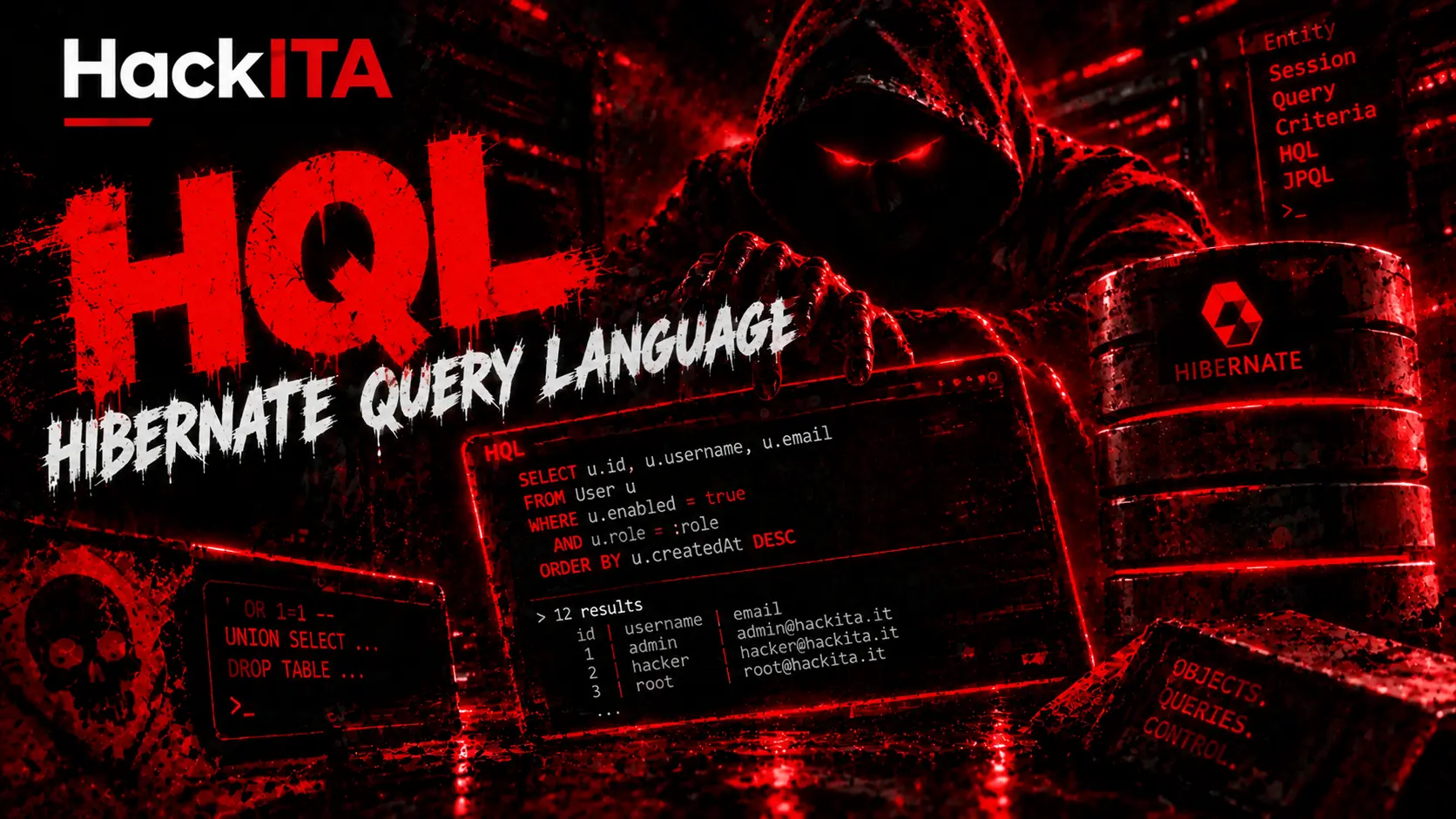
HQL , short for Hibernate Query Language , is the query language used by Hibernate—the most popular Java library for communicating with databases without writing SQL by hand. When user input ends up in an HQL query through concatenation (pasted as text, rather than being passed as separate data), HQL injection occurs : a vulnerability that allows the logic of the query itself to be modified, not just its result.
To understand it from scratch: every time a website or app asks you for a username and password, somewhere in the code there's a "question" asked to the database: "Is there a user with these credentials?" That question is called a query . When a program constructs that question by pasting what you write into the query text, rather than keeping it separate, you can modify the question itself—not just answer it, but change what the database is being asked. This is the principle behind every injection, including HQL injection.
Hibernate—a Java library that acts as an intermediary between application code and the database (this intermediary is called ORM , or Object-Relational Mapping)—uses HQL to construct those queries internally. The security issue we're looking at in this article is exactly the same principle as classic SQL injection , applied to HQL—but with some operational differences that are worth knowing before testing anything, even if you've never heard of ORM or Hibernate before.
What is HQL (Hibernate Query Language) #
Imagine a database as a large archive of boxes (tables), each with labels (columns) and slips of paper inside (rows of data). SQL is the language that communicates directly with that archive in these terms: "box, label, slip of paper."
Hibernate, on the other hand, makes the Java programmer speak in another way: not in terms of boxes and notes, but of objects of the Java language (User, Product, Order (The classes the programmer has written to represent a user, a product, an order.) HQL is the language used to query these objects. Behind the scenes, Hibernate translates each HQL query into actual SQL at execution time, adapting it to the actual database being used (MySQL, PostgreSQL, Oracle, SQL Server, etc.). This means the same HQL query works unchanged on different databases—Hibernate takes care of the translation.
A minimal HQL query:
Query query = session.createQuery("FROM User WHERE username = :username");
query.setParameter("username", "admin");
List<User> results = query.list();
HQL vs. SQL: The Main Differences #
Those coming from a classic SQL background should keep in mind some differences before thinking in terms of Hibernate queries:
- Objects, not tables. HQL queries Java entities mapped via annotations (
@Entity) or XML files, not physical tables.FROM Userreturns instances of the entityUser, not rough lines. - Portability. The same HQL query runs on MySQL, PostgreSQL, Oracle, or SQL Server without modification: Hibernate generates the correct native SQL for the configured dialect.
- Implicit joins on mapped relations. The associations (
@OneToMany,@ManyToOne) are navigable directly in the query (FROM Order o WHERE o.customer.name = 'Mario'), without writingJOINexplicit. - No DDL syntax. HQL covers
SELECT,UPDATE,DELETEon entities, but notCREATE/ALTER— for that Hibernate uses mapping configuration, not queries. - UNION depends on the version. Up to Hibernate 5.x,
UNIONNot supported in HQL. Hibernate ORM 6 and later (aligned with JPQL 3.1+)UNION,INTERSECTedEXCEPTare available — a detail that, as we will see, completely changes the approach to an injection.
When the query needs to use database-specific functions not abstracted by HQL, Hibernate also offers native queries :
Query nativeQuery = session.createNativeQuery("SELECT * FROM users WHERE username = :username");
nativeQuery.setParameter("username", "admin");
A native query is pure SQL: if concatenated with user input, the risk becomes “traditional” SQL injection, not HQL injection — an important distinction when bug hunting a Hibernate app, because the two surfaces are tested differently.
The vulnerable code #
The typical pattern, seen in hundreds of Spring/Hibernate applications:
// VULNERABLE: user input concatenated directly into HQL
String hql = "FROM User WHERE username = '" + username + "' AND password = '" + password + "'";
Query query = session.createQuery(hql);
List<User> results = query.list();
Se username comes from an HTTP request without parameter binding, you can close the string and inject arbitrary HQL logic, just as you would with a poorly concatenated SQL query.
Operating techniques #
1. Authentication bypass (error-based / boolean) #
The classic bypass payload, copied verbatim from the SQL injection, must be checked carefully here because the result depends on the exact query and the precedence between AND e OR:
username=admin' OR '1'='1Substituted in the vulnerable query seen above, it produces:
FROM User WHERE username = 'admin' OR '1'='1' AND password = '...'Caution is needed here: in SQL and in HQL AND takes precedence over OR, so this expression is evaluated as username = 'admin' OR ('1'='1' AND password = '...')If the password is incorrect, the second half is false — but the first (username = 'admin') may already be enough to return a row, depending on how the Java code handles the result (if it takes the first result in the list without checking the password separately). In practice, the bypass works when the application logic blindly trusts that the query has returned qualcosa, not because the condition OR '1'='1' automatically make the entire check true — this should always be tested in the lab against the real query, not assumed by analogy with SQL injection.
2. Boolean-based blind #
Without UNION (on Hibernate < 6) and without a SLEEP() native, blind is almost always worked in mode boolean-based, observing the difference in application behavior (200 vs 403, different content, different redirect):
' AND (SELECT COUNT(u) FROM User u WHERE u.username='admin') > 0 AND '1'='1
' AND (SELECT COUNT(u) FROM User u WHERE u.username='admin') > 0 AND '1'='2
By comparing the two answers you isolate the “true/false” behavior and can enumerate character by character with SUBSTRING, a standard function in both HQL and JPQL:
' AND SUBSTRING((SELECT u.password FROM User u WHERE u.username='admin'), 1, 1) = 'aWarning: a scalar subquery inside a boolean condition is not guaranteed on every Hibernate version with every grammar — test it first in an environment that replicates the target (same Hibernate version, same configured dialect) before assuming it, and keep in mind that a subquery returning more than one row will throw an error instead of a pure boolean.
3. Time-based “simulation” via Cartesian product (unreliable technique) #
Without SLEEP(), an idea that has been floating around in some writeups is to force Hibernate to generate a heavy Cartesian product via a subquery without a join condition:
' AND (SELECT COUNT(a) FROM User a, User b, User c) > 0 AND '1'='1Treat it with caution, not as a guaranteed technique: the database query planner can optimize the Cartesian product in unpredictable ways, the delay introduced is not constant, and on a large table you risk causing excessive load on the server (effectively a mini-DoS, not something to run on a production system). Use it only in the lab, with a controlled dataset and execution limits, and consider it a last resort when the Boolean-based approach is unobservable—not a reliable temporal oracle like SLEEP() in SQL.
4. Cross-entity mining (the real advantage of HQL) #
This is the technique that truly distinguishes HQL injection from SQL injection. Suppose the application has an entity User (that of the vulnerable parameter) and an uncorrelated entity ApiCredential with a field secretKey. In SQL you would need a UNION SELECT or an explicit join. In HQL, on versions prior to 6, you can get there with a scalar subquery inside the boolean-based condition, without any need for UNION:
' AND (SELECT COUNT(c) FROM ApiCredential c WHERE c.secretKey LIKE 'a%') > 0 AND '1'='1By repeating the boolean-based on this subquery you extract, character by character, data from an entity that the injectable parameter should never have been able to reach — the only constraint is that the entity is mapped by Hibernate in the same SessionFactory, not that it is logically connected to User.
Advanced techniques for specific DBMS #
The previous techniques work regardless of the underlying database. However, there are more advanced tricks, documented by public research (Sonar, Trustwave SpiderLabs, Egorov & Soldatov on HITB), that exploit specific differences between how HQL interprets certain characters and how the actual database interprets them. These are more delicate techniques, but they allow you to "break out" of the limited confines of HQL and communicate almost directly with native SQL.
HQL has no comments #
First thing to know: Unlike SQL, HQL does not support comments (-- o #). This means you can't “cut off” the rest of the query with a comment like you can in classic SQL injection — each payload must remain syntactically valid until the end of the original query, closing parentheses and quotes properly.
Discover mapped classes (entities) via error messages #
In SQL, when you don't know the database schema, you enumerate tables and columns via system tables (information_schema and the like). In HQL, this path doesn't exist: there's no queryable system metadata, because HQL only works on Java classes that Hibernate has mapped as entities. The way to find out which classes exist is therefore different: you exploit the fact that Hibernate, when an entity doesn't exist or a field doesn't exist on that entity, returns an error that names the exact problem.
Find out if a class exists. If you know (or guess) the name of a possible entity, you can test it by injecting a reference to that class into a subquery:
' AND (SELECT COUNT(x) FROM ApiCredential x) >= 0 AND '1'='1- Se
ApiCredentialexists as a mapped entity, the query is valid, and the application's response is the “normal” (true) one. - If it does not exist, Hibernate throws an exception like
QuerySyntaxException: ApiCredential is not mapped—and that message, if it's not hidden, explicitly tells you that that class name isn't mapped, allowing you to discard it and try the next one.
This turns enumeration into a trial-and-error process: you try plausible names (User, Account, ApiKey, Session, Role, Permission, AuditLog — often derived from the names of resources exposed by the API, endpoint paths, or class names seen in previous stack traces) until you find ones that Hibernate recognizes as mapped.
Discover the fields of a known class. Once you've identified an existing class, you can enumerate its properties in the same way, testing one field name at a time:
' AND (SELECT x.secretKey FROM ApiCredential x WHERE 1=0) IS NULL AND '1'='1Se secretKey it is not a property of ApiCredential, Hibernate error explicitly names it as an unknown property on the entity (e.g. could not resolve property: secretKey of: ApiCredential) — again, information you get for free from the error message, useful for later building the cross-entity extraction payloads seen in the previous technique.
Important note: This enumeration only works if the application displays the original Hibernate error message to the user (see the defensive section below on why it should be avoided). If the errors are generic, this option is closed, and you need to think blindly about the data model based on what the application exposes publicly (endpoint names, form fields, JSON responses).
MySQL Escaping Discrepancy #
This is the most well-known trick for escaping HQL into pure SQL, first described by Mikhail Egorov. The reason is simple: HQL double the apex to escape it (''), while MySQL use backslash (\'). A payload constructed with a backslash is read differently by the two parsers:
dummy\' OR 1=1 OR 'Hibernate sees a string that ends after the backslash-quote (it interprets it as a literal character, not the end of the string) and builds a syntactically valid query from its perspective — but when that string gets to MySQL, the backslash actually closes the quote in the wrong place, and the rest of the payload (OR 1=1 OR) is executed as real SQL, not text. This only works on MySQL; PostgreSQL, Oracle, and SQL Server treat the backslash as a regular character, so the trick doesn't apply here.
“Magic” functions (PostgreSQL and Oracle) #
Some databases offer functions that take an SQL string as a parameter and actually execute it — Hibernate allows you to call arbitrarily named functions inside an HQL query, so if your DBMS offers one of these, you effectively have a way to have it execute native SQL.
Su PostgreSQL, query_to_xml() executes the query passed as a string and returns the result in XML format — useful for a very reliable boolean-based:
dummy' AND array_upper(xpath('/row', query_to_xml('SELECT 1 WHERE 1=1', true, false, '')), 1) = 1 AND '1'='1Su Oracle infrastructures , DBMS_XMLGEN.getxml() has the same role: it runs the query and returns a CLOB (or NULL if there are no rows), which you can compare with NVL/TO_CHAR to get a boolean-based:
dummy' AND NVL(TO_CHAR(DBMS_XMLGEN.getxml('SELECT 1 FROM dual WHERE 1=1')), 'x') != 'x' AND '1'='1Bypass with Unicode spaces (SQL Server/H2) #
SQL Server and H2 treat some Unicode characters, such as the non-breaking space (U+00A0), as normal keyword separators. Hibernate, however, accepts them within identifier names. This double tolerance allows for constructing payloads where "normal" spaces are replaced by U+00A0 (encoded as %C2%A0 in URLs), bypassing filters that only block classic ASCII space without breaking the syntax for either parser.
Identify the ORM before choosing the technique #
Before applying a Hibernate-specific technique, it's a good idea to verify that it's really Hibernate (and not another Java ORM like EclipseLink, TopLink, or OpenJPA, which have different syntax and tricks). A simple fingerprint payload for Hibernate:
' AND 1=1--generates a different behavior than that produced on EclipseLink (which would use FUNCTION('1=1 and','2')='2') or on TopLink (SQL('1=1')) — distinguishing the ORM by name avoids wasting time with the wrong technique.
RCE on MySQL with FILE privilege #
If the user with which the application connects to the database has the privilege FILE and the variable secure_file_priv does not prevent it, once you have the escape to native SQL (seen above) you can write a file to the server's filesystem via SELECT ... INTO OUTFILE:
SELECT '<%@ page import="java.util.*,java.io.*"%><% ... %>' INTO OUTFILE '/var/www/app/webapps/ROOT/shell.jsp'If that directory is publicly served by the application server (Tomcat, in the case of many Java apps), the written file becomes a webshell accessible via browser—from HQL injection to Remote Code Execution. It only works on MySQL and only with those two privilege prerequisites.
Detection and Defense (Blue Team) #
Always bind parameters. The fix is conceptually identical to SQL injection: never concatenate, always use named or positional parameters.
// SAFE: named parameter binding
String hql = "FROM User WHERE username = :username AND password = :password";
Query query = session.createQuery(hql);
query.setParameter("username", username);
query.setParameter("password", password);
Prefer Criteria API / JPA CriteriaBuilder when the query needs to be built dynamically based on variable input — eliminates the need to manipulate HQL strings at runtime.
Log patterns to monitor. Unlike SQL injection, injected HQL payloads are visible as clauses in Hibernate application logs (if query logging is enabled). WHERE anomalous that reference entities not relevant to the called controller — a login endpoint query that references ApiCredential This is a strong indicator of an injection attempt, because that entity has no reason to appear in that application context.
A WAF isn't a solution, at most an extra layer. A WAF can still inspect HTTP requests and block suspicious patterns (quotes, SQL keywords) before they reach the application, even without understanding the HQL context. However, the injection occurs at the ORM level, before the query reaches the database as raw SQL, so a database-level firewall won't see anything unusual: the final SQL query generated by Hibernate is syntactically valid. A WAF reduces the surface area; it doesn't replace parameter binding.
Manual testing, not sqlmap. There is no native support for HQL injection in most common automatic scanners: detection must be done manually with Burp Suite , intercepting parameters that end up in Hibernate queries and testing boolean-based payloads as above.
How to Defend Yourself: A Practical Guide for Developers and Blue Teams #
1. Named parameters, always #
Any value received from the user enters the query only through binding. Hibernate passes it to the database as a parameter, never as text to be interpreted.
// SAFE: user input is bound, never concatenated
TypedQuery<User> query = entityManager.createQuery(
    "SELECT u FROM User u WHERE u.username = :username", User.class);
query.setParameter("username", username);
2. Spring Data JPA #
With @Query The binding is the same. Avoid constructing the query string within a custom repository method.
@Query("SELECT u FROM User u WHERE u.username = :username")
Optional<User> findByUsername(@Param("username") String username);
3. ORDER BY and field names: allowlist #
Binding doesn't work for column names or sort direction, and this is where concatenation most often survives. Here, the only defense is a list of allowed values: the user input chooses a key; it never ends up in the query.
// SAFE: only values from the allowlist reach the query string
private static final Map<String, String> SORTABLE_FIELDS =
    Map.of("name", "u.username", "created", "u.createdAt");

String column = SORTABLE_FIELDS.getOrDefault(sortParam, "u.username");
String direction = "desc".equalsIgnoreCase(directionParam) ? "DESC" : "ASC";

TypedQuery<User> query = entityManager.createQuery(
    "SELECT u FROM User u ORDER BY " + column + " " + direction, User.class);
4. No homemade escape functions #
Doubling quotes by hand is no defense: HQL and the underlying database interpret quotes and backslashes differently, so a function that “works” for HQL may not work for MySQL or PostgreSQL. If you see a escape() o sanitize() inside the construction of a query, treat it as a vulnerability until it is replaced by a parameter.
5. Criteria API for dynamic queries #
When filters change based on input (advanced search, optional filters), use CriteriaBuilder instead of assembling HQL strings.
CriteriaBuilder builder = entityManager.getCriteriaBuilder();
CriteriaQuery<User> criteria = builder.createQuery(User.class);
Root<User> root = criteria.from(User.class);
criteria.select(root).where(builder.equal(root.get("username"), username));
List<User> results = entityManager.createQuery(criteria).getResultList();
6. Minimum privileges on the database user #
The user the application logs in with must not have privileges it doesn't use. On MySQL, no privileges. FILE e secure_file_priv Set to a dedicated directory or disabled: This prevents file writing from an injection. A separate application user for each service limits the damage if only one is compromised.
-- Check what the application account can do
SHOW GRANTS FOR 'app_user'@'%';
SELECT @@secure_file_priv;
7. Generic errors towards the client #
Hibernate exceptions reveal class, entity, and property names. In production, the client should receive a generic message (same HTTP code, no stack trace), while the details go only in the server logs.
8. Find vulnerable queries in your code #
A quick search for queries built by concatenation:
grep -rnE 'create(Native)?Query\([^;]*\+' --include=*.java src/Each result must be checked manually. For automation, SAST rules (Semgrep, CodeQL) with taint analysis follow the input from the controller to createQuery().
9. Monitoring #
- Peaks of
QuerySyntaxException,QueryExceptionoSemanticExceptionin application logs - Parameters with quotes, backslashes, or unusual Unicode characters on endpoints that query the database
- Queries that reference entities not relevant to the called controller, if query logging is enabled
- Responses that slow down abnormally on a single endpoint
10. Automatic tests #
Add hostile inputs to integration tests (', \', ' OR '1'='1) on the search and login endpoints. The expected outcome is zero results or a handled error, never a Hibernate exception reaching the client.
FAQ #
What is HQL (Hibernate Query Language)? It's Hibernate's object-oriented query language: syntax similar to SQL, but queries work against mapped Java entities, not physical tables, and Hibernate translates them into native SQL based on the configured database.
What is the difference between SQL and HQL?
SQL queries database tables and columns directly; HQL queries Java entities and properties, is portable between different DBMSs, and natively supports mapped relationships without writing JOIN explicit. UNION in HQL is only available from Hibernate 6 onwards.
Is HQL injection the same as SQL injection?
No. They share the mechanism (untrusted input concatenation in a query), but HQL operates on the Hibernate object model: errors refer to Java entities and properties, not SQL tables and columns, and techniques like UNION depend on the version of Hibernate you are using.
Does sqlmap work against HQL injection? No, sqlmap is designed for SQL injection on native database queries and doesn't recognize HQL syntax. Testing remains manual, with Burp Suite intercepting and modifying parameters.
Do you need a WAF to stop HQL injection? A WAF can block suspicious patterns in HTTP requests, but a database-level firewall won't see anything amiss because the final SQL query generated by Hibernate is syntactically correct. Neither replaces the real defense: parameter binding at the application level.
Which applications are at risk?
Any Java application that uses Hibernate (directly or via Spring Data JPA) and builds dynamic HQL queries by concatenating user input instead of using setParameter() or the Criteria API.
For a deeper dive into the ORM injection family, see also the article on SQL injection in ORM , which discusses similar vulnerabilities in Django ORM, Sequelize, and SQLAlchemy.