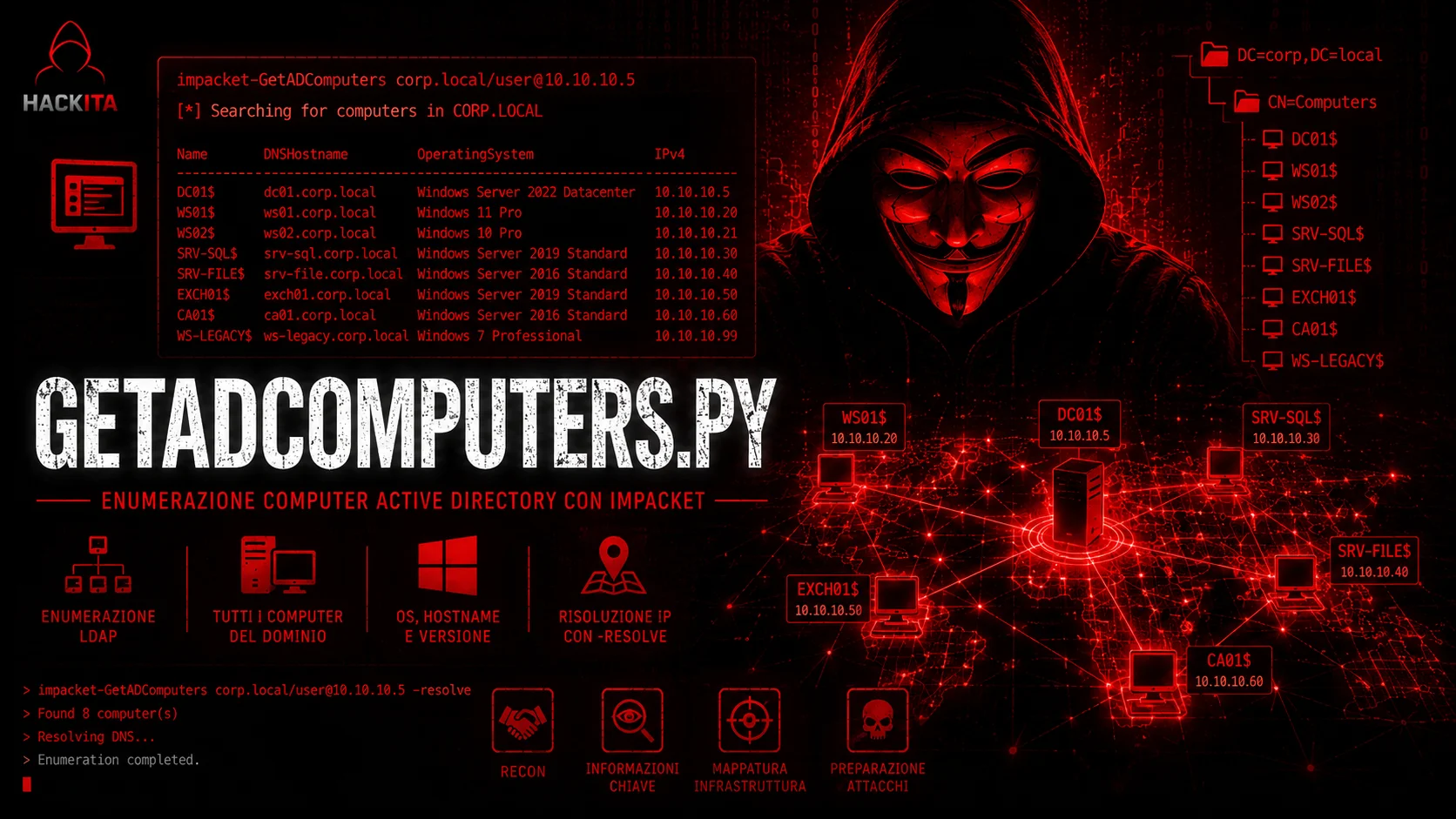
GetADComputers.py — Enumerate Active Directory Computers with Impacket

How to use impacket-GetADComputers to enumerate Active Directory computers via LDAP, -resolveIP ,auth with password, NTLM hash, Kerberos, ccache or AES keys.
- Posted on 2026-07-28
- Reading time: 14 min
GetADComputers.py: Enumerate Active Directory computers via LDAP #
GetADComputers.py queries a Domain Controller via LDAP and returns the domain's computer objects with sAMAccountName, DNS hostname, operating system, and version. The correct option to add an IPv4 address is -resolveIPThe tool supports passwords, NTLM hashes, Kerberos, caches and AES keys, but does not display PasswordLastSet, LastLogon, account status, roles, services, or vulnerabilities.
GetADComputers.py is one of the scripts included in Packet
and is used to quickly build an LDAP inventory of computers in an Active Directory domain.
Unlike network scanners and more extensive frameworks, it doesn't scan ports or check whether machines are powered on. It queries the Active Directory database and prints only the attributes required by its parser.
This guide has been verified against the code of:
- Package 0.13.1, current stable release;
- branch
master, identified by the project as development version 0.14.0-dev; - LDAP and Kerberos helpers shared in
impacket/examples/utils.py.
In the relevant sections there are no functional differences between the stable release and master: parser, LDAP filter, required attributes, output, and DNS resolution match.
Official references:
- GetADComputers.py — Impacket release 0.13.1
- GetADComputers.py — branch master
- Impacket LDAP and Kerberos Helper
- Official Impacket Releases
What GetADComputers.py Really Does #
The tool builds the Base DN from the provided domain and sends this LDAP filter to the Domain Controller:
(&(objectCategory=computer)(objectClass=computer))The search is paginated in blocks of 100 results and requires only four attributes:
sAMAccountName
dNSHostName
operatingSystem
operatingSystemVersion
With -resolveIP, for each value dNSHostName a DNS query of type is also performed A to the specified Domain Controller with -dc-ip.
In practice, the tool can return:
| Countryside | Meaning |
|---|---|
SAM AcctName | SAM name of the computer account, usually ending with $ |
DNS Hostname | FQDN registered in the attribute dNSHostName |
OS Version | Value of operatingSystemVersion |
OS | Value of operatingSystem |
IPAddress | An IPv4 address obtained with a DNS query A, only with -resolveIP |
GetADComputers.py It is therefore useful for:
- obtain an initial inventory of computer accounts;
- identify naming conventions;
- roughly distinguish between clients and servers using operating system attributes;
- obtain FQDNs to use in subsequent checks;
- resolve hostnames to IPv4 via the DC's DNS;
- prepare lists for complementary tools.
However, it does not provide a complete and verified map of the infrastructure. An object in Active Directory may be disabled, obsolete, no longer existing, powered off, or associated with an outdated DNS record.
What it doesn't give back #
The verified version does not require and does not print :
- e-mail address;
pwdLastSetoPasswordLastSet;lastLogon;lastLogonTimestamp;- state enabled or disabled;
userAccountControl;- Distinguished Name and OU;
- Service Principal Name;
- Kerberos delegations;
- object ACL;
- user sessions;
- open doors;
- active services;
- patch level;
- vulnerability;
- presence of LAPS;
- local or domain privileges.
Therefore, it is incorrect to infer from the output that:
- a machine password is old or weak;
- a computer account is vulnerable to takeover;
- a system is reachable;
- Windows Server 2016 is automatically vulnerable to EternalBlue or PrintNightmare;
- a host with “Datacenter” edition is a Domain Controller;
- a computer can be exploited via RBCD or Shadow Credentials.
These checks require additional LDAP attributes or different tools.
Prerequisites and required privileges #
The positional target must contain at least the domain:
dominio[/utente[:password]]The tool does not use syntax utente@target typical of other Impacket scripts. The Domain Controller is specified separately via -dc-ip and, when useful, -dc-host.
In a normally configured domain, a low-privileged authenticated user can generally read the non-sensitive attributes requested by the tool. Domain Admin privileges are not required, but custom ACLs or hardening policies can limit visibility.
-no-pass This is not the same as anonymous mode: it simply bypasses the password prompt and is primarily intended for Kerberos and ccache. The script does not expose a specific option for anonymous binding and should not be presented as a reliable credential-free enumeration tool.
Ports, protocols and generated traffic #
| Port | Protocol | When it is used |
|---|---|---|
| TCP 389 | LDAP | Initial connection to the Domain Controller |
| TCP 636 | LDAPS | Automatic fallback if LDAP returns strongerAuthRequired |
| TCP 53 | DNS | Query A with -resolveIP |
| TCP/UDP 88 | Kerberos | Acquire or use tickets when needed |
| TCP 445 | SMB | Can be contacted by the shared helper to get the machine name in Kerberos mode |
The tool does not use named pipes and does not directly query workstations or member servers. The LDAP query, and with -resolveIP, DNS queries are sent to the Domain Controller.
Be careful with SMB traffic with Kerberos #
In the verified version, GetADComputers.py use the shared helper ldap_login(). When -k is active, the helper calls _get_machine_name() and opens an SMB connection to the DC to obtain its NetBIOS name.
For this reason, Kerberos mode should not be described as LDAP/Kerberos only or as having no SMB traffic.
The option -dc-host It is still important to point to the correct Domain Controller and maintain consistent hostname, SPN, and resolution. In the current code path, however, Kerberos mode still calls _get_machine_name() on the selected target.
Correct syntax #
impacket-GetADComputers [opzioni] dominio[/utente[:password]]The name of the Python file is:
GetADComputers.pyIn distributions that install Impacket wrappers, such as Kali Linux, the command is typically:
impacket-GetADComputersAlways check the parser version installed:
impacket-GetADComputers -hOptions actually present in the parser #
| Option | Real description |
|---|---|
-user username | Present in the parser, but not applied to the LDAP filter in the tested version |
-resolveIP | Resolves DNS record A of values dNSHostName questioning the DC |
-dc-ip IP | Domain Controller IP Address |
-dc-host HOST | Domain Controller hostname |
-hashes LMHASH:NTHASH | NTLM authentication using hash |
-k | Kerberos authentication, with possible use of the cache indicated by KRB5CCNAME |
-no-pass | Avoid the password prompt |
-aesKey HEX | AES-128 or AES-256 key for Kerberos |
-ts | Adds timestamps to log messages |
-debug | Enable additional diagnostic information |
These options do not exist in the current parser:
-all
-resolve
-outputfile
-o
-ldaps
-target-ip
LDAP is already used to list all objects that match the filter. Therefore, no options are needed. -all.
To save the output you need to use shell redirection, because -outputfile is not supported.
The limitation of the -user option #
The parser states:
-user usernameand the value is assigned internally to:
self.__requestUserIn the 0.13.1 release and in the branch master, however, this variable is not used to modify the LDAP filter:
(&(objectCategory=computer)(objectClass=computer))Consequently:
impacket-GetADComputers corp.local/user:pass \
  -dc-ip 10.10.10.5 \
  -user WS01$
it doesn't really limit the search to WS01$.
The option is present in the help but, in the tested code, it does not produce the specific filter described by its help string.
To query a single computer it is preferable to use ldapsearch, a raw NetExec LDAP query, or PowerShell.
Password-protected use #
Password requested interactively #
Avoiding the password in the command line reduces the chance of it remaining visible in the history or process list:
impacket-GetADComputers corp.local/user \
  -dc-ip 10.10.10.5
The tool will prompt for your password.
Password in target string #
impacket-GetADComputers 'corp.local/user:Password123!' \
  -dc-ip 10.10.10.5
Quotation marks are important when the password contains characters that are interpreted by the shell.
Pass the Hash #
GetADComputers.py supports NTLM authentication via -hashes.
impacket-GetADComputers corp.local/user \
  -hashes :NTHASH \
  -dc-ip 10.10.10.5
Full format:
impacket-GetADComputers corp.local/user \
  -hashes LMHASH:NTHASH \
  -dc-ip 10.10.10.5
When the LM hash is not available, the form :NTHASH is normally sufficient. For the general operation of this mode, also consult the guide to Pass the Hash
.
Success depends on the domain policies and authentication mechanisms allowed by the Domain Controller.
Kerberos with ccache #
Export the ticket cache:
export KRB5CCNAME=/path/to/user.ccacheThen do:
impacket-GetADComputers corp.local/user \
  -k \
  -no-pass \
  -dc-host DC01.corp.local \
  -dc-ip 10.10.10.5
Important requirements:
- the domain must be correct;
- the principal in the cache must be consistent with the indicated user;
- the client time must be synchronized with the domain;
- hostname and DNS must be consistent with SPNs;
- the KDC must be reachable;
- In the current release, an SMB connection is also made to the DC for machine-name discovery.
Check available tickets with:
klistKerberos with AES key #
The parser supports AES-128 and AES-256 Kerberos keys:
impacket-GetADComputers corp.local/user \
  -aesKey AES256_HEX_KEY \
  -dc-host DC01.corp.local \
  -dc-ip 10.10.10.5
It is not mandatory to add manually -k: Impacket's shared parser automatically enables Kerberos when provided -aesKey.
The key must belong to the specified principal and must have the correct format and length.
Resolve IPv4 addresses with -resolveIP #
The correct option is:
-resolveIPExample:
impacket-GetADComputers corp.local/user \
  -dc-ip 10.10.10.5 \
  -resolveIP
In the tested version, the code replaces the default DNS resolver and sets the nameserver to the value of -dc-ip.
For this reason you must explicitly provide a valid DC address when using -resolveIP. Without -dc-ip, the value assigned to the nameserver list may be missing and resolution may fail.
The tool:
- readers
dNSHostNamefrom the computer object; - send a DNS query
Aon TCP; - print an IPv4 if resolution succeeds;
- Leave the field blank in case of exception.
Limitations:
- does not query records
AAAA; - does not return IPv6;
- does not check if the host responds;
- if there are multiple records
A, the inner loop overwrites the value and the output shows only the last processed address; - a valid DNS record does not prove that the host is turned on;
- A DNS error does not prove that the object is unusable.
Save the output #
-outputfile It doesn't exist. Use redirection:
impacket-GetADComputers corp.local/user \
  -dc-ip 10.10.10.5 \
  -resolveIP > /tmp/getadcomputers.txt
To separate stdout and error messages:
impacket-GetADComputers corp.local/user \
  -dc-ip 10.10.10.5 \
  -resolveIP \
  > /tmp/getadcomputers.txt \
  2> /tmp/getadcomputers-errors.txt
The file may contain sensitive information about internal infrastructure.
Real output and interpretation #
Without -resolveIP, the headers generated by the code are:
SAM AcctName    DNS Hostname                        OS Version      OS
--------------- ----------------------------------- --------------- --------------------
A representative output of the format is:
SAM AcctName    DNS Hostname                        OS Version      OS
--------------- ----------------------------------- --------------- -----------------------------------
DC01$           DC01.corp.local                     10.0 (20348)    Windows Server 2022 Standard
WS01$           WS01.corp.local                     10.0 (22631)    Windows 11 Pro
SRV-SQL$        SRV-SQL.corp.local                  10.0 (17763)    Windows Server 2019 Standard
LEGACY01$       LEGACY01.corp.local                 6.3 (9600)      Windows Server 2012 R2 Standard
With -resolveIP the column is added IPAddress:
SAM AcctName    DNS Hostname                        OS Version      OS                                  IPAddress
--------------- ----------------------------------- --------------- ----------------------------------- --------------------
DC01$           DC01.corp.local                     10.0 (20348)    Windows Server 2022 Standard        10.10.10.5
WS01$           WS01.corp.local                     10.0 (22631)    Windows 11 Pro                      10.10.10.20
OLD-PC$         OLD-PC.corp.local                   10.0 (19045)    Windows 10 Pro
The output is a fixed-width table intended for human reading, not CSV or JSON. Very long strings can make parsing fragile with awk.
How to read the fields correctly #
SAM AcctName
#
It is the sAMAccountName of the computer object. It usually ends with $.
It does not indicate:
- that the computer is enabled;
- that the system is online;
- that the secure channel works;
- that the object is not obsolete.
DNS Hostname
#
It is the value stored in dNSHostName.
Can be:
- empty;
- not updated;
- unsolvable;
- associated with an obsolete DNS record;
- different from the name under which the system is reachable from a given network.
OS e OS Version
#
These are declarative attributes stored in the computer object. They are useful for prioritizing verification, but they are not a substitute for active fingerprinting.
An older or out-of-support operating system does not test itself:
- the absence of patches;
- the presence of SMBv1;
- spooler exposure;
- vulnerability to a specific CVE;
- the accessibility of the service in question.
Extract FQDN and IP addresses #
Extract FQDNs #
awk '$1 ~ /\$$/ && $2 ~ /\./ {print $2}' \
  /tmp/getadcomputers.txt \
  > /tmp/computers-fqdn.txt
Extract IPv4s #
awk '$NF ~ /^([0-9]{1,3}\.){3}[0-9]{1,3}$/ {print $NF}' \
  /tmp/getadcomputers.txt \
  > /tmp/computers-ipv4.txt
Delete duplicates #
sort -u /tmp/computers-fqdn.txt -o /tmp/computers-fqdn.txt
sort -u /tmp/computers-ipv4.txt -o /tmp/computers-ipv4.txt
These filters depend on the current output format. After an Impacket update, recheck headers and columns.
Equivalent LDAP query with ldapsearch #
To get the same attributes with a manual query:
ldapsearch -LLL -x \
  -H ldap://DC01.corp.local \
  -D 'user@corp.local' \
  -W \
  -b 'DC=corp,DC=local' \
  '(&(objectCategory=computer)(objectClass=computer))' \
  sAMAccountName \
  dNSHostName \
  operatingSystem \
  operatingSystemVersion
This alternative allows you to freely modify the filter and attributes. See also the Hackita guide to ldapsearch.
Query a specific computer #
As -user It doesn't actually apply a filter in the tested version, it uses a targeted query:
ldapsearch -LLL -x \
  -H ldap://DC01.corp.local \
  -D 'user@corp.local' \
  -W \
  -b 'DC=corp,DC=local' \
  '(&(objectCategory=computer)(sAMAccountName=WS01$))' \
  sAMAccountName \
  dNSHostName \
  operatingSystem \
  operatingSystemVersion
To prevent the shell from interpreting $, enclose the filter in single quotes.
Really Identify Domain Controllers #
GetADComputers.py does not require userAccountControl, so it cannot classify Domain Controllers with certainty.
The name DC01 It's just a convention. The "Datacenter" string also indicates a Windows Server edition, not the AD DS role.
Microsoft defines the flag SERVER_TRUST_ACCOUNT with decimal value 8192 as an indicator of a computer account belonging to a Domain Controller.
LDAP Query:
ldapsearch -LLL -x \
  -H ldap://DC01.corp.local \
  -D 'user@corp.local' \
  -W \
  -b 'DC=corp,DC=local' \
  '(&(objectCategory=computer)(userAccountControl:1.2.840.113556.1.4.803:=8192))' \
  sAMAccountName \
  dNSHostName \
  operatingSystem \
  userAccountControl
The OID matching rule:
1.2.840.113556.1.4.803performs a bitwise AND LDAP comparison and checks for the presence of the specified flag.
Exclude disabled computer accounts #
The flag ACCOUNTDISABLE vale 2.
ldapsearch -LLL -x \
  -H ldap://DC01.corp.local \
  -D 'user@corp.local' \
  -W \
  -b 'DC=corp,DC=local' \
  '(&(objectCategory=computer)(objectClass=computer)(!(userAccountControl:1.2.840.113556.1.4.803:=2)))' \
  sAMAccountName \
  dNSHostName \
  operatingSystem \
  userAccountControl
GetADComputers.py import internally UF_ACCOUNTDISABLE, but in the tested code it does not use the constant to filter or flag the results.
Analyze potentially obsolete computers #
For a separate analysis you can request additional attributes:
ldapsearch -LLL -x \
  -H ldap://DC01.corp.local \
  -D 'user@corp.local' \
  -W \
  -b 'DC=corp,DC=local' \
  '(&(objectCategory=computer)(objectClass=computer))' \
  sAMAccountName \
  dNSHostName \
  distinguishedName \
  userAccountControl \
  pwdLastSet \
  lastLogonTimestamp
These values require correct conversion and interpretation:
pwdLastSetdoes not prove that the machine password is weak;- an old date may indicate a host that is turned off, isolated, decommissioned, or has secure channel issues;
lastLogonTimestampit is replicated but approximate;lastLogonIt is specific to each DC and does not automatically represent the global last access.
Don't automatically link these dates to RBCD, Shadow Credentials, or computer account takeover: these techniques depend on specific ACLs, flags, and configurations.
Alternative with NetExec #
NetExec supports raw LDAP queries:
nxc ldap 10.10.10.5 \
  -d corp.local \
  -u user \
  -p 'Password123!' \
  --query '(&(objectCategory=computer)(objectClass=computer))' \
  'sAMAccountName dNSHostName operatingSystem operatingSystemVersion'
Raw queries return LDAP values without applying the table format. GetADComputers.py.
Always check the help for the installed version:
nxc ldap --helpPre-created computer account #
The NetExec module pre2k belongs to a different workflow:
nxc ldap DC01.corp.local \
  -d corp.local \
  -u user \
  -p 'Password123!' \
  -M pre2k
The module searches for pre-created computer accounts with specific combinations of flags userAccountControl and may attempt to request a TGT using the default machine password derived from the computer name.
It is not a function of GetADComputers.py and should not be done just because a system appears old in the attribute operatingSystem.
This is a more active check, to be carried out only in authorized environments and after having understood its impact.
Alternative from Windows with PowerShell #
With the ActiveDirectory module:
Get-ADComputer -Filter * `
  -Properties DNSHostName,
              OperatingSystem,
              OperatingSystemVersion,
              Enabled,
              PasswordLastSet,
              LastLogonTimestamp,
              UserAccountControl |
  Select-Object Name,
                DNSHostName,
                OperatingSystem,
                OperatingSystemVersion,
                Enabled,
                PasswordLastSet,
                LastLogonTimestamp,
                UserAccountControl
This solution returns more attributes than GetADComputers.py, but requires the ActiveDirectory module and a compatible Windows or PowerShell environment.
GetADComputers.py, GetADUsers.py and BloodHound #
GetADComputers.py #
It is suitable for a quick and minimal inventory of computer accounts:
- name SAM;
- FQDN;
- operating system;
- version;
- IPv4 optional.
GetADUsers.py #
GetADUsers.py focuses on user accounts and uses different attributes.
The options of the two scripts are not interchangeable: GetADComputers.py, for example, does not possess -all nor -outputfile.
blood hound #
blood hound
It is not a simple replacement for the table generated by GetADComputers.py.
It collects relationships, ACLs, delegations, groups, sessions, and attack paths that the Impacket tool does not analyze.
Usa GetADComputers.py for quick reconnaissance; use BloodHound when relationships and attack paths are needed.
Correct operational workflow #
1. Enumerate computer objects #
impacket-GetADComputers corp.local/user \
  -dc-ip 10.10.10.5
Goals:
- know your computer accounts;
- collect FQDNs;
- identify naming conventions;
- observe the available OS attributes.
2. Add IPv4 resolution #
impacket-GetADComputers corp.local/user \
  -dc-ip 10.10.10.5 \
  -resolveIP \
  > /tmp/getadcomputers.txt
3. Extract FQDN and IP #
awk '$1 ~ /\$$/ && $2 ~ /\./ {print $2}' \
  /tmp/getadcomputers.txt |
  sort -u > /tmp/computers-fqdn.txt

awk '$NF ~ /^([0-9]{1,3}\.){3}[0-9]{1,3}$/ {print $NF}' \
  /tmp/getadcomputers.txt |
  sort -u > /tmp/computers-ipv4.txt
4. Check which hosts are actually reachable #
A network check is separate from the LDAP query:
nmap -Pn -sT \
  -p 135,445,3389,5985,5986 \
  --open \
  -iL /tmp/computers-ipv4.txt
The Nmap result should not be attributed to GetADComputers.py.
5. Verify SMB signing with a complementary tool #
nxc smb /tmp/computers-ipv4.txt \
  --gen-relay-list /tmp/relay-targets.txt
This is an active SMB check performed by NetExec, not Impacket GetADComputers.py.
The result must be validated with the current version of the instrument and, when necessary, with manual checks.
6. Only target relevant targets #
Examples:
- additional LDAP queries for SPNs and delegations;
- BloodHound for ACL and attack path;
- NetExec for services and configurations;
- Nmap for fingerprinting;
- patch verification with dedicated tools;
- SMB enumeration on authorized hosts only.
The OS attribute should be used to decide what to check for, not to automatically declare a vulnerability.
Pivots and proxy chains #
In the presence of a pivot, the network path must allow reaching the services actually used:
TCP 389    LDAP
TCP 636    LDAPS, in caso di fallback
TCP 53     DNS con -resolveIP
TCP/UDP 88 Kerberos
TCP 445    machine-name discovery in modalità Kerberos
Generic example:
proxychains4 impacket-GetADComputers corp.local/user \
  -dc-ip 10.10.10.5
Compatibility depends on the proxy type:
- a TCP SOCKS can carry LDAP, LDAPS, TCP DNS, and SMB;
- not all proxies support UDP Kerberos;
-resolveIPuse DNS over TCP in the verified version;- local domain and DC resolution must be consistent;
- a simple forward of port 389 alone may not be sufficient for Kerberos or
-resolveIP.
In environments with unreachable internal DNS it may be necessary to configure /etc/hosts, an internal resolver or an appropriate tunnel.
Common errors and troubleshooting #
unrecognized arguments: -resolve
#
Cause:
-resolvedoes not exist.
Solution:
impacket-GetADComputers corp.local/user \
  -dc-ip 10.10.10.5 \
  -resolveIP
unrecognized arguments: -all
#
Cause: The option belongs to other scripts or out-of-date guides.
Solution: Remove it. GetADComputers.py already uses a filter that enumerates all visible computer objects.
unrecognized arguments: -outputfile
#
Cause: The parser does not support the option.
Solution:
impacket-GetADComputers corp.local/user \
  -dc-ip 10.10.10.5 \
  > computers.txt
Domain should be specified!
#
The target does not contain a valid domain.
Incorrect:
impacket-GetADComputers user:pass \
  -dc-ip 10.10.10.5
Correct:
impacket-GetADComputers corp.local/user:pass \
  -dc-ip 10.10.10.5
Empty IP column #
Possible causes:
dNSHostNamehe doesn't have a recordA;- the record has expired or been removed;
-dc-ipis incorrect or absent;- TCP 53 is filtered;
- DC DNS is not reachable from pivot;
- the DNS response is invalid;
- The hostname is present in AD but is no longer used.
This does not necessarily mean that the computer account is disabled or that the host does not exist.
Output with headers only #
Possible causes:
- there are no visible computer objects in the domain;
- Custom ACLs restrict reads;
- the domain indicated generates an incorrect Base DN;
- the wrong domain was queried;
- The LDAP search returns no compatible entries.
Authentication or connection errors are usually shown as exceptions, not as a simple empty table.
USA:
impacket-GetADComputers corp.local/user \
  -dc-ip 10.10.10.5 \
  -debug
Empty DNS or OS fields #
The computer object may not have any values:
dNSHostName
operatingSystem
operatingSystemVersion
The tool prints empty strings. This is not an automatic test for compromise or malfunction.
strongerAuthRequired
#
The shared LDAP helper initially tries LDAP and, when it receives this error, automatically retries LDAPS.
GetADComputers.py does not expose an option -ldaps.
If fallback also fails, check:
- TCP 636;
- DC LDAPS certificate and configuration;
- LDAP signing;
- channel binding;
- Impacket version compatibility;
- NTLM and Kerberos policies.
Error during machine-name discovery with Kerberos #
The helper opens an SMB connection and attempts a blank login to obtain the server name. Even when anonymous authentication is not granted, the negotiation can allow Impacket to read the server name.
In environments with NTLM disabled, SMB filtered, or an incompatible response, this procedure may fail.
Verify:
-dc-host DC01.corp.local;- DNS resolution;
- TCP reachability 445;
- SPN LDAP;
- time synchronization;
- validity of the ccache;
- output of
-debug.
KRB_AP_ERR_SKEW
#
Client and Domain Controller have time zones too far apart.
Check it out:
timedatectland synchronizes the time with an authorized source.
The parameter -user does not reduce output
#
This is the behavior of the checked version: the argument is parsed and stored, but it is not inserted into the LDAP filter.
Use a specific LDAP query via ldapsearch, NetExec, or PowerShell.
Detection #
Running it does not create a Windows event called “GetADComputers.py”.
From the Domain Controller's point of view it looks like:
- an LDAP connection and authentication;
- a paginated LDAP search on the domain;
- any DNS queries
A; - In Kerberos mode, a preliminary SMB connection is made to obtain the server name.
The activity is consistent with MITRE ATT&CK T1018 — Remote System Discovery , which includes using LDAP queries to locate systems in the domain.
Useful telemetry sources #
- NTLM or Kerberos authentications to the DC;
- LDAP 389 or LDAPS 636 connections;
- LDAP filter on objects
computer; - required attributes;
- DNS queries
Ain sequence towards the DC; - SMB 445 connection in Kerberos mode;
- Python process or Impacket wrapper on the source endpoint;
- subsequent Nmap or NetExec scans;
- Defender for Identity or equivalent network telemetry.
4662 Event #
Security event 4662 can log operations on Active Directory objects, but is only generated when:
- is enabled
Audit Directory Service Access; - an appropriate SACL is configured on the object;
- the operation corresponds to the SACL.
It should not be specified as a guaranteed event for every LDAP query.
1644 Event #
Directory Service event 1644 is primarily intended for expensive, inefficient, or slow LDAP queries and depends on the Domain Controller diagnostic configuration.
The filter used by GetADComputers.py It can be normal or indexed. It's incorrect to promise that every execution will automatically generate a 1644 event.
Microsoft Defender for Identity #
Defender for Identity monitors LDAP activity and can detect suspicious queries associated with reconnaissance or known tools.
A single reading of common attributes may also have legitimate administrative explanations: origin, frequency, identity, and subsequent activity must be correlated to reduce false positives.
Mitigations #
LDAP reads of computers, users, and groups are common in the normal operation of Active Directory. Blocking them indiscriminately can compromise applications and administrative tasks.
More effective controls:
- restrict access to Domain Controllers from unnecessary networks;
- segment workstations, administrative servers and Tier 0 systems;
- apply LDAP signing and channel binding;
- prefer Kerberos and progressively reduce NTLM;
- monitor anomalous LDAP queries by volume, source, and identity;
- detect LDAP → DNS → SMB, WinRM or RDP sequences;
- remove or disable obsolete computer accounts after verification;
- maintain correct DNS and computer attributes;
- use separate administrative accounts;
- install Defender for Identity sensors or equivalent tools;
- monitor Python processes and offensive tools on endpoints;
- define baselines for applications that routinely query Active Directory.
There is no safe mitigation based solely on denying all users the ability to read computer objects.
Cleanup #
GetADComputers.py It performs a read query and does not modify Active Directory. Therefore, no domain-side cleanup is required.
However, local artifacts must be removed or protected:
rm -f \
  /tmp/getadcomputers.txt \
  /tmp/getadcomputers-errors.txt \
  /tmp/computers-fqdn.txt \
  /tmp/computers-ipv4.txt \
  /tmp/relay-targets.txt
Remove the ccache variable when no longer needed:
unset KRB5CCNAMEManage tickets according to laboratory procedures:
kdestroyDon't leave clear text passwords in your shell history or in files readable by other users.
Cheat sheet #
# Help e parser reale
impacket-GetADComputers -h

# Autenticazione con prompt password
impacket-GetADComputers corp.local/user \
  -dc-ip 10.10.10.5

# Password inline
impacket-GetADComputers 'corp.local/user:Password123!' \
  -dc-ip 10.10.10.5

# Risoluzione IPv4 tramite il DNS del DC
impacket-GetADComputers corp.local/user \
  -dc-ip 10.10.10.5 \
  -resolveIP

# Pass-the-Hash
impacket-GetADComputers corp.local/user \
  -hashes :NTHASH \
  -dc-ip 10.10.10.5

# Kerberos con ccache
export KRB5CCNAME=/path/to/user.ccache

impacket-GetADComputers corp.local/user \
  -k \
  -no-pass \
  -dc-host DC01.corp.local \
  -dc-ip 10.10.10.5

# Kerberos con chiave AES
impacket-GetADComputers corp.local/user \
  -aesKey AES256_HEX_KEY \
  -dc-host DC01.corp.local \
  -dc-ip 10.10.10.5

# Timestamp e debug
impacket-GetADComputers corp.local/user \
  -dc-ip 10.10.10.5 \
  -ts \
  -debug

# Salva output
impacket-GetADComputers corp.local/user \
  -dc-ip 10.10.10.5 \
  -resolveIP > /tmp/getadcomputers.txt

# Estrai FQDN
awk '$1 ~ /\$$/ && $2 ~ /\./ {print $2}' \
  /tmp/getadcomputers.txt |
  sort -u > /tmp/computers-fqdn.txt

# Estrai IPv4
awk '$NF ~ /^([0-9]{1,3}\.){3}[0-9]{1,3}$/ {print $NF}' \
  /tmp/getadcomputers.txt |
  sort -u > /tmp/computers-ipv4.txt

# Query equivalente con ldapsearch
ldapsearch -LLL -x \
  -H ldap://DC01.corp.local \
  -D 'user@corp.local' \
  -W \
  -b 'DC=corp,DC=local' \
  '(&(objectCategory=computer)(objectClass=computer))' \
  sAMAccountName \
  dNSHostName \
  operatingSystem \
  operatingSystemVersion

# Query equivalente con NetExec
nxc ldap 10.10.10.5 \
  -d corp.local \
  -u user \
  -p 'Password123!' \
  --query '(&(objectCategory=computer)(objectClass=computer))' \
  'sAMAccountName dNSHostName operatingSystem operatingSystemVersion'
Mistakes not to be repeated #
-resolve              → errato, usare -resolveIP
-all                  → inesistente
-outputfile           → inesistente, usare >
LastLogon             → non restituito
PasswordLastSet       → non restituito
Datacenter = DC       → falso
OS vecchio = CVE      → falso senza verifica
DNS risolto = online  → falso
-user filtra computer → falso nella versione verificata
Related Hackita Articles #
- Impacket: suite and tools
- GetADUsers.py: Active Directory user enumeration
- ldapsearch: LDAP query from Linux
- NetExec: Service Enumeration and Verification
- BloodHound: Active Directory relationships and attack paths
- Pass the Hash
- SMB: protocol and port 445
- Active Directory: General Guide
Technical sources #
Primary sources #
- Fortra Impacket — official repository
- GetADComputers.py — Impacket 0.13.1
- GetADComputers.py — branch master
- Impacket LDAP and Kerberos Helper
- Microsoft — UserAccountControl flag
- Microsoft — Event 4662
- Microsoft — LDAP query analysis with event 1644
- MITER ATT&CK T1018 — Remote System Discovery
- NetExec — raw LDAP query
- NetExec — pre2k computer account abuse
Operational sources for comparison #
- HackTricks — Active Directory Methodology
- The Hacker Recipes — LDAP reconnaissance
- InternalAllTheThings — Active Directory Enumeration
- Hackviser — LDAP Pentesting
Use these techniques only on systems you own or have explicit permission to use.